Quick answer: Diamonds and colored gemstones are the part of a jewelry photo shoppers zoom into first — and the part most AI tools get wrong. Retouching should remove dust, glare, and background bleed-through; it should never touch facet geometry, clarity characteristics, or hue. This guide covers technique for both, what never to retouch out, and how to do it in NeuroViz Jewelry Retoucher, an AI jewelry photography platform, from $0.10 per image — part of our complete guide to AI jewelry retouching.
Why are diamond and gemstone photos harder to retouch than metal?
Diamonds and light-colored gems share pixel values with studio backgrounds and reflections, so a weak AI model can’t reliably tell where the stone ends and the background begins. It either flattens facet edges into a smooth blob or invents sparkle that was never in the original shot. Colored stones have a second failure point: automatic white balance and color-cast correction shift hue fast, turning a true emerald green warmer or a sapphire blue toward purple.
Three things make gemstone retouching its own discipline, separate from metal retouching:
- Transparency and reflectivity — facets read as both subject and background at once.
- Fire, brilliance, and scintillation — the sparkle is light behavior at the moment of the shot, not a texture to sharpen or paint back in.
- Color grading and clarity characteristics — hue and saturation shift easily with white balance, and real inclusions are part of the stone’s grade, not dirt to clean away.
The real risk isn’t a messy photo — it’s an AI that quietly changes something optically true about the stone. That’s not retouching. That’s redesigning a graded asset.
How do you retouch diamond facets without losing the fire?
Retouching a diamond photo means cleaning dust, fingerprints, and background bleed-through while keeping every facet — table, crown, pavilion — exactly where the cut placed it. Never soften scintillation into a uniform white glow, and never add fire the stone didn’t actually produce under your lighting.
In practice: correct facet-by-facet rather than with one global sharpen or blur pass, keep the edge between facet and setting metal crisp (a blurred line here reads as a re-cut stone), and remove background bleed-through — studio walls, props, hands — without flattening the internal reflections the facets are legitimately producing.
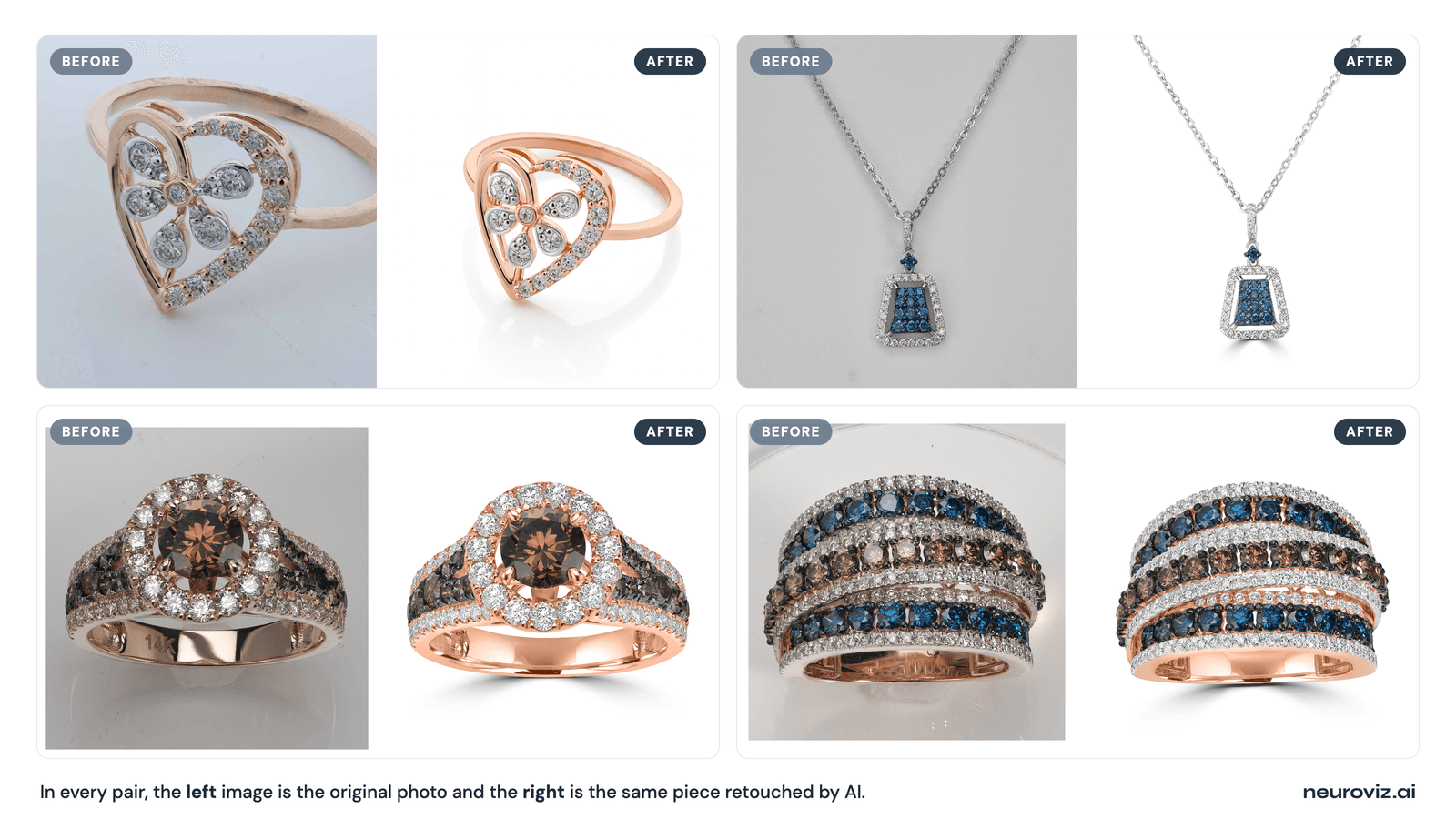
Where generic AI fails: tools trained on furniture and apparel see a diamond as a bright, semi-transparent blob and smooth it into glass. We stress-tested this directly on a channel-set blue diamond and four other hard cases, close up, the way a shopper zooms into a listing.
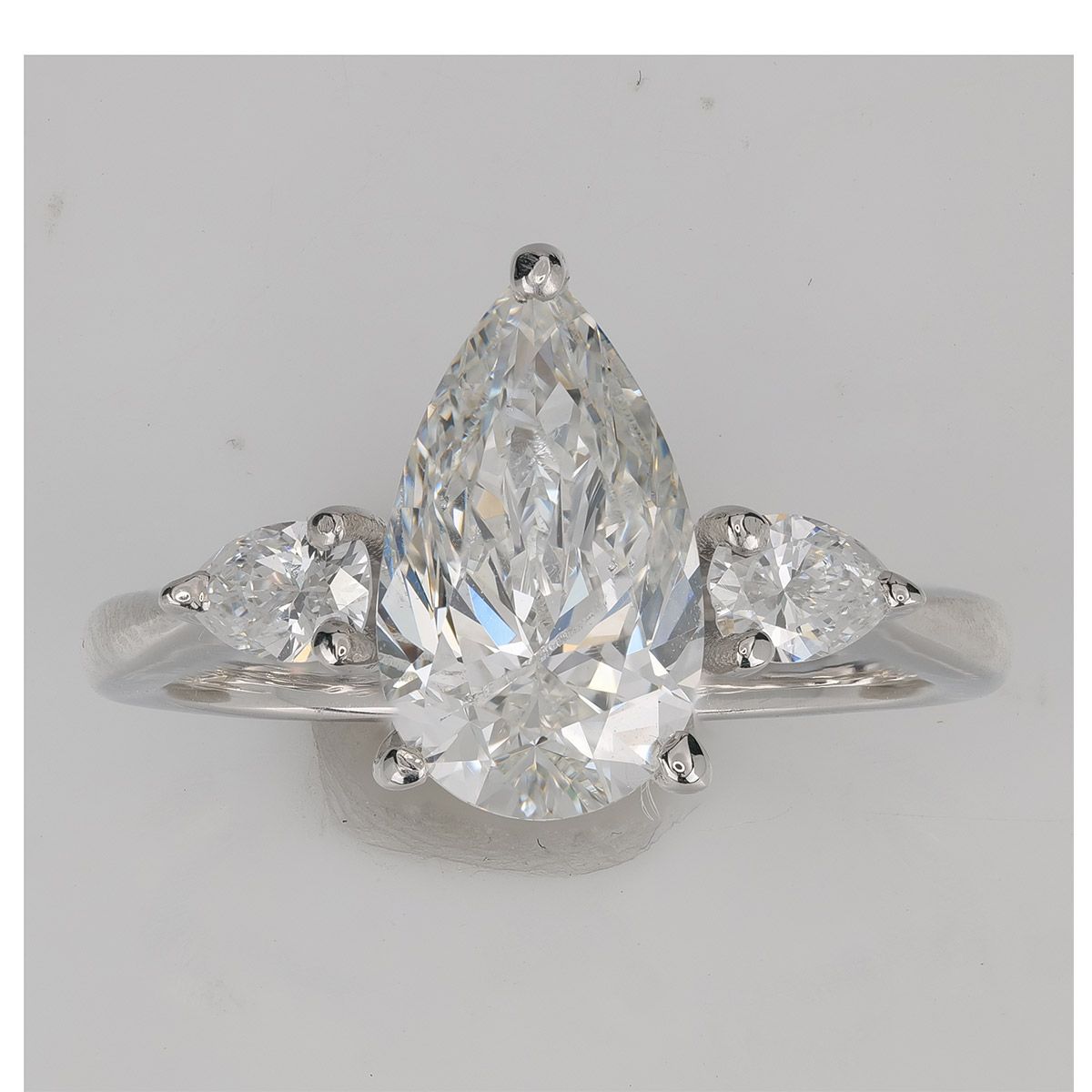
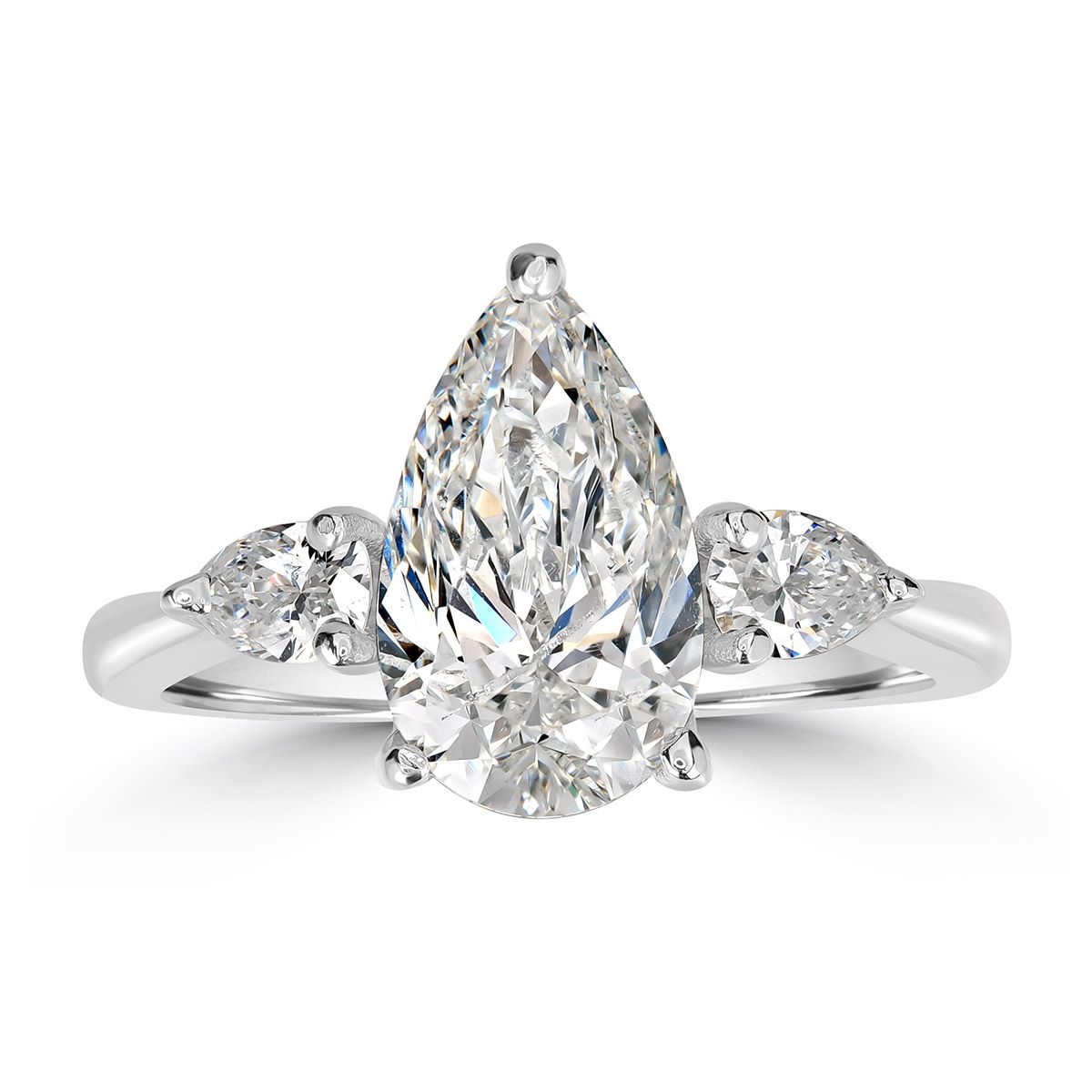
A pear-cut diamond before and after AI retouching — the facet pattern and the fire are identical in both shots; only the dust, the marks and the grey background are gone.
How do you retouch colored gemstones so the color stays true?
Colored gemstone retouching is mostly a color-accuracy problem, not a detail problem: keep hue, tone, and saturation matched to the stone under neutral light, and don’t let automatic white balance push an emerald toward yellow-green or a ruby toward orange.
Correct for the actual light source (tungsten catalog lighting vs. daylight) before adjusting anything else — color casts compound if you skip it. Match saturation to the stone’s real color: oversaturating doesn’t just look wrong, on a certified piece it reads as an undisclosed treatment. And keep surface detail visible even on opaque or translucent stones like turquoise or opal, since color zoning is part of what a buyer checks against the listing.
For the setting and metal around the stone, our companion piece on how to retouch jewelry photos covers prongs, pavé, and reflections in depth.
If a buyer pulls your photo up next to the stone’s own grading certificate, they should match. That’s the real bar for colored gemstone retouching — not “looks impressive.”
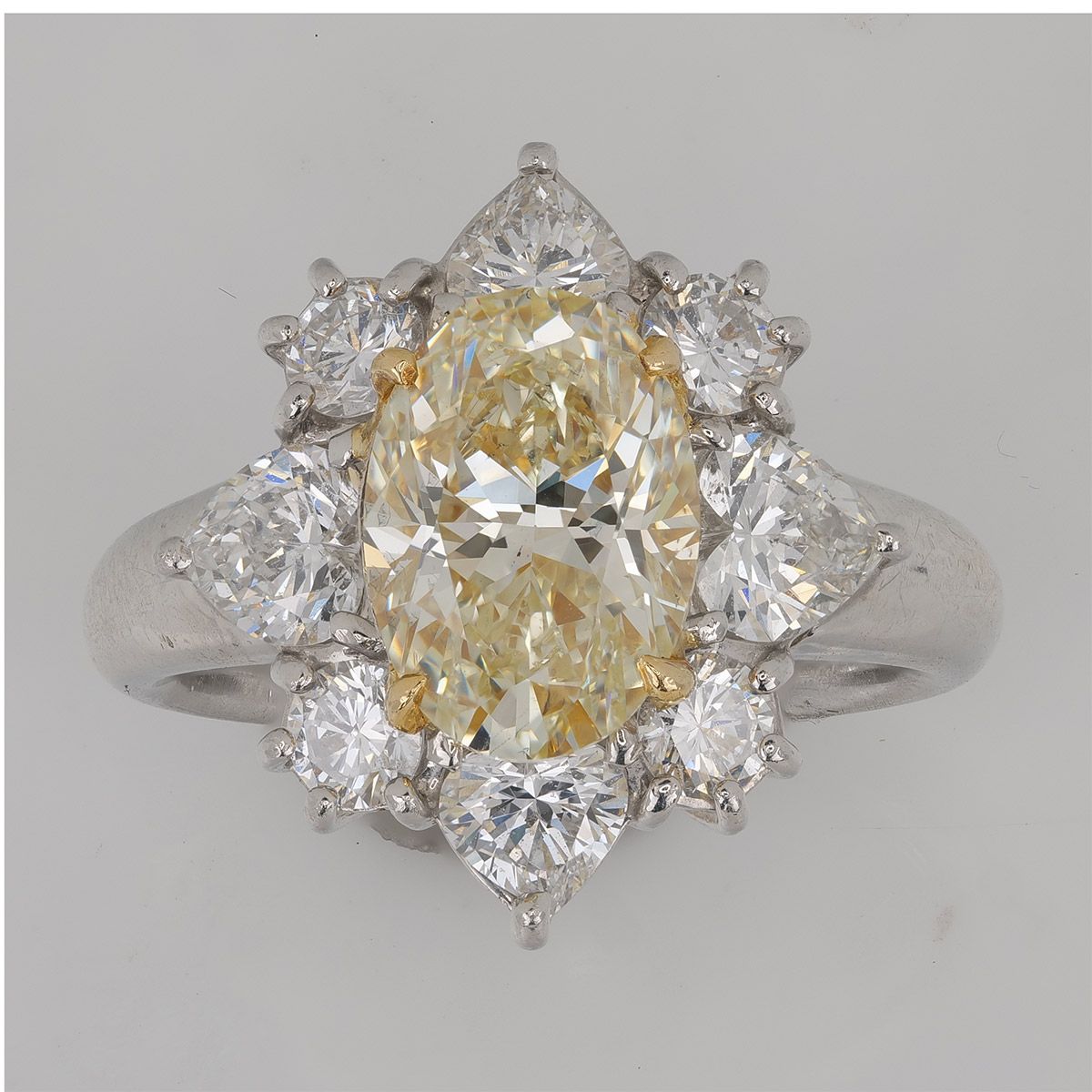
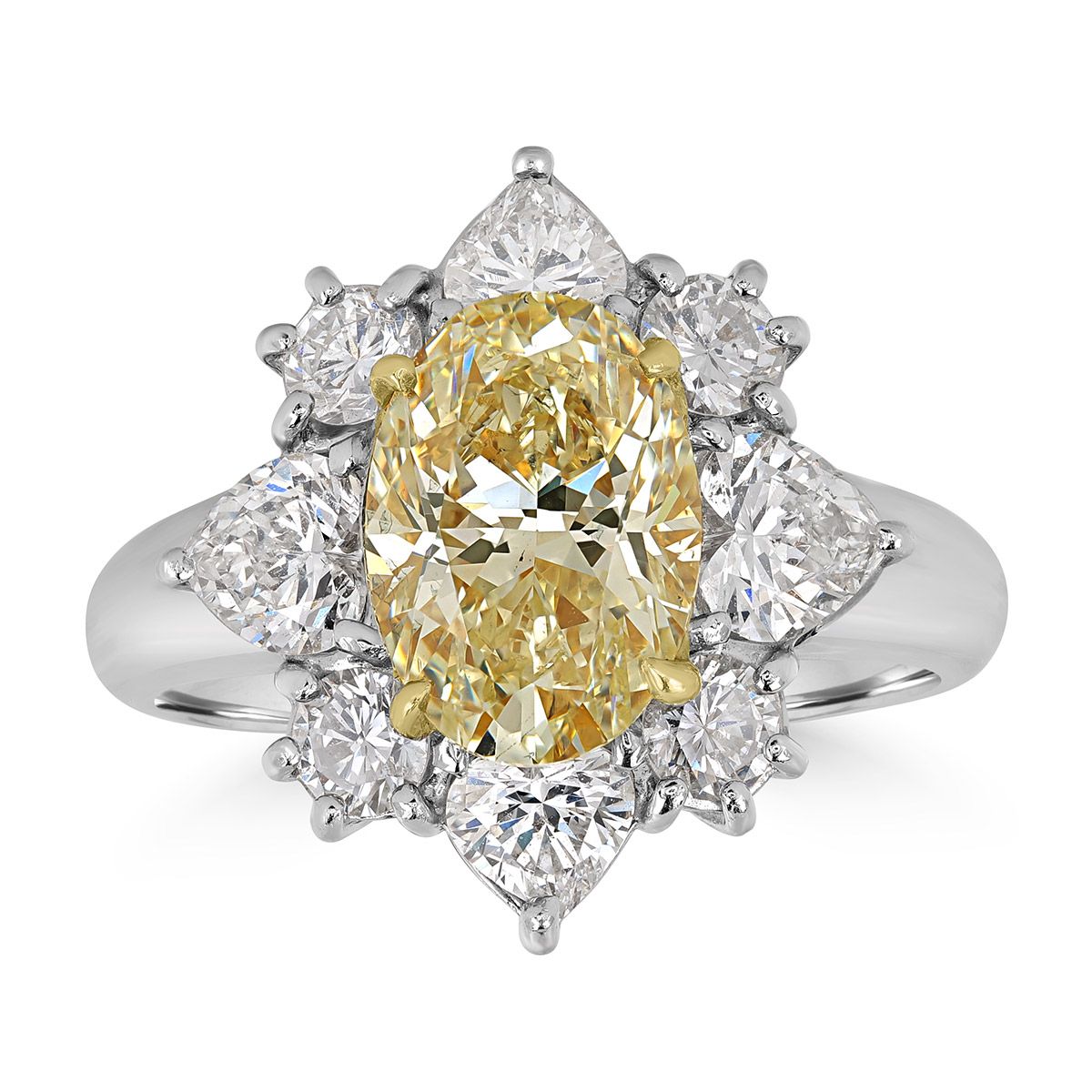
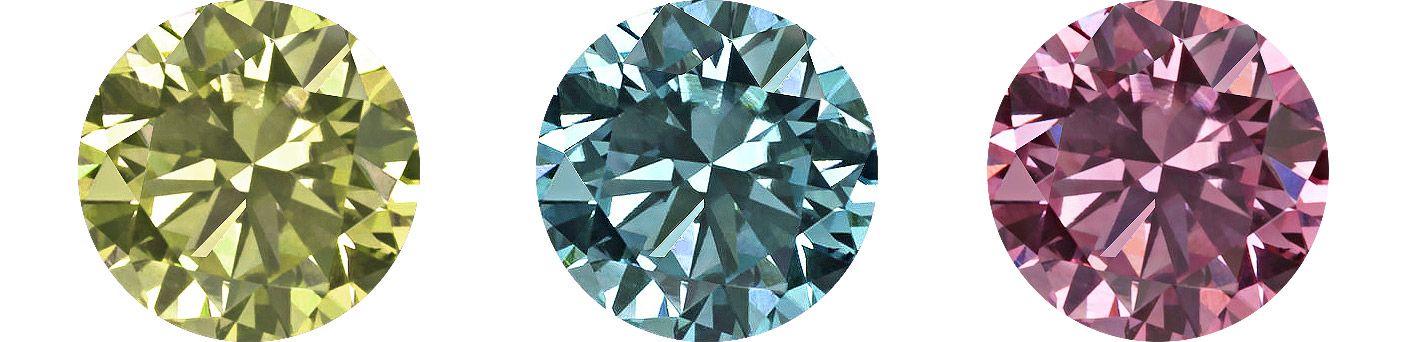
A fancy yellow diamond retouched without color drift — the yellow stays exactly as graded, while the white diamonds around it stay white.
Should you retouch inclusions out of diamond photos?
No — not if the stone is graded or certified. Surface dust, fingerprints, and lint are fair game to remove. Clarity characteristics that are part of the stone’s actual grade — inclusions, feathers, natural color zoning — should stay, because editing them out misrepresents a graded asset and creates a real return or dispute risk when a buyer checks the photo against the certificate.
This is exactly why NeuroViz Jewelry Retoucher puts the decision in your hands with a Retouch Gemstones toggle: leave it on to polish out dust and surface debris, or switch it off to keep the natural stone exactly as it looks in real life. For stones sold on their own, a dedicated Loose Gemstone mode retouches the gem with no metal setting in frame — cleaning lighting and background without touching facet geometry, cut, or color.
Generic AI vs. jewelry-trained AI vs. manual retouching for gemstones
For diamond- and gemstone-specific work, jewelry-trained AI keeps facet geometry and stone color intact at a flat cost; generic AI tools damage transparent stones and drift on hue; manual retouching is accurate but gets more expensive as the stone gets more complex.
| Task | Generic AI | NeuroViz (jewelry-trained AI) | Manual retoucher |
|---|---|---|---|
| Facet edge preservation | Often flattens into a blur | Preserved by design | Preserved, slower at scale |
| Diamond fire/brilliance | Frequently invents or dulls sparkle | True to the original lighting | True to the original lighting |
| Colored stone hue accuracy | Drifts with auto white balance | Corrected without oversaturating | Accurate, expert color eye |
| Inclusion/clarity honesty | No control — guesses | Retouch Gemstones toggle, on/off | Full manual judgment |
| Loose stone (no metal) mode | Not available | Dedicated Loose Gemstone mode | Possible, billed as custom work |
| Cost per image | $0.05–$0.30 (not jewelry-trained) | $0.10–$1.60 | $15–$20+ for graded-stone work |
| Turnaround | Seconds to minutes | Under 30 seconds | Hours to days |
For where AI matches human retouchers across jewelry photography generally, not just gemstones, see our honest answer — or compare more jewelry photo editing tools directly.
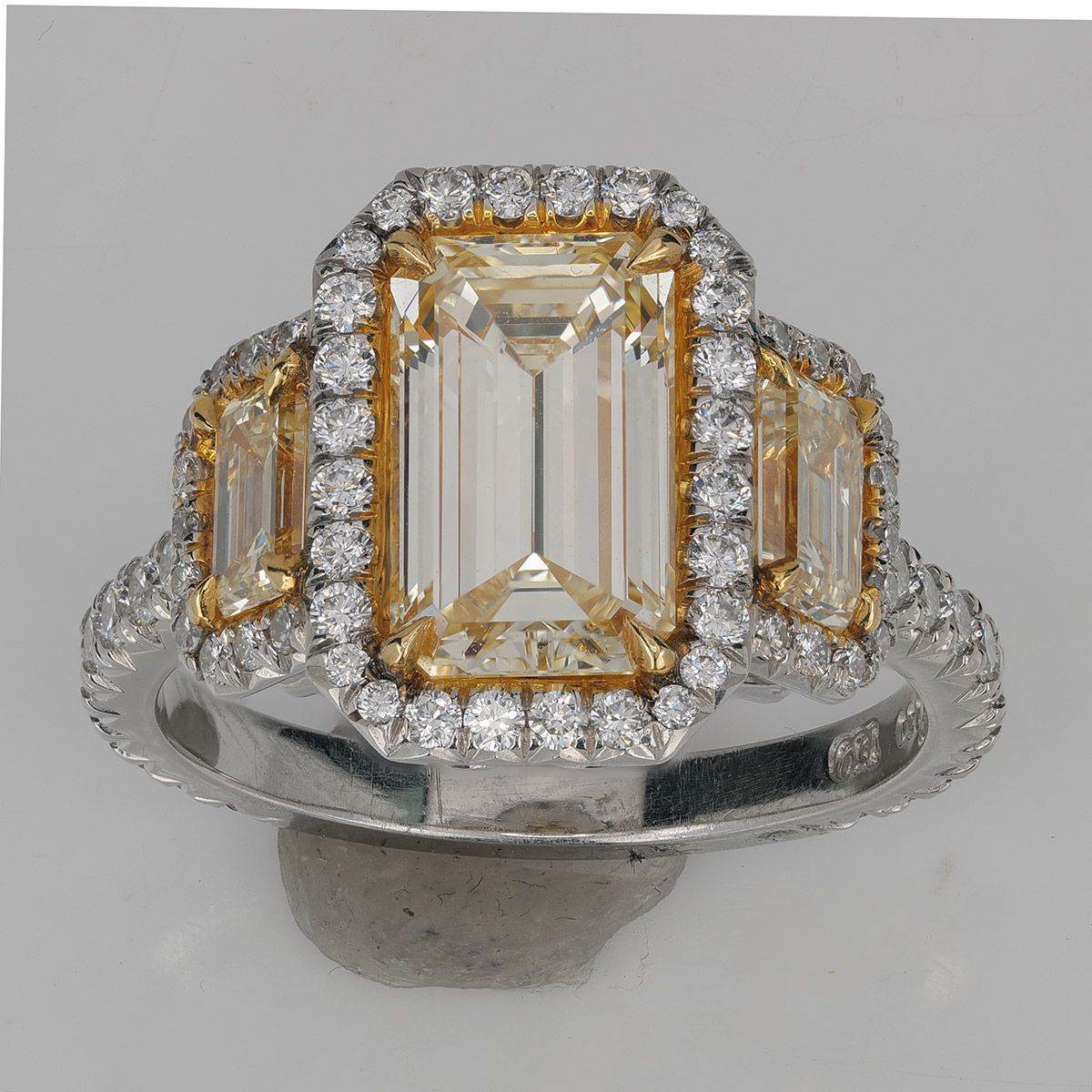
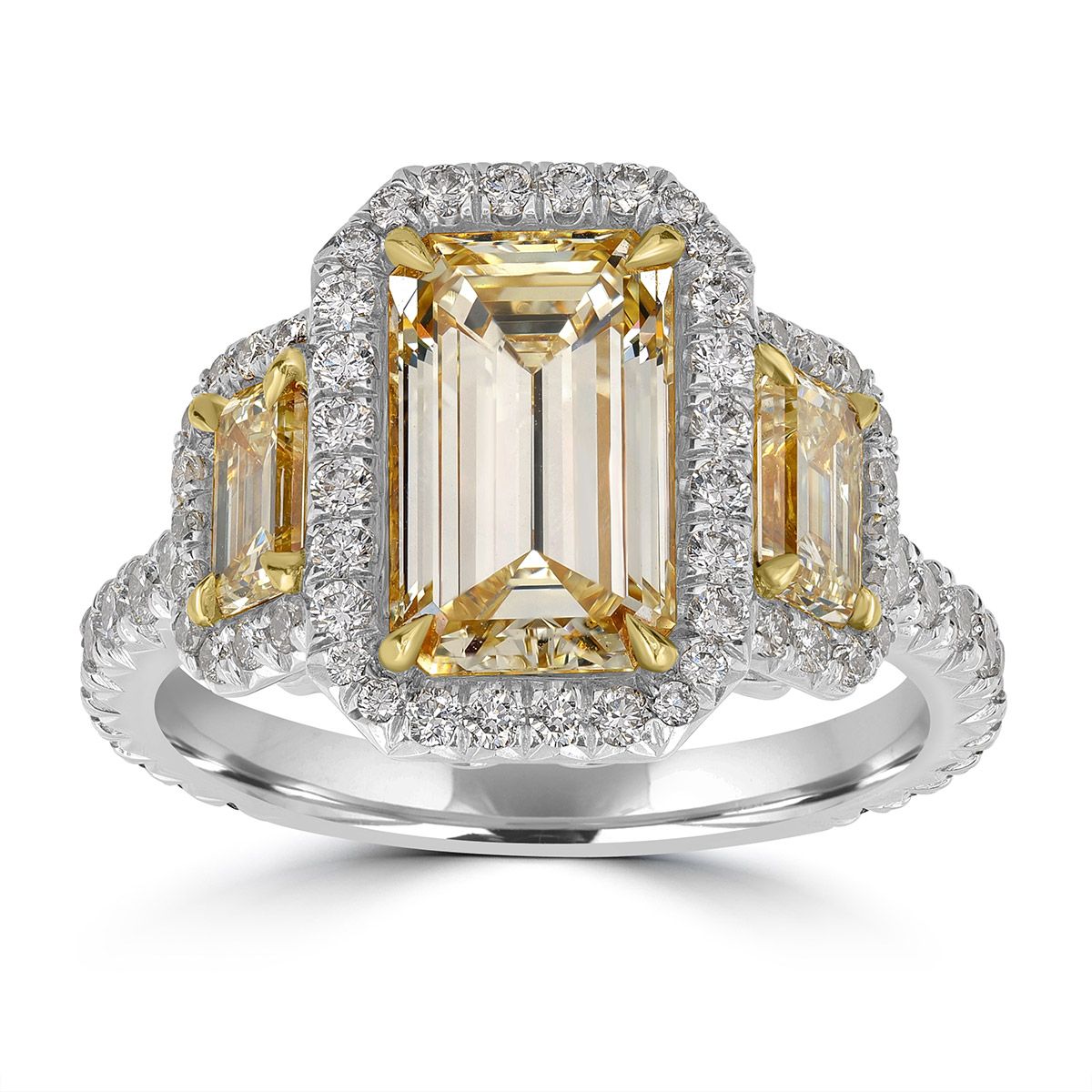
An emerald-cut yellow diamond three-stone ring retouched in NeuroViz — the metal and the background are cleaned, the stones are untouched.
How do you retouch diamond and gemstone photos in NeuroViz?
- Upload your raw photo. Choose Rescue mode for inconsistent or lower-quality inputs, or Precision for a pixel-true catalog shot that’s already well-lit and framed.
- Set the Retouch Gemstones toggle. On polishes out dust and surface debris from facets; off preserves the stone exactly as shot, inclusions included — the right call for certified or graded pieces.
- If the center stone is blurred or lost in dark reflections, name it. Open Metal & Gemstone Colors, set the stone type and cut for up to three stones (Gemstone #1, #2 and #3), and the retoucher renders that facet pattern on the piece in your lighting, at no extra credits. Leave the cut unselected on a stone that photographed clearly and it stays exactly as shot. Full walkthrough in our Gemstone Cut Selector guide.
- For loose stones, switch to Loose Gemstone mode, which retouches the gem with no metal setting in frame.
- Choose your background. Set an exact HEX color — marketplaces like Amazon require pure white, RGB 255/255/255 — or a transparent PNG using the retoucher’s new exact background color control.
- Generate, then zoom into the facet edges the way a shopper would, before you publish. It’s the same check we use in our own detail test.
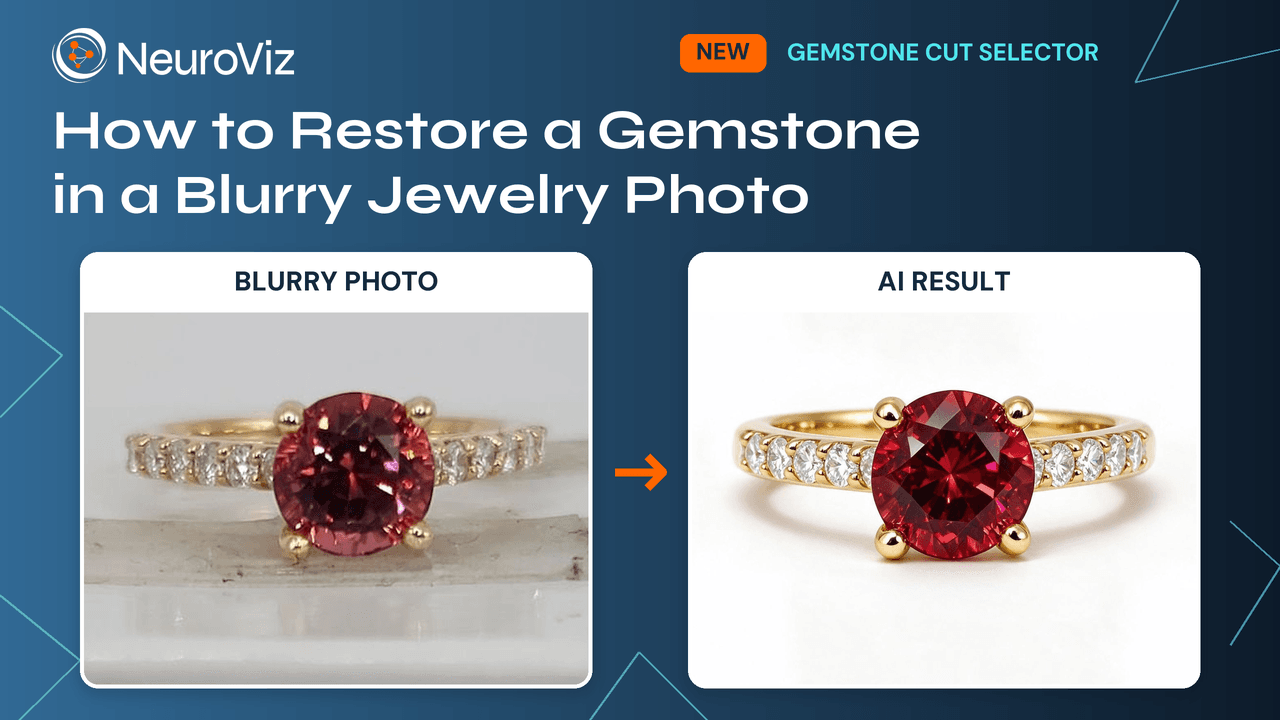
A ruby ring restored from a blurry photo with the Gemstone Cut Selector. Watch the 5-minute walkthrough with Alex Koloskov.
What does it cost to retouch diamond and gemstone photos?
Diamond and gemstone retouching costs the same as any jewelry photo in NeuroViz: pay-as-you-go credits from 5 credits (about $0.10, Rescue mode) up to 40–80 credits (about $0.80–$1.60) for high-resolution Precision output — no subscription required. By comparison, human retouchers typically charge $15–$20 or more per image for graded-stone-level facet and color accuracy, since that work takes longer than a simple background swap.
Worked example: a 300-piece gemstone catalog runs roughly $150–$480 in AI credits, versus $4,500–$6,000+ at typical human rates for graded-stone retouching. See current pay-as-you-go credit pricing or our cost comparison against retouching services for the full math.
The honest tradeoff: AI holds a flat, low cost regardless of how complex the stone is. Human retouchers get more accurate on the hardest pieces — and more expensive at the same time.
FAQ
Can AI retouching change a diamond’s clarity grade or add sparkle that isn’t there? No, not when it’s done correctly. Proper retouching removes dust, fingerprints, and background bleed-through while preserving facet geometry, clarity characteristics, and the fire the stone actually produced under your lighting. An editor that invents extra sparkle or erases genuine inclusions on a certified stone is altering a graded asset, not retouching a photo.
What’s the difference between retouching a diamond photo and a colored gemstone photo? Diamond retouching is mostly a detail problem — keeping facet edges crisp and telling the stone apart from background and reflections. Colored gemstone retouching is mostly a color problem — keeping hue, tone, and saturation accurate to the stone under neutral light instead of letting automatic white balance shift an emerald, sapphire, or ruby toward the wrong tint.
Should inclusions be retouched out of diamond photos? Surface dust and fingerprints, yes. Internal clarity characteristics that are part of the stone’s actual grade, no — removing them misrepresents a graded stone and creates a return or dispute risk if a buyer compares the photo to the certificate. A Retouch Gemstones toggle lets you choose per photo: on to polish dust, off to keep the stone exactly as shot.
How much does it cost to retouch diamond and gemstone jewelry photos? With pay-as-you-go AI credits, a diamond or gemstone photo runs from 5 credits (about $0.10) in Rescue mode up to 40–80 credits (about $0.80–$1.60) for high-resolution Precision output, with no subscription required. Human retouchers typically charge $15–$20 or more per image for graded-stone-level color and facet accuracy.
Can AI retouch loose diamonds and gemstones, not just set jewelry? Yes. A dedicated Loose Gemstone mode retouches a stone with no metal setting in frame, cleaning the background and lighting while preserving facet geometry, cut, and color — built for loose-stone and parcel photography.
What if the gemstone in my photo is too blurry to retouch? Name it instead of retouching it. In the NeuroViz retouchers (Precision, Rescue and Vivid) the Gemstone Cut Selector lets you set the stone type and cut for up to three stones per image; the AI then renders that facet pattern on the piece in the original lighting, so a center stone the camera never resolved comes back with real facets and true color. It adds no credits and applies only when you select a cut; a clearly photographed stone with no cut selected stays exactly as shot.
Ready to retouch your diamond and gemstone photos without losing a single facet? Try NeuroViz AI jewelry retoucher — 80 free credits, no credit card required.