AI jewelry retouching is software that automatically cleans and perfects jewelry photos — removing dust and reflections, correcting metal tones, restoring gemstone sparkle, and replacing backgrounds — in seconds instead of the hours a human retoucher takes per image. For a jewelry brand, it’s the difference between a catalog that ships the same day it’s shot and one that sits in an editing queue for weeks. This guide covers what AI jewelry retouching actually does, how it compares to manual retouching services, what it costs, and how brands roll it out across an entire catalog.
NeuroViz is an AI jewelry photography platform trained on 50,000+ jewelry images, used by 500+ jewelry businesses, with 1M+ images processed. We build this technology, so this guide is opinionated — but it’s also honest about where AI wins and where a human retoucher still earns their fee.
What is AI jewelry retouching?
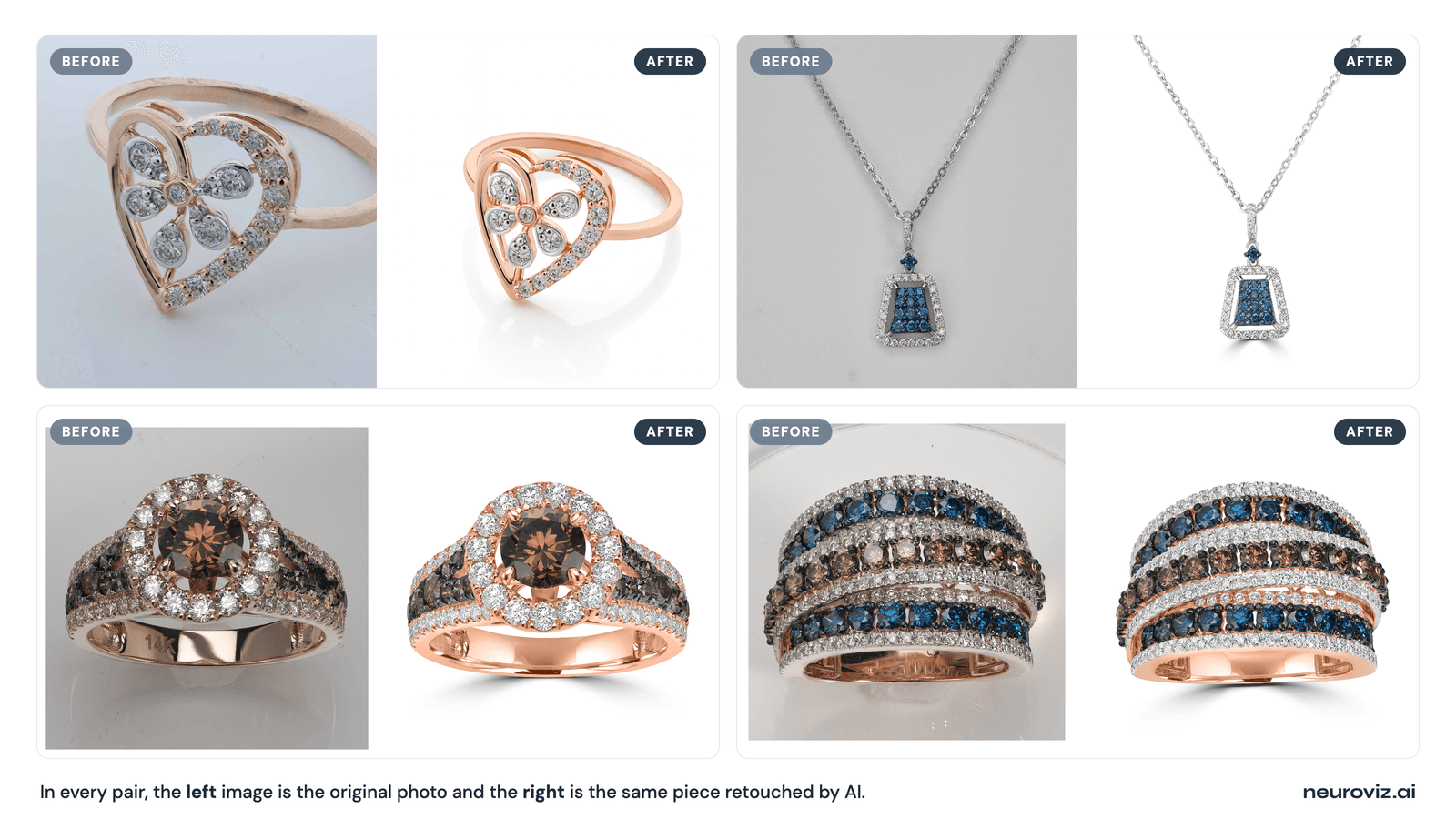
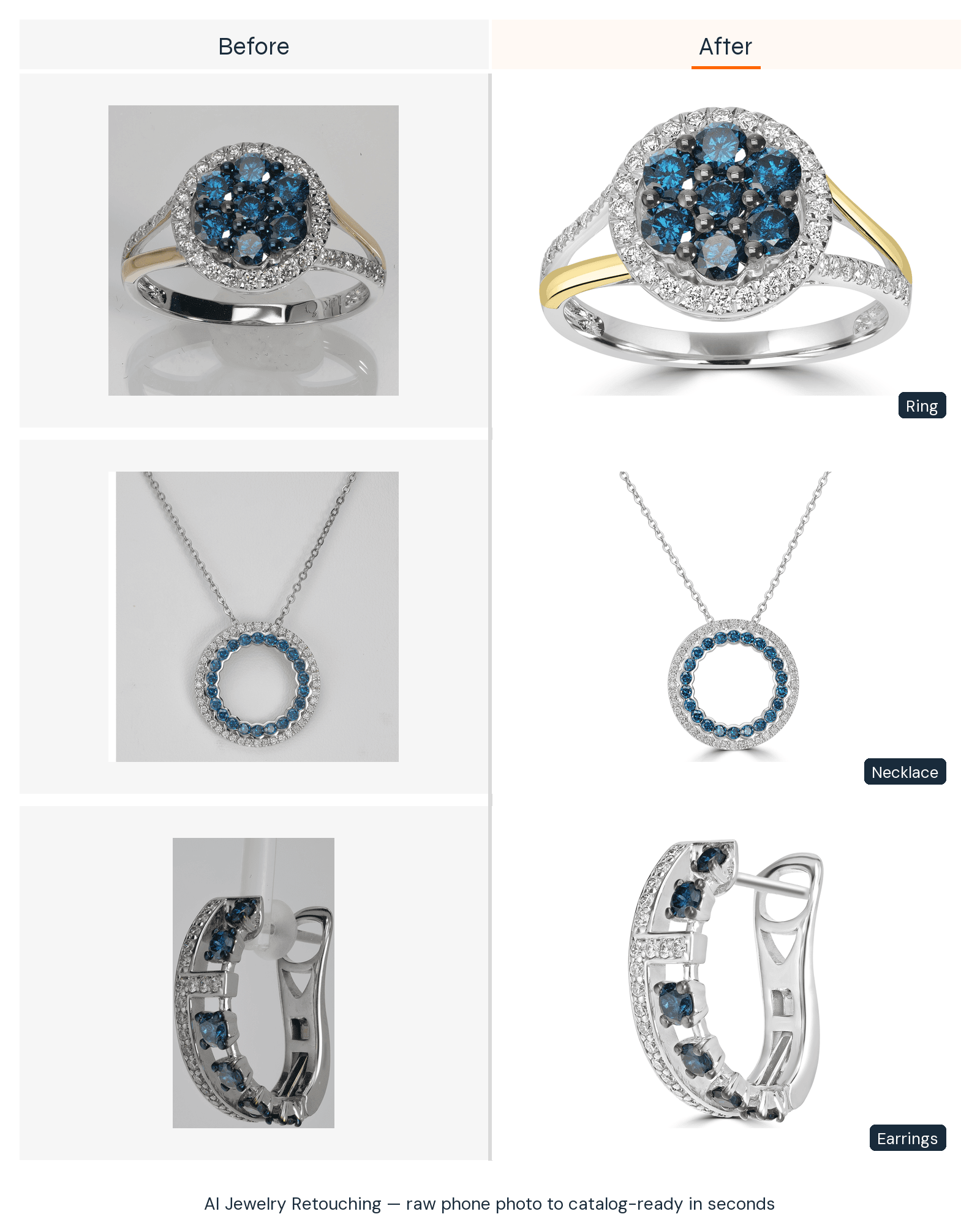
AI jewelry retouching uses a model trained specifically on jewelry to perform, automatically, the edits a retoucher would do by hand in Photoshop. You upload a raw photo; the model returns a clean, catalog-ready image.
The critical word is specifically. Generic AI photo tools were trained on every kind of product and routinely flatten gemstone facets, smear engraving, and push gold toward a brassy cast. Jewelry-trained AI was taught how metal and stones actually behave under light — which is why the output looks like jewelry, not a melted approximation of it. When people say “AI can’t do jewelry,” they’re describing generic tools; they haven’t seen a jewelry-specialized model.
Why do jewelry photos need retouching at all?
Jewelry is the hardest product category to photograph, because polished metal and faceted stones reflect everything around them — including the camera, the lights, and the photographer. Even a well-lit raw shot almost always needs work before it’s listing-ready:
- Reflections and hotspots on the metal that distract from the piece
- Dust, fingerprints, and micro-scratches that the macro lens magnifies
- Dull or gray gemstones that lost their sparkle to flat lighting
- Inconsistent or off-white backgrounds that fail marketplace standards
- Metal color that reads wrong — brassy gold, bluish silver
Retouching fixes all of this. The only question for a brand is who or what does the fixing — and that’s where the economics have changed.
What can AI jewelry retouching actually fix?
Jewelry-trained AI now handles the full set of standard retouching operations automatically. These are the specific jobs it does well:
- Metal tone correction — accurate gold, rose gold, silver, and platinum, without color casts
- Reflection control — clean, natural reflections instead of blown-out hotspots
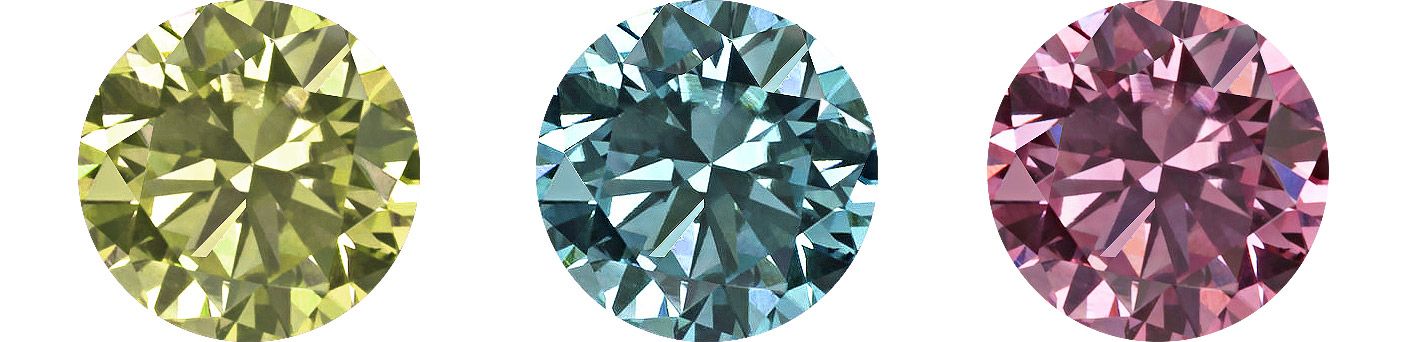
- Gemstone and diamond enhancement — restored brilliance, clarity, and facet detail; since September 2026, a Gemstone Cut Selector also renders the correct facets on a stone the photo did not capture clearly (you name the stone type and cut, up to three stones per image, at no extra credits)
- Dust, scratch, and blemish removal — the cleanup a macro lens makes necessary
- Prong and setting preservation — fine detail kept sharp, not smoothed away
- Background removal and replacement — clean white or styled backgrounds, marketplace-compliant
- Shadow creation — natural, consistent shadows for depth
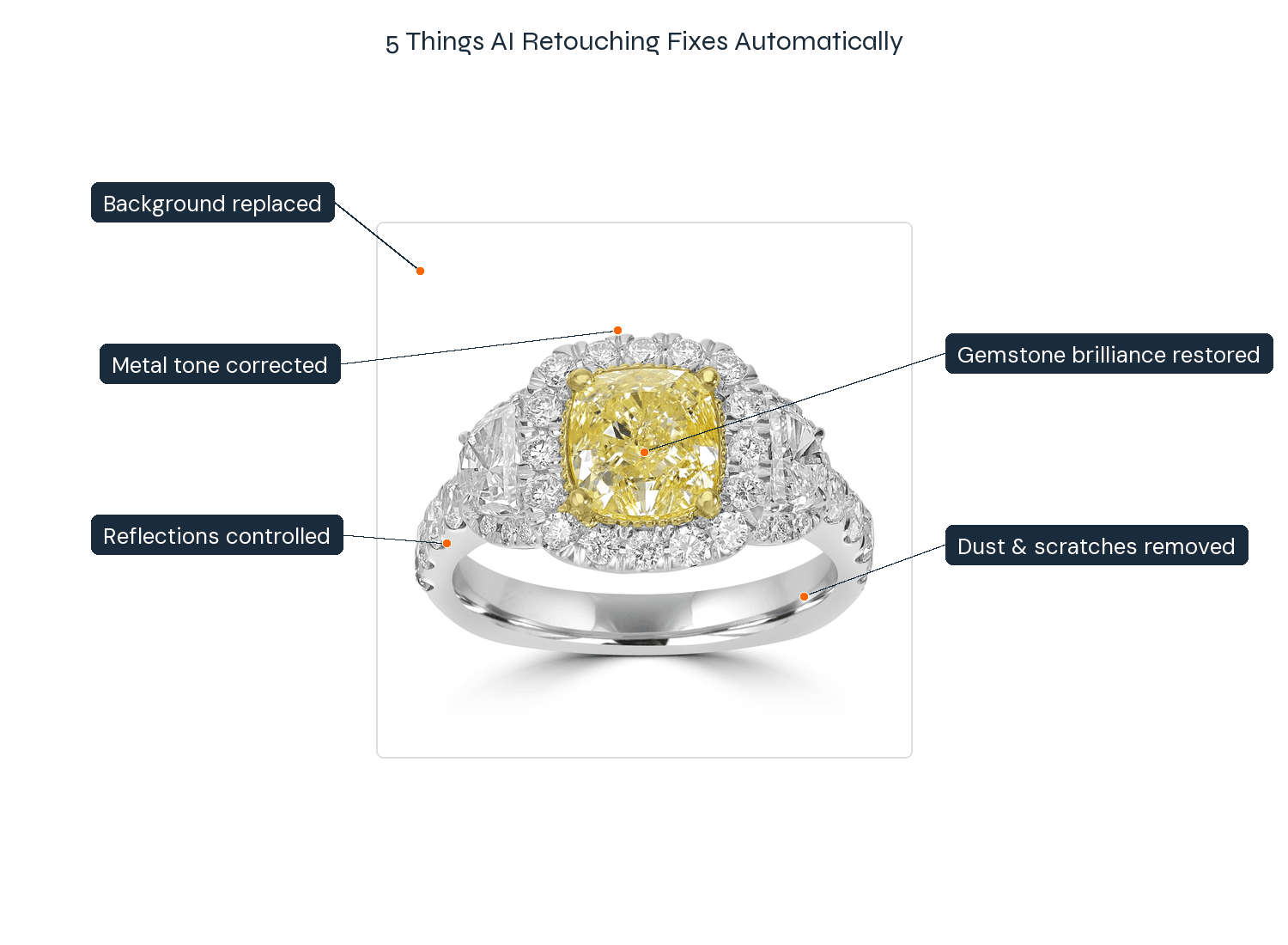
We cover the hardest of these — metal, gemstones, and reflections — in depth in our step-by-step guide on how to retouch jewelry photos; this guide stays at the overview level.
AI vs manual retouching services vs generic editors
For routine catalog work, jewelry-trained AI matches a manual retouching service at a fraction of the cost and time; for a few highly art-directed hero images, a skilled human retoucher still wins; generic AI editors lose on jewelry entirely. Here’s the honest landscape:
| Jewelry-trained AI | Manual retouching service | Generic AI editor | |
|---|---|---|---|
| Quality on jewelry | High, consistent | High, fully art-directable | Poor (flattens stones, distorts metal) |
| Cost per image | $0.10–$0.50 | ~$2 (budget) to $15–$50+ (premium/complex) | Low, but unusable output |
| Turnaround | minutes | 24 hours to weeks | minutes |
| Preserves real metal/stone texture | Yes (jewelry-trained) | Yes | No — over-processes |
| Catalog consistency | Automatic | Varies by editor | N/A |
| Scales to a catalog | Yes | Expensive, slow | No |
One objection manual services raise is that AI “over-processes” and loses the real texture of the piece. That’s true of generic AI — and it’s exactly why a jewelry-specialized model matters: it’s trained to preserve the actual metal grain and facet structure, not smooth them into plastic. For a full breakdown of this comparison with catalog math, see jewelry retouching services vs AI.
How much does AI jewelry retouching cost?
Current payment options: choose pay-as-you-go credits or a subscription with Pro Membership included.
- Pay as you go: $10–$1,000 per purchase. Optional Pro Membership is $29/month with no credits included.
- Monthly subscriptions: Studio $200/month for 10,000 credits, Business $500/month for 30,000, or Scale $1,000/month for 66,000. Pro included.
- Annual subscriptions: $2,000 / $5,000 / $10,000 paid upfront for 120,000 / 360,000 / 792,000 credits per year, respectively. Pro included.
Monthly allowance resets at renewal. Annual credits arrive upfront and stay valid until annual renewal. Separately purchased credits are not part of that expiring allowance. See current pricing.
At standard settings, AI jewelry retouching uses 5–25 credits per image. That is $0.10–$0.50 at the Studio monthly rate of $0.02 per credit; other payment options have different rates. With NeuroViz, Rescue runs from 5 credits (1K Low; 20 at the default High setting), Precision 20 and Vivid 25, and pay-as-you-go credits range from about $0.04 to $0.018 each depending on purchase size. Subscriptions have their own rates and include Pro Membership. Since September 2026, Rescue also lets you choose the resolution, aspect ratio and one of five quality levels, up to 85 credits at 4K Max; the full credit grid is in our guide to the new output controls.
The structural advantage over human work isn’t just the headline number — it’s that AI cost stays flat while human cost rises with complexity. A manual retoucher charges more for an intricate multi-stone halo ring than for a plain band, because more stones mean more hours. AI charges the same for both. So the more detailed and high-value your catalog, the bigger the gap. There’s an 80-credit free trial to test it on your own pieces first.
How do brands roll AI retouching out across a catalog?
The brands that get the most from AI retouching treat it as a production line, not a one-off tool. Four features make that work at catalog scale:
- Batch Processing — upload an entire collection at once instead of image-by-image.
- API access — wire retouching directly into your existing product pipeline or PIM.
- Smart Retry — regenerate any image that needs another pass at 1/3 the credit cost.
- MCP access — let Claude, ChatGPT, or Cursor run retouching jobs straight from a chat prompt, with no dashboard and no code.
These four features are the core of how brands and agencies run NeuroViz in production. The full picture — pipelines, unlimited batch runs, shared team accounts, expert quality support and API access — is on the NeuroViz for Business page.
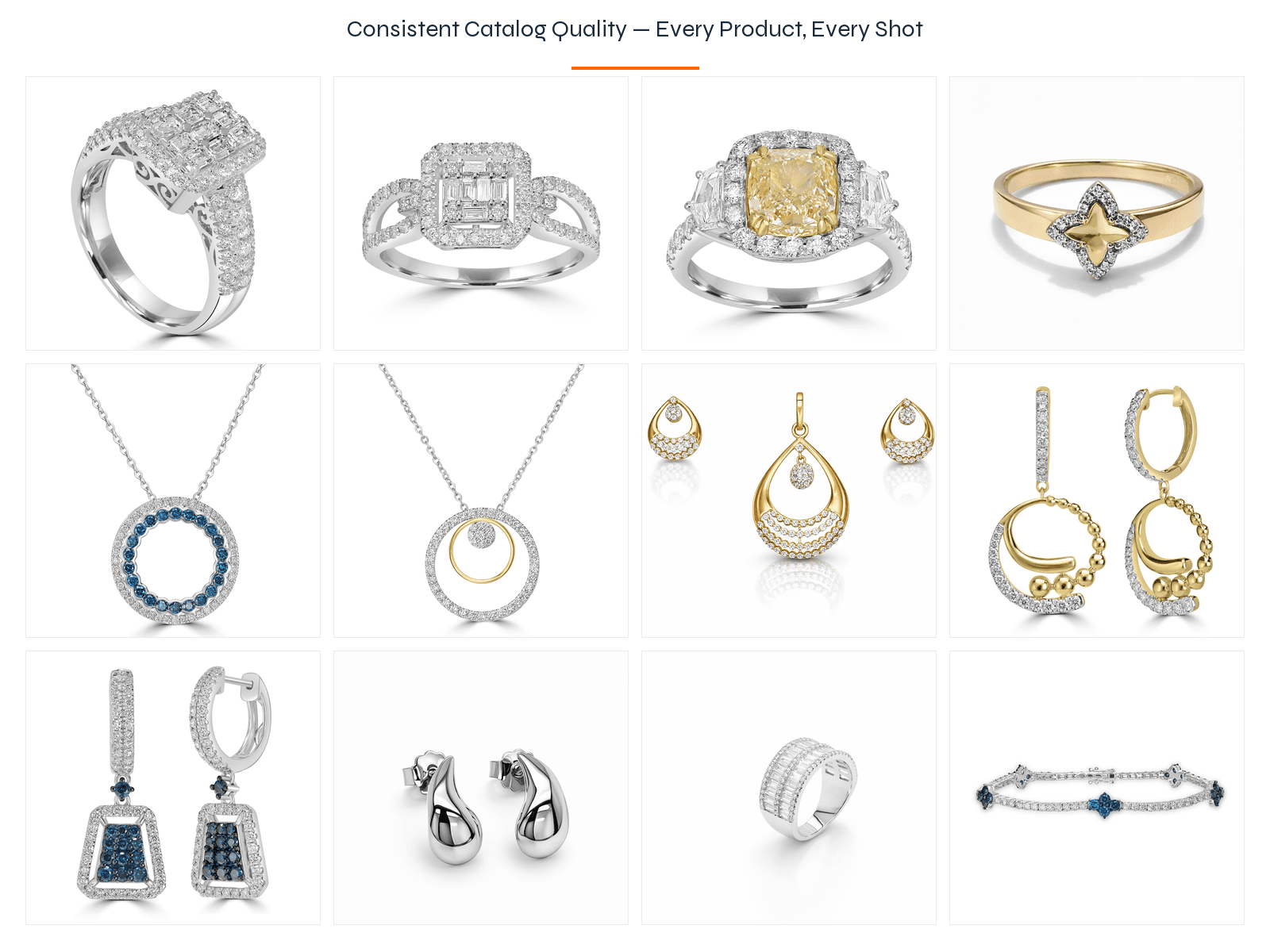
These come with NeuroViz Pro Membership ($29/month alongside pay-as-you-go, or included in every Studio, Business and Scale subscription). The payoff isn’t only cost — it’s consistency: every image in the batch gets the same treatment, so a 500-SKU collection comes out looking like one coherent set instead of drifting across different editors. For brands managing recurring drops or a Shopify catalog, that repeatability matters as much as the savings.
Can you retouch jewelry photos from inside ChatGPT or Claude?
Yes. Since July 2026, NeuroViz runs a live MCP server, so an AI assistant can do the retouching for you inside the chat window you already work in. MCP (Model Context Protocol) is an open standard that lets assistants such as Claude, ChatGPT, and Cursor actually use external services instead of only describing them. Point one at https://app.neuroviz.ai/mcp with your API key and it can list every NeuroViz app, check the exact credit cost, run the job, and hand the finished image back in the same thread.
For Claude Code, setup is a single command:
claude mcp add --transport http neuroviz https://app.neuroviz.ai/mcp --header "Authorization: Bearer YOUR_API_KEY"
Claude Desktop and Cursor use the same URL and the same header. ChatGPT connects through its developer-mode connector with the identical URL and token.
What this changes for catalog work: instead of uploading images one at a time, you describe the job — “retouch these twelve ring photos with Precision and give me the links” — and the assistant loops through them. It calls estimate_run_cost before run_app, so you see the exact charge before anything runs, and only successful generations consume credits. A failed or cancelled attempt costs nothing.
For an API-key connection, the key comes with Pro Membership ($29/month alongside pay-as-you-go, or included in every Studio, Business and Scale subscription); the generations themselves run on your regular credits, from pay-as-you-go or a subscription, at the same quoted cost as the web app. Setup guides for every client are in our full write-up of the NeuroViz MCP server.
Who uses AI jewelry retouching?
AI jewelry retouching fits anyone shipping jewelry photos at volume — but it pays off most for brands and retailers with large, recurring catalogs. That includes:
- Jewelry brands and manufacturers producing seasonal collections
- Retailers and wholesalers managing hundreds or thousands of SKUs
- Etsy, Shopify, and Amazon sellers who need marketplace-ready images fast
- Creative and e-commerce teams that want studio quality without studio cost
If your business is jewelry, a jewelry-specialized tool will beat a generic one on metal tones, gemstone facets, and prong detail every time — see our honest comparison of AI jewelry photo editors for how the options stack up.
Does AI over-process jewelry, or keep it real?
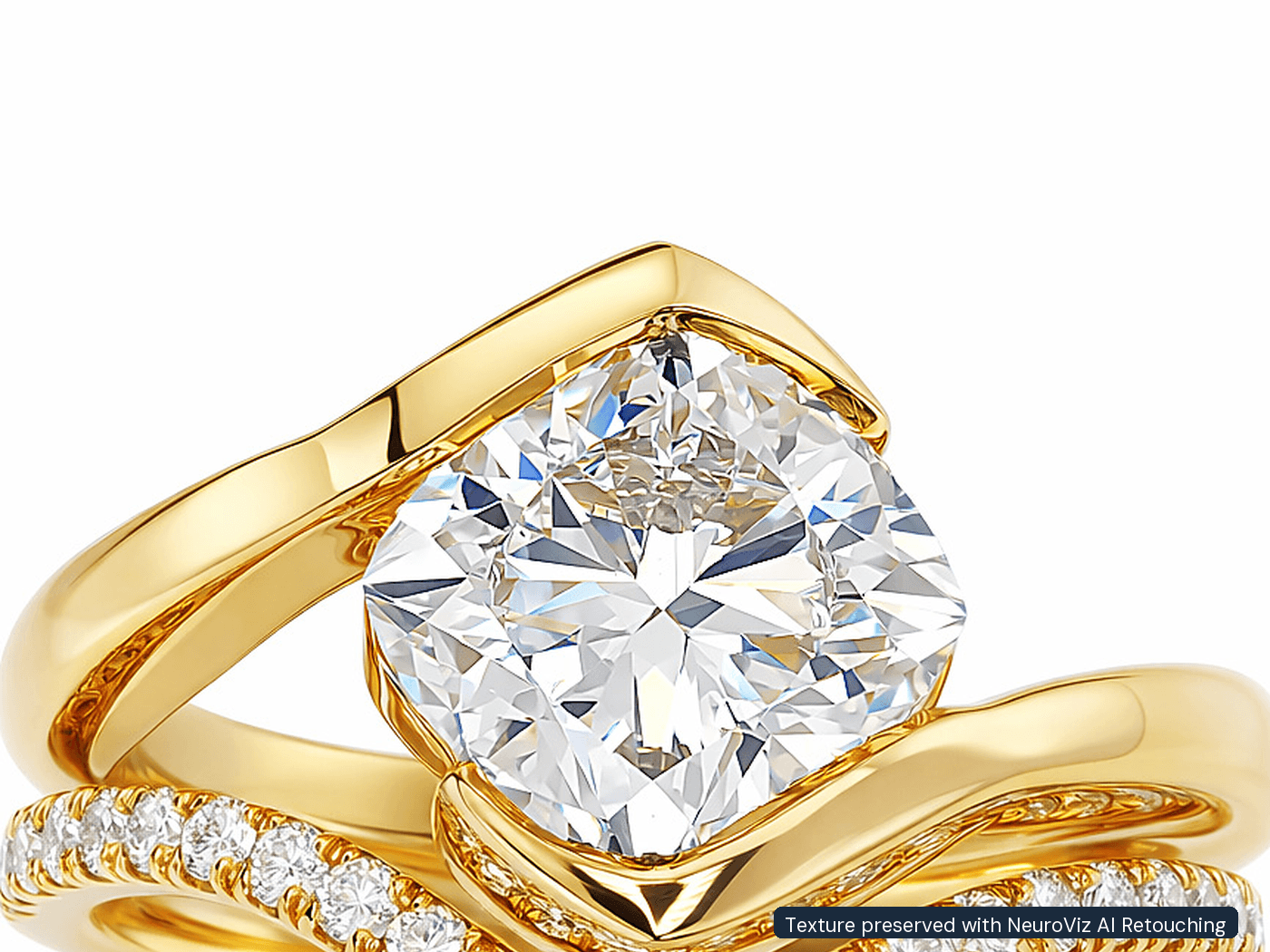
Jewelry-trained AI is built to preserve the real texture of metal and stones — the over-processing problem belongs to generic tools, not specialized ones. This is the single most common misconception, and it’s worth stating plainly: a model trained only on jewelry has learned what real gold grain, brushed finishes, and gemstone facets look like, so it keeps them. A generic background remover has not, so it smooths them into something fake. Judge jewelry AI on jewelry-trained output, not on a general-purpose app.
The bottom line for brands
AI jewelry retouching has crossed the line from “promising but flawed” to “the default for catalog production.” Run it across your catalog for clean, consistent, same-day images at a fraction of manual cost; reserve a human retoucher for the handful of hero and campaign shots where the editing itself is the creative work. That hybrid is what the most efficient jewelry brands run today.
Ready to see it on your own pieces?
Upload a few of your real products to the NeuroViz AI Jewelry Retoucher and compare the result to what you currently pay for — start free with 80 credits, no card required. When you’re ready to scale, the same engine powers on-model try-on and product video from the same photos.
FAQ
What is AI jewelry retouching? Software trained specifically on jewelry that automatically performs the edits a human retoucher does by hand — reflection and dust removal, metal-tone correction, gemstone enhancement, and background replacement — returning a catalog-ready image in seconds.
Is AI jewelry retouching as good as a human retoucher? For standard catalog images, jewelry-trained AI matches manual retouching at a fraction of the cost and time. For highly art-directed hero or campaign shots, a skilled human retoucher still has the edge. Most brands use both.
Does AI ruin the texture of metal and gemstones? Generic AI tools often do, because they weren’t trained on jewelry. Jewelry-specialized AI is trained to preserve real metal grain and facet detail, so it keeps the texture rather than smoothing it.
How much does AI jewelry retouching cost? At the Studio monthly rate of $0.02 per credit, a standard 5–25-credit retouch costs $0.10–$0.50; other payment options and settings have different costs — versus roughly $2 to $50+ per image for manual services depending on difficulty.
Can AI retouch a whole jewelry catalog at once? Yes. With Batch Processing you upload an entire collection at once, and API access lets you wire retouching into your existing pipeline — with consistent treatment across every SKU.
Which jewelry can AI retouch? Rings, necklaces, earrings, bracelets, watches, and loose stones — across gold, rose gold, silver, platinum, diamonds, and colored gemstones.
Do I need to be technical to use it? No. Upload a photo, get a retouched image back. Batch and API features are there for teams that want to automate, but the basic workflow is upload-and-download.
Can I retouch jewelry photos from inside ChatGPT or Claude? Yes. NeuroViz runs an MCP server at app.neuroviz.ai/mcp, so any MCP-compatible assistant — Claude, ChatGPT in developer mode, or Cursor — can list the apps, check the credit cost, run a retouch, and return the finished image in the chat. The API key comes with Pro Membership ($29/month alongside pay-as-you-go, or included in every Studio, Business and Scale subscription); the generations use your regular credits, from pay-as-you-go or a subscription, at the same quoted cost as the web app.
Can AI retouching fix a blurry or dark gemstone? Since September 2026, yes. A retoucher can only sharpen what the camera recorded, so a stone that was out of focus or lost in dark reflections used to stay that way. The NeuroViz retouchers now include a Gemstone Cut Selector: name the stone type and cut for up to three stones per image and the AI renders that facet pattern on the piece in the original lighting, at no extra credits. Leave the cut unselected and the stone stays exactly as photographed.