


> > Skip to main content
Built for Brands & Agencies at Scale

Your whole catalog. One workflow.

Build a production pipeline once. Run it on 10, 100, or every SKU you have. Retouched photos, model try-ons, lifestyle scenes, and product videos — batch-processed, API-ready, and commercially licensed.

  • No credit card required
  • No batch size limit
  • Commercial license included
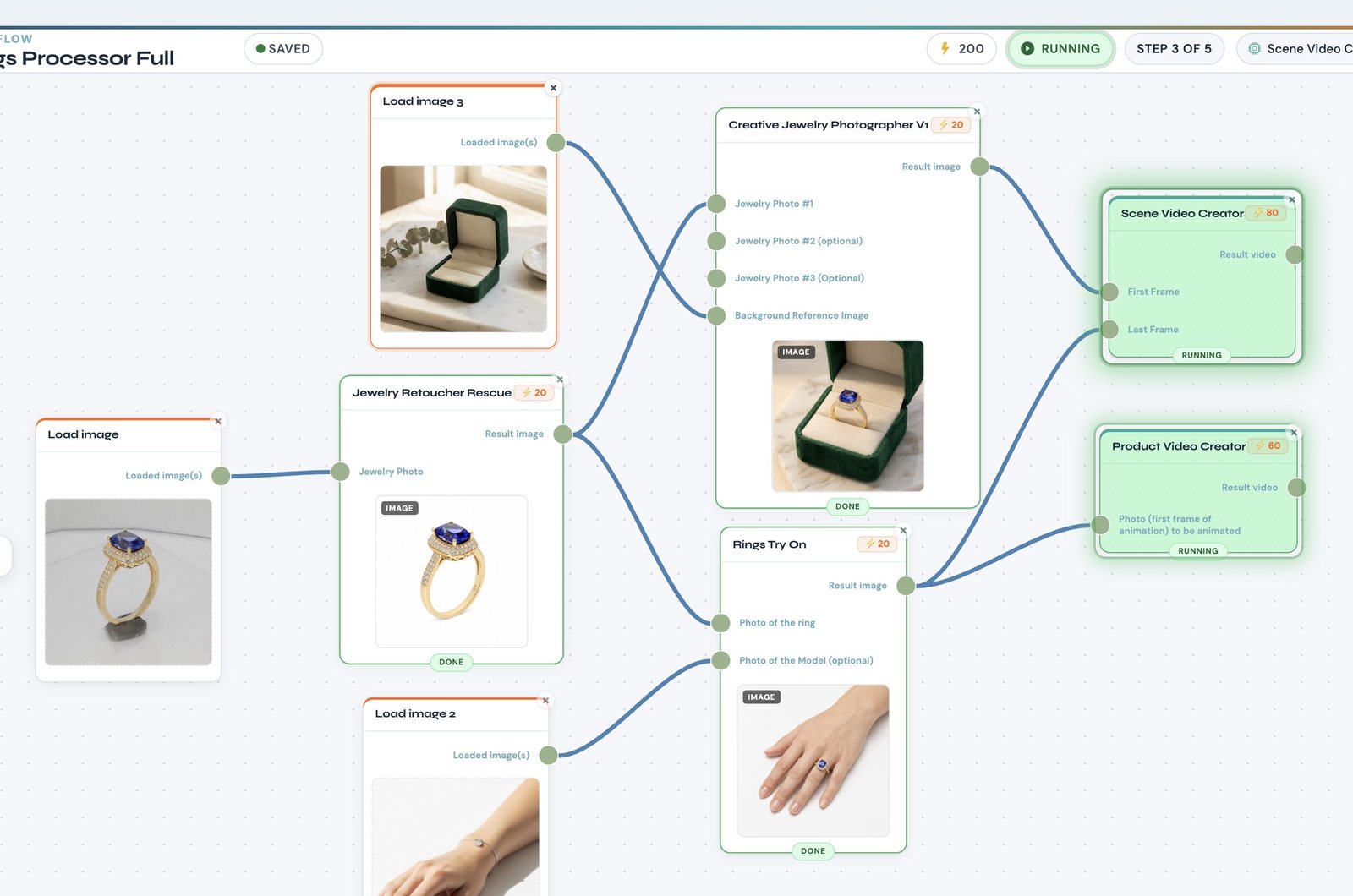
NeuroViz workflow canvas: one saved pipeline runs a ring photo through Jewelry Retoucher Rescue, then in parallel into Rings Try On and Creative Jewelry Photographer, feeding Scene Video Creator and Product Video Creator — each node showing its result image and credit cost

One saved pipeline mid-run: a single ring photo becomes a retouched still, a model try-on, a lifestyle scene and two videos.

30,000+
Registered users
15+
Specialized AI applications
Up to 40%
Higher conversions with professional product images

Product photography does not scale by hand.

A 200-SKU seasonal launch means weeks of scheduling, shooting, editing, uploading, downloading, and re-uploading. Traditional photography costs $50–200+ per product — and model photography, the kind fashion and jewelry catalogs need most, costs the most of all. Your product imagery is an assembly line you run by hand. Every download and re-upload between tools is dead time. Workflows kills that tax.

Manual production

  1. Shoot
  2. Edit
  3. Export
  4. Re-upload
  5. Repeat per SKU

NeuroViz pipeline

  1. Upload catalog
  2. Run workflow
  3. Download licensed results

Build it once. Run it on every product.

Workflows is a visual pipeline builder that chains NeuroViz apps into a single automated run. Connect retouching to try-on to creative scenes to video on one canvas. Run stages in sequence — retouch a rough photo before placing it on a model — or in parallel, where one input feeds several apps at the same time. One click produces the full set: a try-on image, a clean retouched shot, a creative lifestyle frame, and a video.

  • Sequential and parallel stages, mixed freely in one pipeline
  • Every node exposes full app parameters — mode, resolution, colors, instructions
  • Per-node credit cost and total run cost shown before you run
  • Save and name pipelines; reload last season's setup in one click
  • Predefined templates built by the NeuroViz team, cloneable as starting points
  • Available on every account — free, pay-as-you-go, and Pro
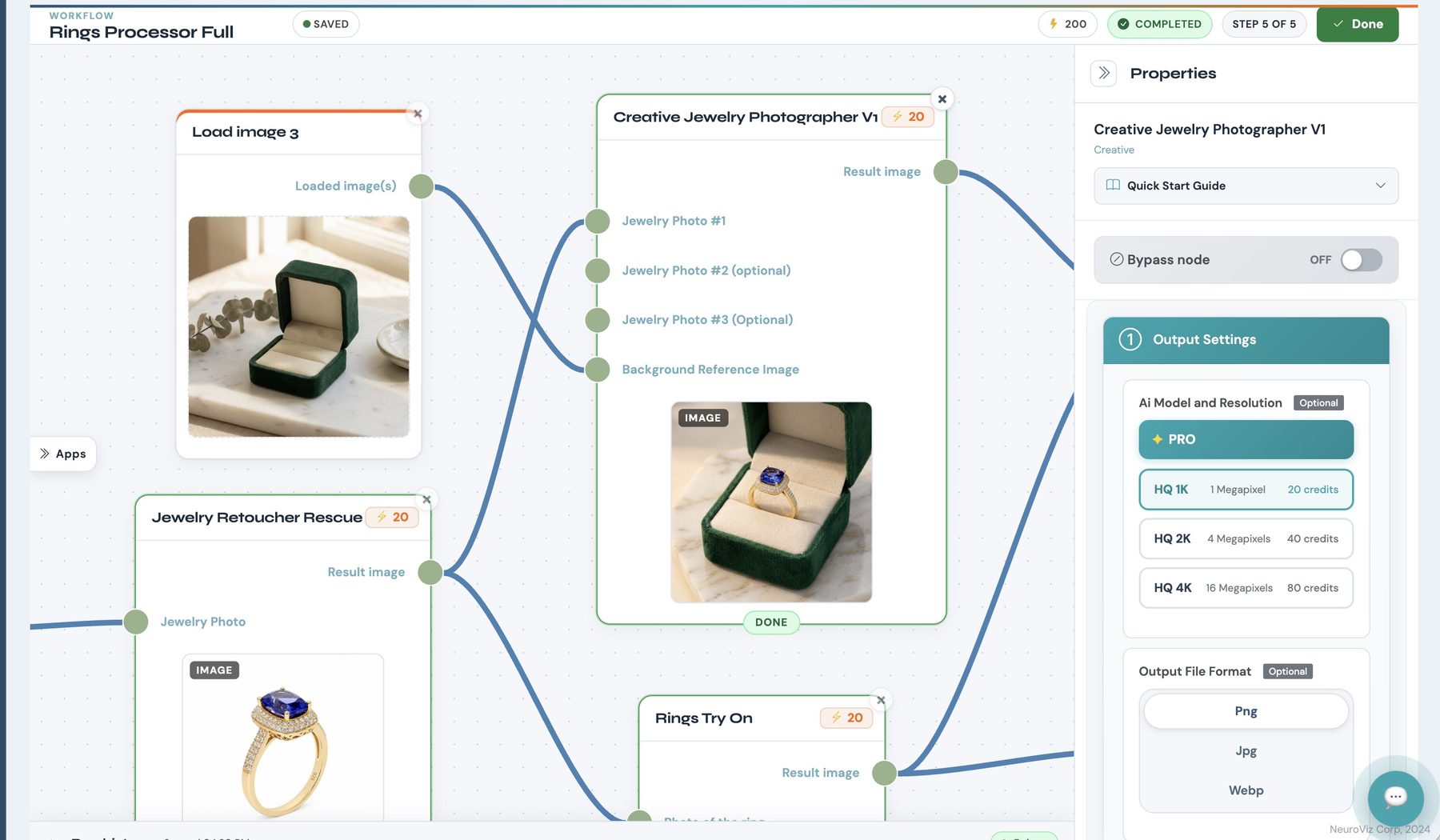
A workflow node selected on the canvas with its Properties panel open, showing output settings: AI model, resolution options with their credit cost, and output file format
Every node opens its full parameter set — model, resolution, output format — with the credit cost of each option.
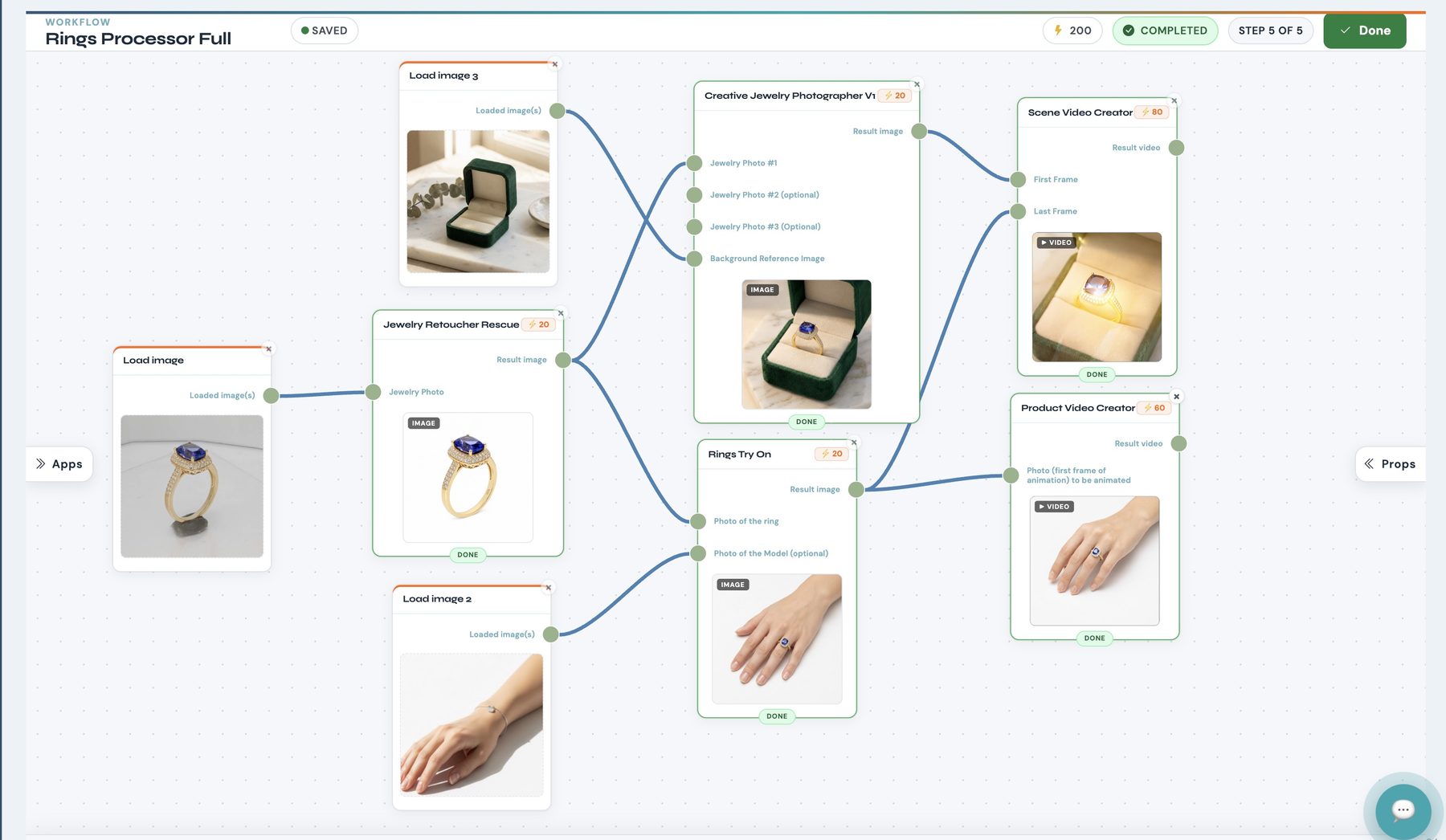
The same workflow after a completed run: every node marked Done, each holding its finished result — retouched ring, ring on a model's hand, lifestyle scene, and two videos
One completed run: every stage delivered, from the retouched still to both videos.

Drop in your entire catalog.

Batch processing runs a complete workflow on every image you give it — 10, 100, or the full catalog in a single upload. No size limit. The pipeline runs on autopilot with live progress: per-node status, credits used, elapsed time. Every result lands in your Gallery, grouped under the batch with per-batch statistics. A 200-SKU holiday collection through one saved workflow becomes finished stills, try-ons, and videos overnight.

Batch processing is included with Pro membership. Cost is transparent before you run: five images through a 100-credit pipeline is 500 credits, shown up front.

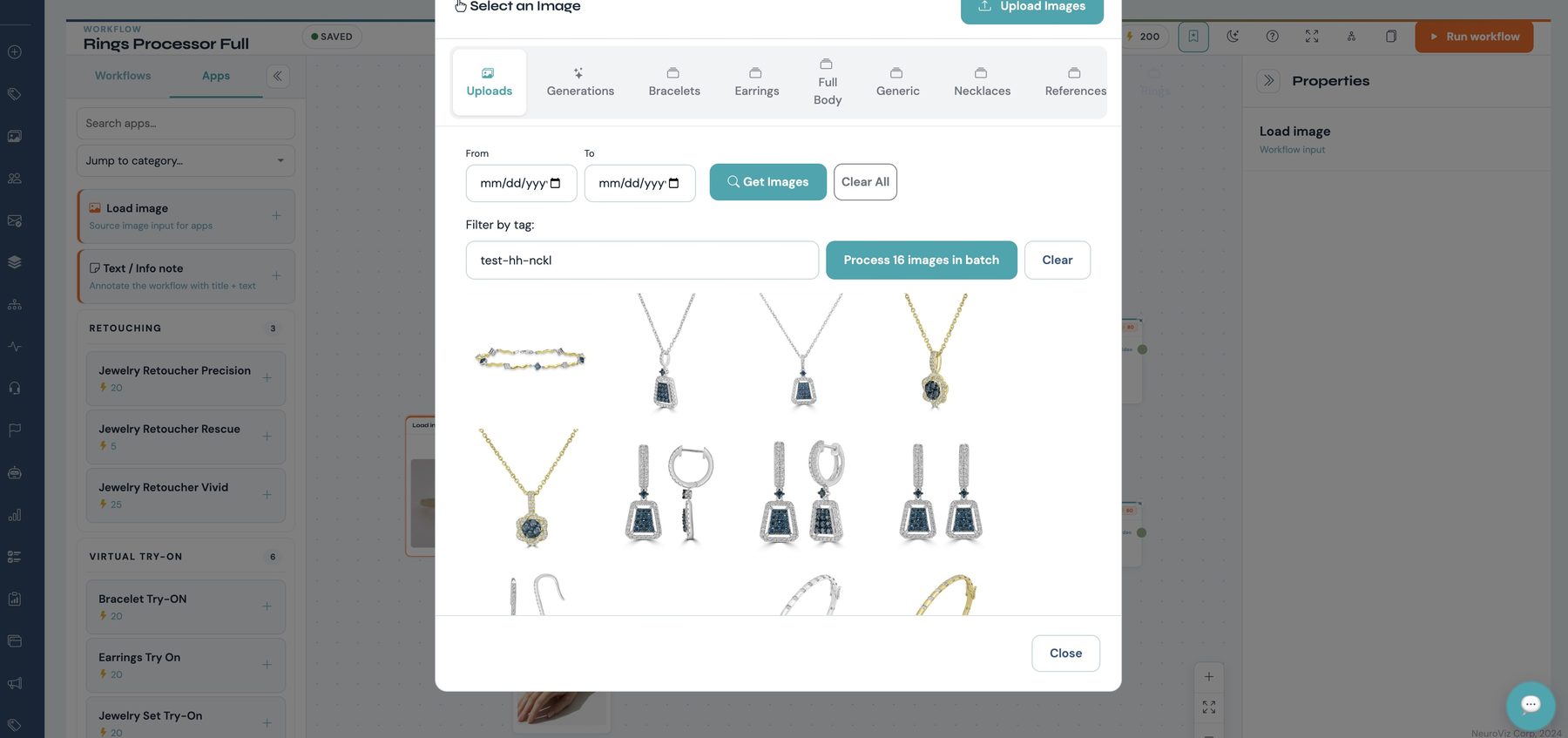
NeuroViz Select an Image modal showing 16 jewelry product photos loaded at once, with a Process 16 images in batch button

Batch upload — 16 images loaded at once.

Run history panel during a batch run, listing each step with its status, elapsed time and credits used
Live progress: per-step status, elapsed time and credits used.
Batch Processing History table showing a completed workflow batch with its tag, status and 16 of 16 progress, plus a download action
Every batch tracked to completion, with the whole set downloadable in one click.
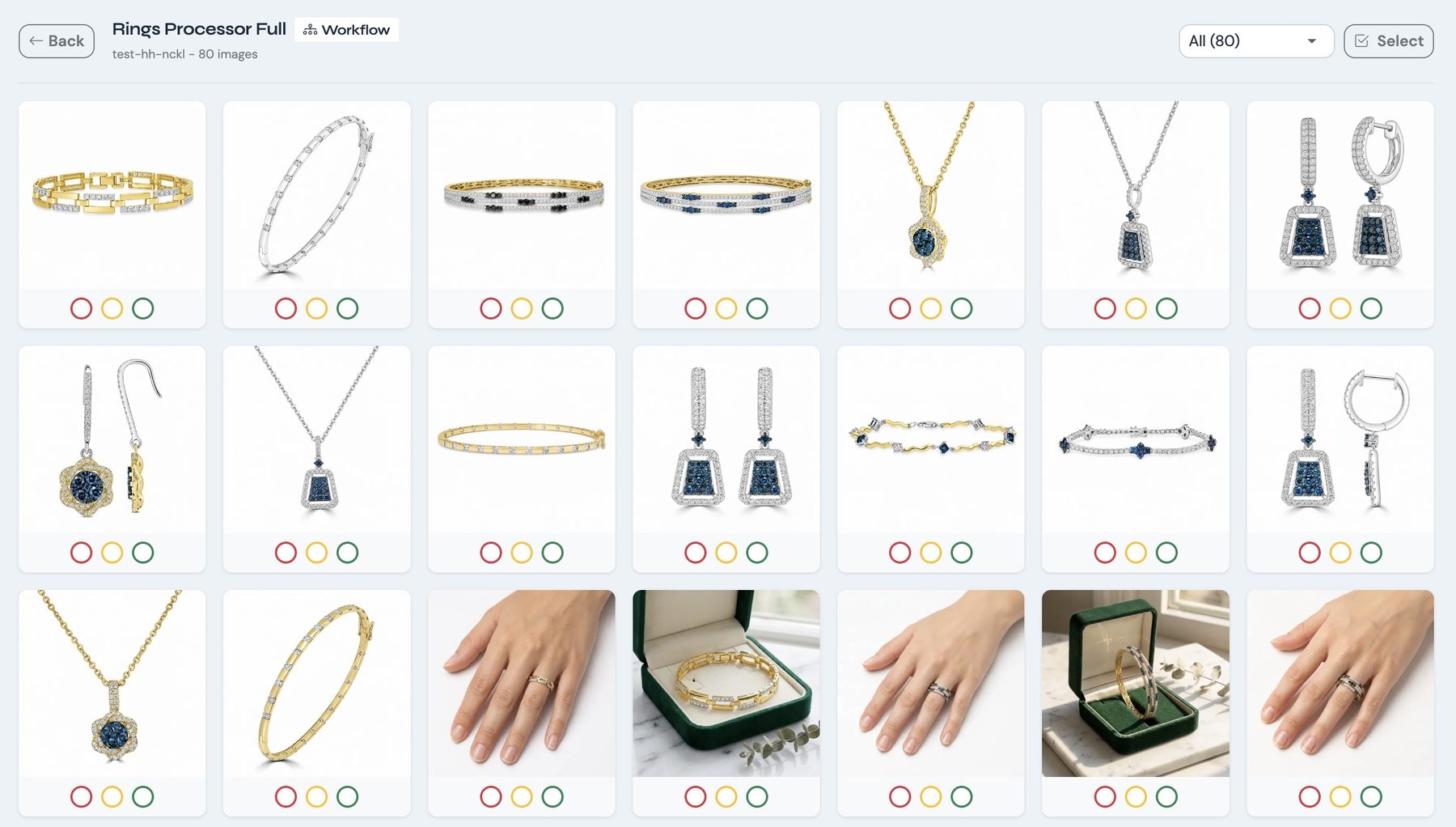
Gallery view of one batch: dozens of finished jewelry images grouped under the workflow that produced them, each with a rating control

Results land in the Gallery grouped under the batch that produced them — here, 80 finished images from one run.

Same pipeline. Same parameters. Every SKU.

Manual editing cannot hold a visual standard across 300 products. A saved workflow can. Background control outputs every piece on pure white #FFFFFF for marketplace compliance, transparent, black, or your exact brand hex — the entire catalog on one standard. Need options on a specific product? Generate up to four variations in one click, all commercially licensed.

One credit pool. A workspace for every team member.

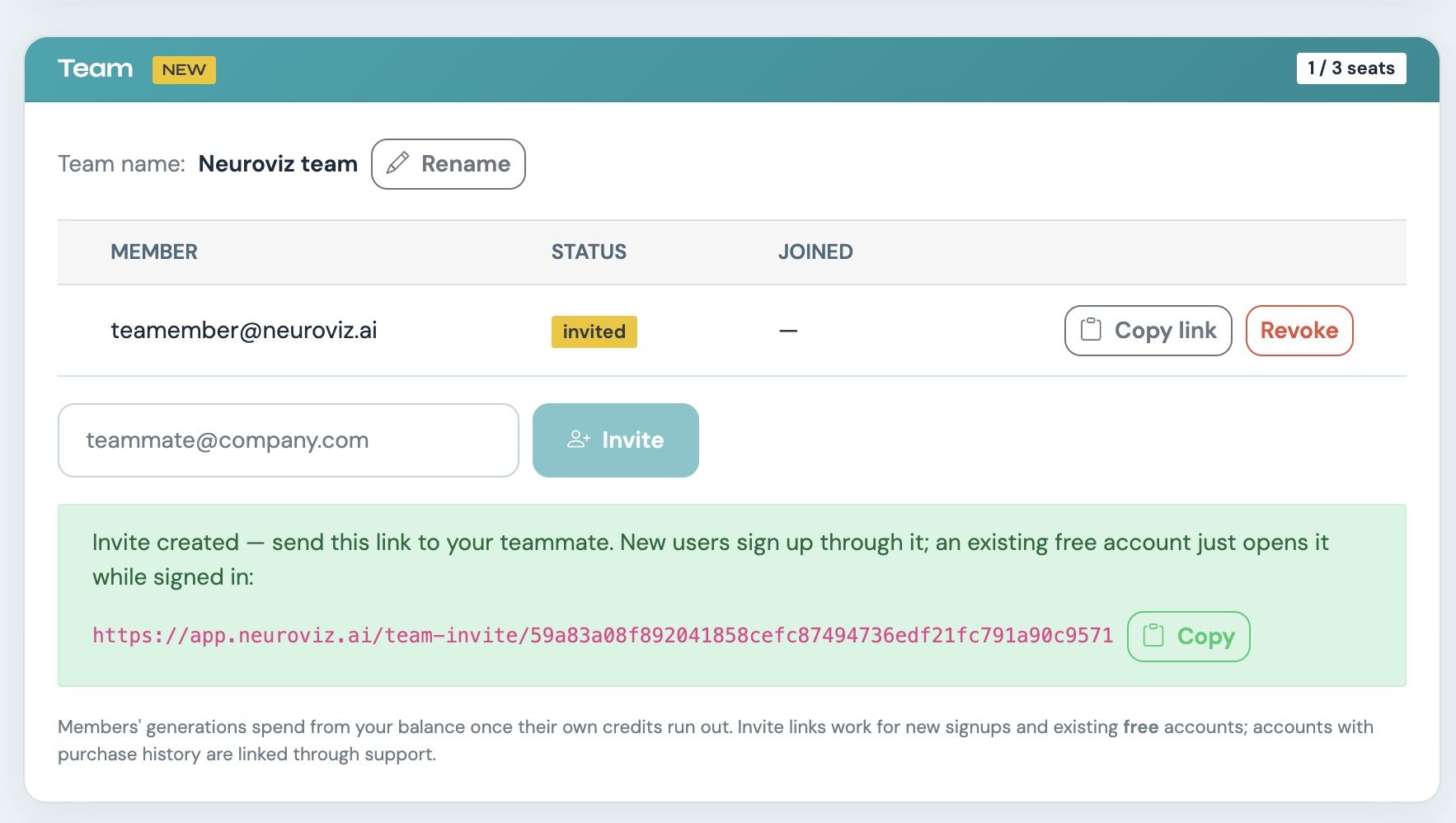
Pro accounts support up to three additional sub-accounts, each with its own login. Everyone draws from the main account's credit pool — one budget to manage, no per-seat fees — while each member's generations and uploads stay in their own separate workspace. The account owner has access to usage statistics for every sub-account, so production stays visible across the team without shared passwords or mixed galleries.

For agencies, that maps cleanly onto roles: one operator runs retouching batches, another handles try-ons, a third produces video — all against one credit balance the owner controls.

  • Up to 3 sub-accounts with separate logins, sharing the main account's credits
  • Separate generations and uploads per member — no mixed galleries
  • Owner-level statistics across every sub-account
NeuroViz Team panel showing 1 of 3 seats used, an invited team member, and the invite flow for adding sub-accounts

The owner invites a teammate by email or link — seats, status and credit sharing all managed from one panel.

Real experts behind every generation.

AI Generation Assistant

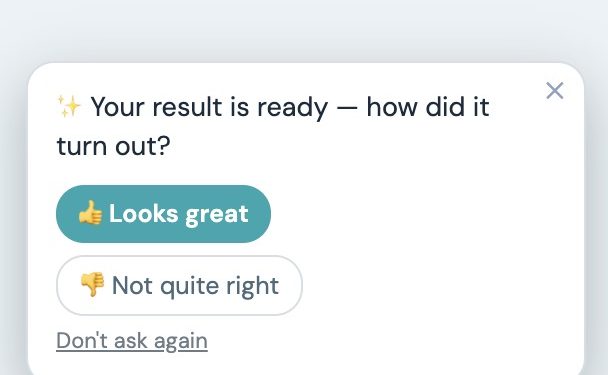
Every account includes the AI Generation Assistant. It automatically receives the input and output of each generation — nothing to re-upload — and tells you what went wrong and how to fix it: input photo, angle, lighting, app settings. Rate any result good, so-so, or unusable; the team reviews the ratings.

Prompt after a generation finishes asking how the result turned out, with Looks great and Not quite right buttons

The Pro Human Layer

Pro members get the human layer. When a result needs more than advice, a support team member steps in, generates replacement images, and provides dedicated personal help through Submit Request.

  • Input validation flags weak source files before any credits are spent
  • 400% zoom inspection on every generated image
  • Before/after split slider to compare results at a glance
  • PSD download for in-house finishing
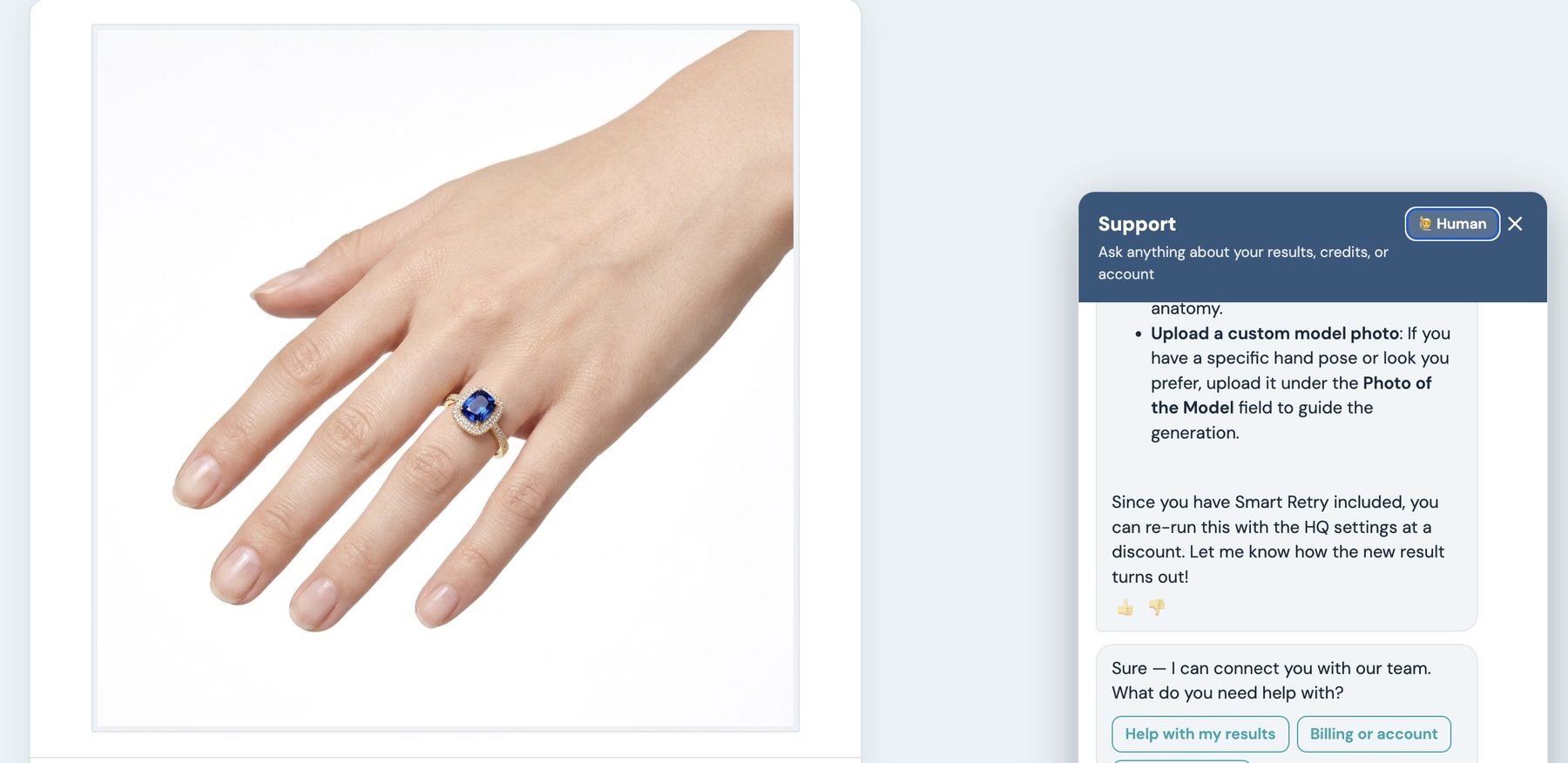
A finished try-on image with the NeuroViz support panel open beside it, switched to a human specialist who explains how to improve the result
Support sits next to the result itself — and Pro members can hand the thread to a human specialist.

Expert guidance is part of every generation — no more guessing when a result misses.

Plug NeuroViz into your pipeline.

REST API

The public NeuroViz API gives your team programmatic access to the platform — every parameter documented, background control included. Generate, retouch, and process images from your product upload pipeline, your PIM, or your internal tools. Only successful runs are charged. API access is included with Pro membership.

MCP Server

NeuroViz also runs a live MCP (Model Context Protocol) server. Connect it to your team's AI assistant once with your API key, then work in plain English: “Retouch this ring photo for my store” — the assistant picks the right app, estimates the exact credit cost before running, submits the generation, and hands back the finished image or video. Nine tools cover the full loop, from browsing the app catalog to checking your credit balance. Setup takes minutes; guides for the most popular AI assistants and coding agents are in the documentation.

No-Code Automation

Prefer visual automation? A step-by-step n8n integration guide covers no-code pipelines end to end.

Coming soon — Workflows API: trigger any saved workflow programmatically, so your systems start a full production run on their own.
# MCP server
endpointhttps://app.neuroviz.ai/mcp
 
AuthorizationBearer YOUR_API_KEY
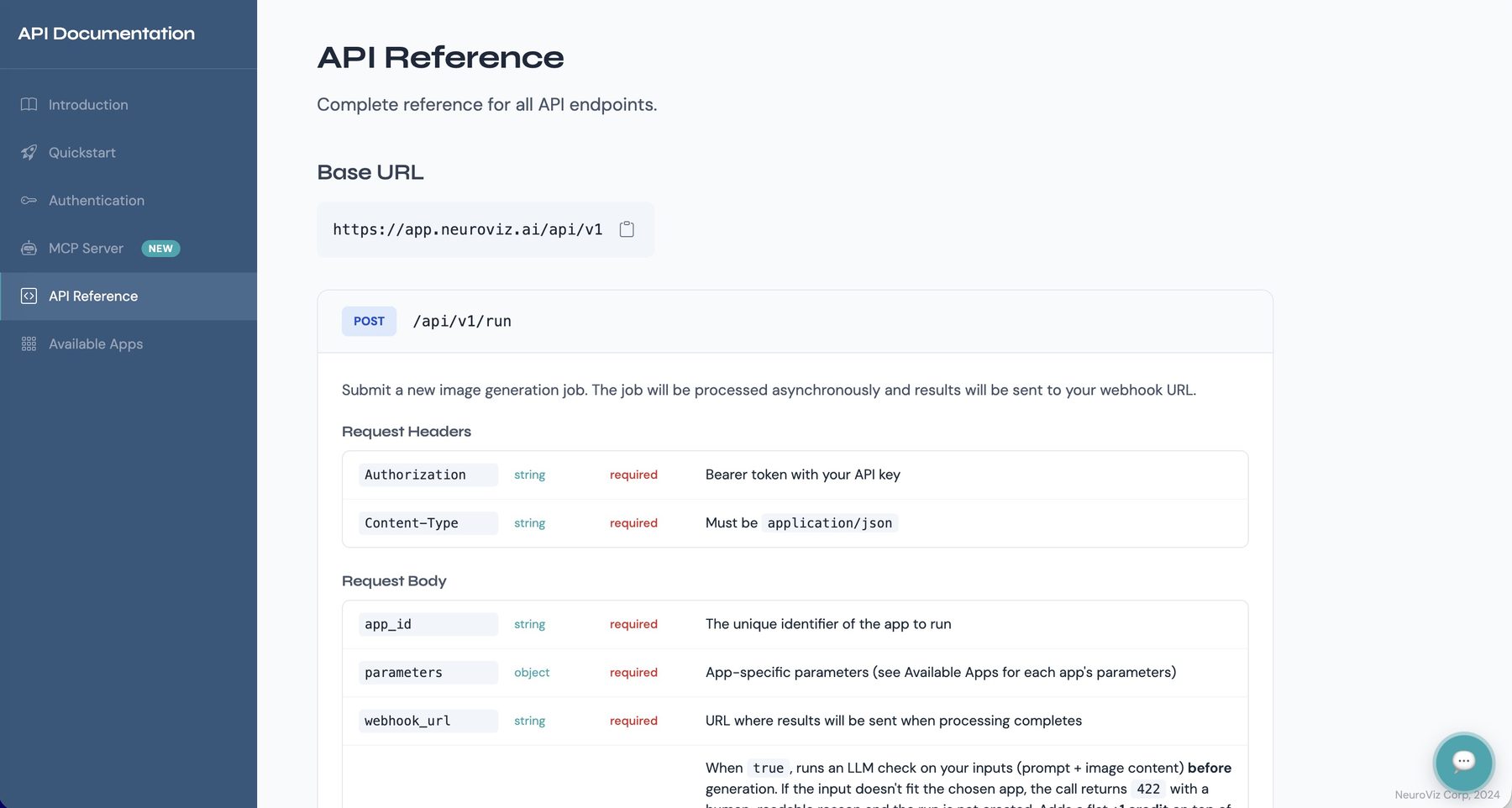
NeuroViz API reference page showing the base URL and the run endpoint with its required headers and request body parameters
Every endpoint documented, down to the parameter.
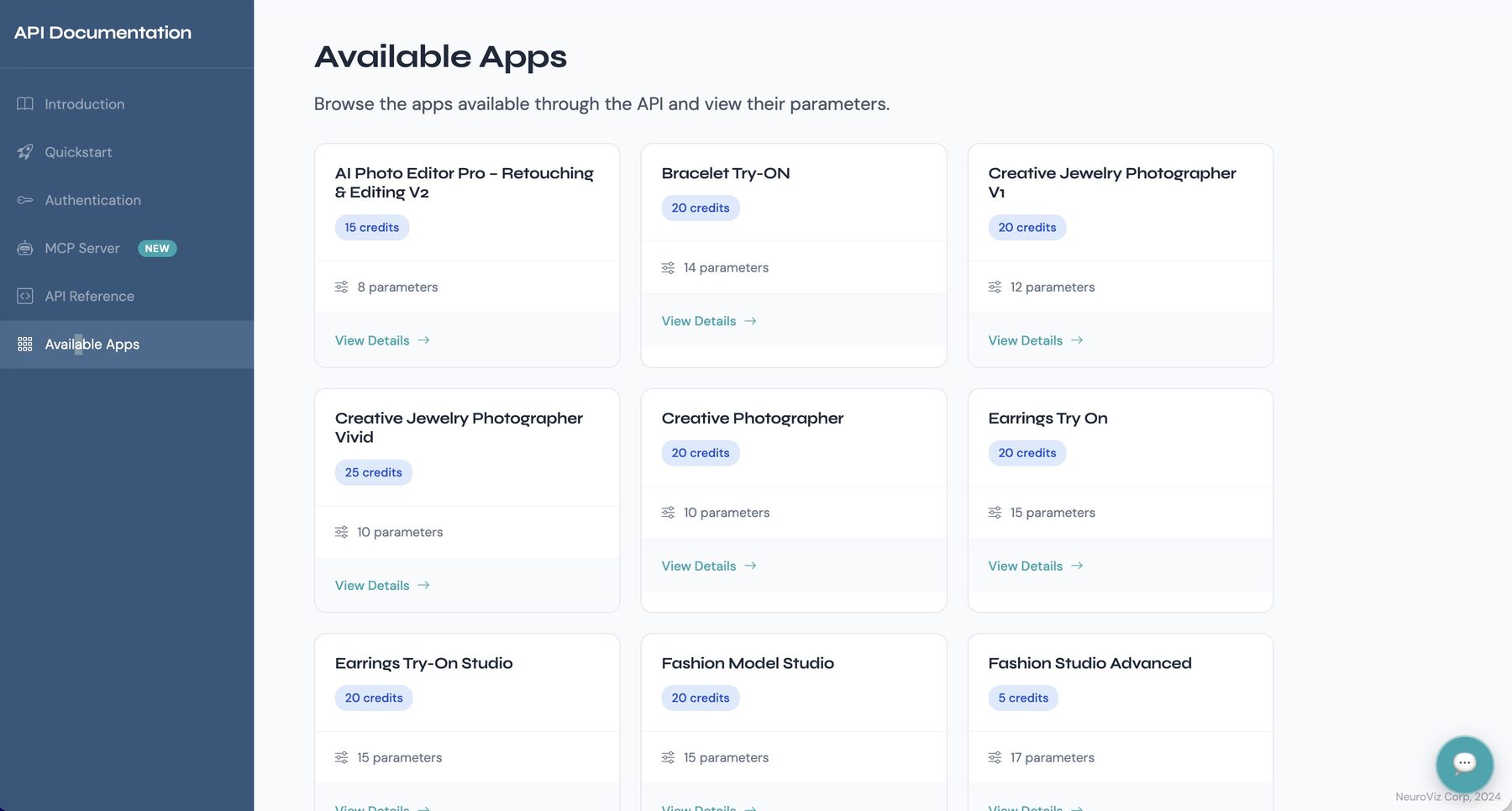
Available Apps page in the NeuroViz API documentation, listing each app with its credit cost and parameter count
Every app callable through the API, with its cost and parameters listed up front.

When a result misses, the fix is discounted.

Smart-retry

AI generation is not deterministic — occasionally a result comes out wrong. Smart-retry exists for exactly that moment: regenerate at a discounted cost, up to two attempts per original generation, and download the one you pick as best, fully licensed. It is a fix-it tool priced to make recovery affordable, so a missed result never means paying full price twice.

Variations

Want multiple options rather than a fix? That is what Variations is for: up to four outputs per click at regular price, every one downloadable and commercially licensed.

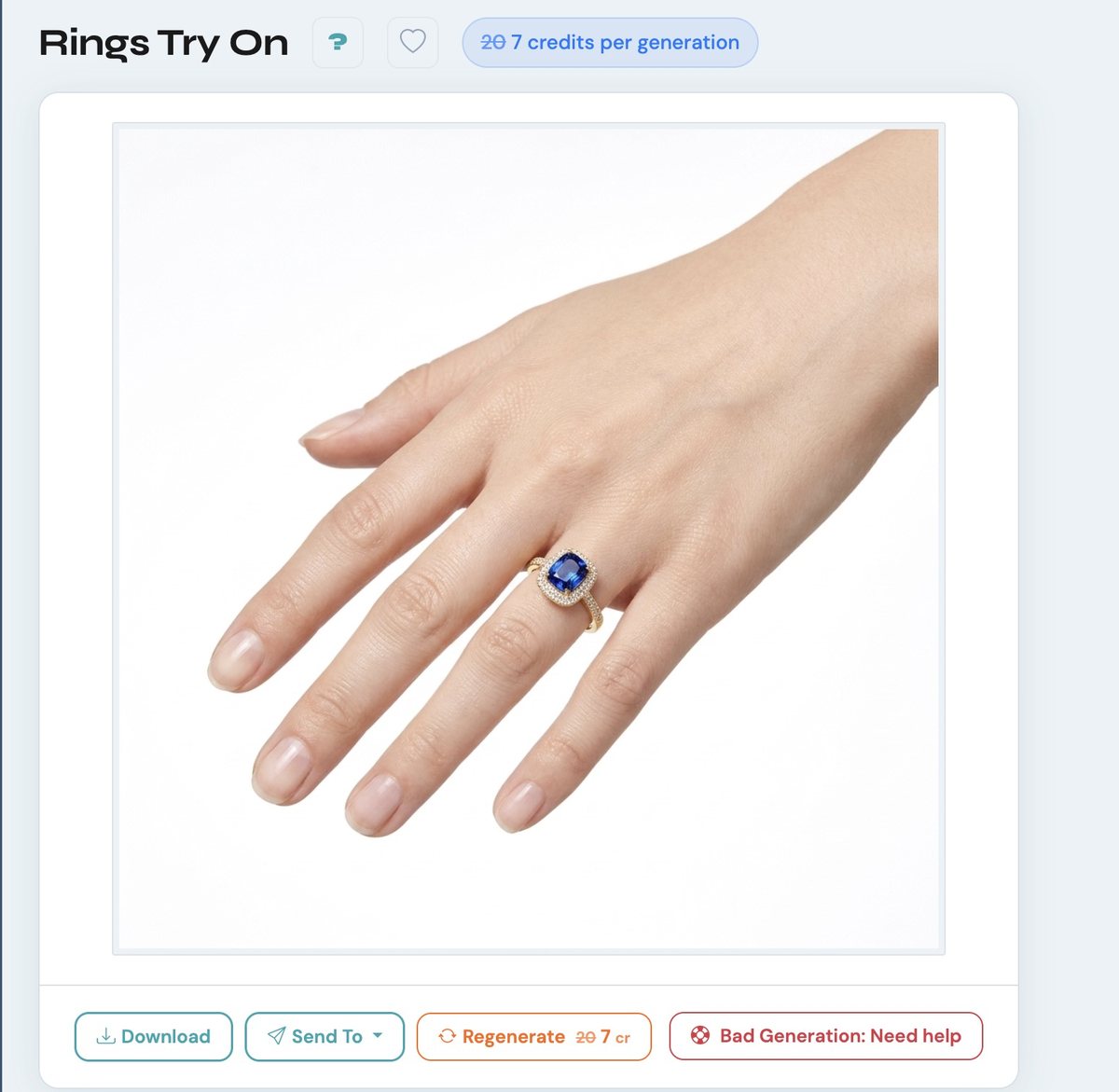
A finished try-on result in NeuroViz with the regenerate control showing the discounted Smart-retry price beside the original cost, next to Download and Send To actions
Smart-retry is a Pro membership benefit: the discounted price is shown on the result itself, before you spend anything.

Licensing your legal team can read in one sentence.

Every regular-price generation and every variation is commercially licensed. That is the whole rule. No per-image negotiation, no usage tiers, no ambiguity for procurement.

Images generated with free trial credits are not commercially licensed.

Built for how teams actually produce.

Brand

Brand seasonal launch

200 SKUs through one saved pipeline. A week of photography logistics becomes an afternoon. Stills, try-ons, and videos land in the Gallery, grouped and licensed.

Agency

Agency, multiple clients

One saved workflow per client, each with its brand background hex and parameters. Sub-accounts give each operator a separate workspace against one credit balance. Batch runs keep every account moving without added headcount.

Marketplace

Marketplace compliance

Pure white #FFFFFF backgrounds out of the box, catalog-wide, via background control. Consistent, compliant listing images across every SKU without manual masking.

Volume pricing without seat licenses.

Credits are pay-as-you-go: set the slider to the amount you want, and the more you buy, the less each credit costs — up to 55% less at volume. No subscription is required to buy credits, and there are no per-seat fees. Pro membership at $29/month adds batch processing, API and MCP access, team sub-accounts, Smart-retry, human expert support, and removes credit expiration entirely.

See Pricing →

Tell us about your catalog.

For teams running large catalogs, multiple client accounts, or an integration into an existing pipeline. Send the details and a NeuroViz specialist replies with the setup that fits — usually within one business day.

Prefer email? Write to support@neuroviz.ai.

Run your first pipeline today.

Start free, build a workflow, and put your own products through it. When you are ready for batch, team accounts, API, and expert support, Pro is one click.

Frequently Asked Questions

Is there a batch size limit?
No. Run 10 images or an entire catalog in a single upload. Batch processing is included with Pro membership.
Can my team share one account?
Pro accounts include up to three additional sub-accounts with separate logins. Credits are shared from the main account; each member's generations and uploads stay in a separate workspace, and the owner has access to every sub-account's statistics.
Are the images commercially licensed?
Every regular-price generation and every variation is commercially licensed. Images generated with free trial credits are not.
Do credits expire?
Credits are valid for 12 months. For Pro members, credits never expire while membership is active.
Can we integrate NeuroViz into our own systems?
Yes. The public REST API is fully documented at neuroviz.ai/api-docs, and a live MCP server lets your team's AI assistants drive NeuroViz directly in plain English. Both use the same API keys, included with Pro membership. Only successful runs are charged.
What happens when a generation comes out wrong?
The AI Generation Assistant tells you why and how to fix it, and Smart-retry lets you regenerate at a discounted cost. Pro members also get human experts who step in and generate replacement images.
Do you support white backgrounds for marketplaces?
Yes — background control outputs exact #FFFFFF white, transparent, black, or any custom hex across the retouching line.
Try Free — 80 Credits