 From cameraNeuroViz
Built for Professional Photographers & Studios
For Photographers & Studios: Client-Ready Files at Production Volume
Retouching you can put your studio's name on: complex metal, diamonds and gemstones, whole collections in one run. A professional jewelry studio tested it against its own best hand editors on real production files, and the metal finish won.
 From cameraNeuroViz
Quick Answer
NeuroViz is an AI jewelry photography platform built by a working commercial photographer, and its retouching line is tested in professional production. A US jewelry photography studio that processes thousands of product images a month ran NeuroViz against its own best hand editors on real client files, side by side, over seven months of working sessions. Its verdict on polished metal: the AI finish beat the studio's best human editors. Its requirements on stones, that facets stay sharp, natural inclusions stay put and the design never drifts, shaped the controls you see on this page.
For a photographer the practical facts are these: Jewelry Retoucher Precision works pixel-to-pixel on a sharp, well-lit source photo, the PRO and ULTRA tiers render up to 16 megapixels natively with no upscaling, files export at up to 300 DPI as PNG, JPG or WebP, and retouching starts at 5 credits per image, about $0.10 at volume pricing. Batch processing handles a whole collection in one run. There is no subscription requirement for the web app.
Proof on Real Files
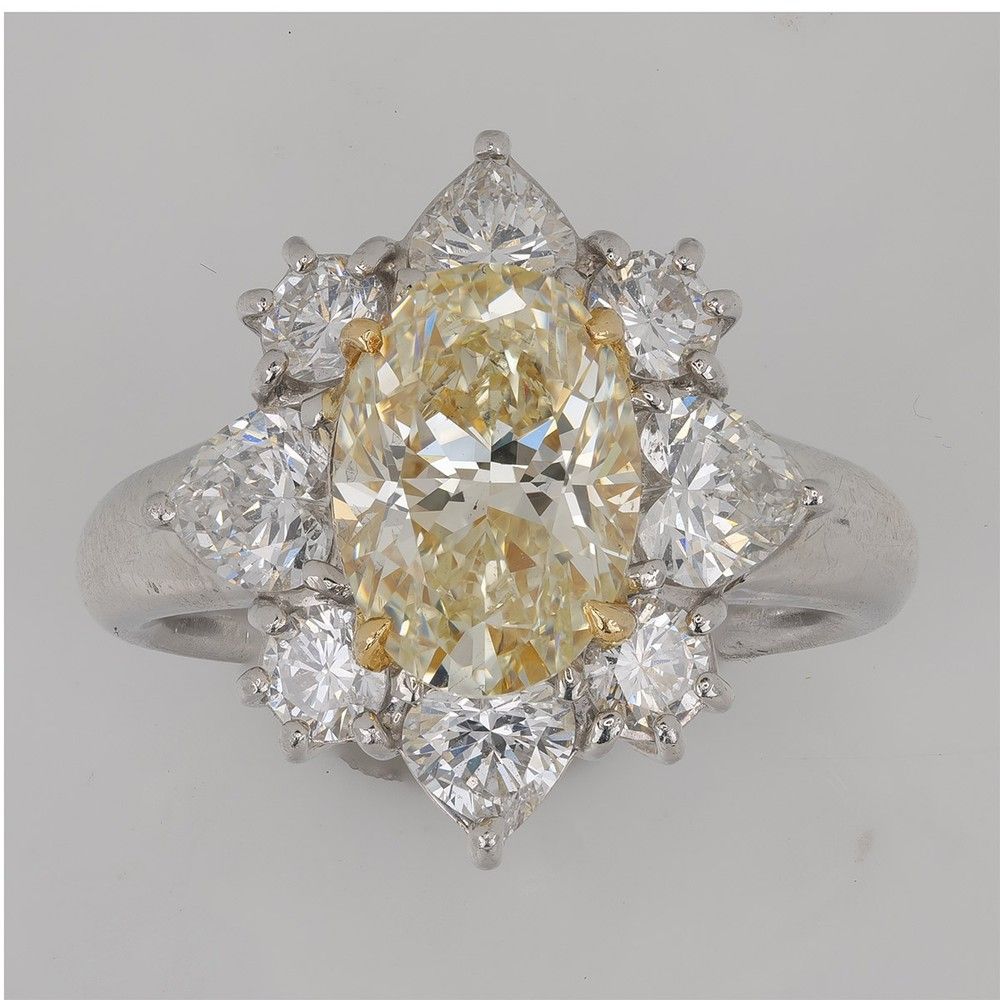
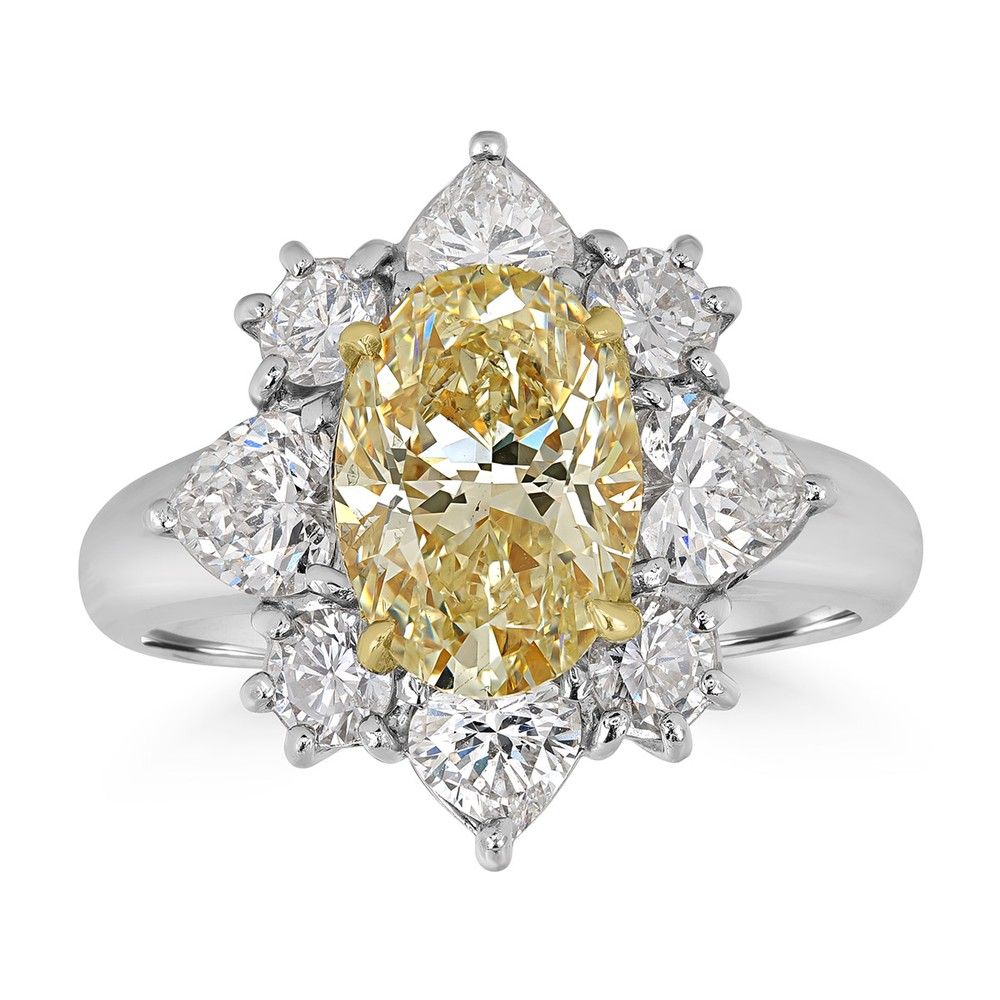
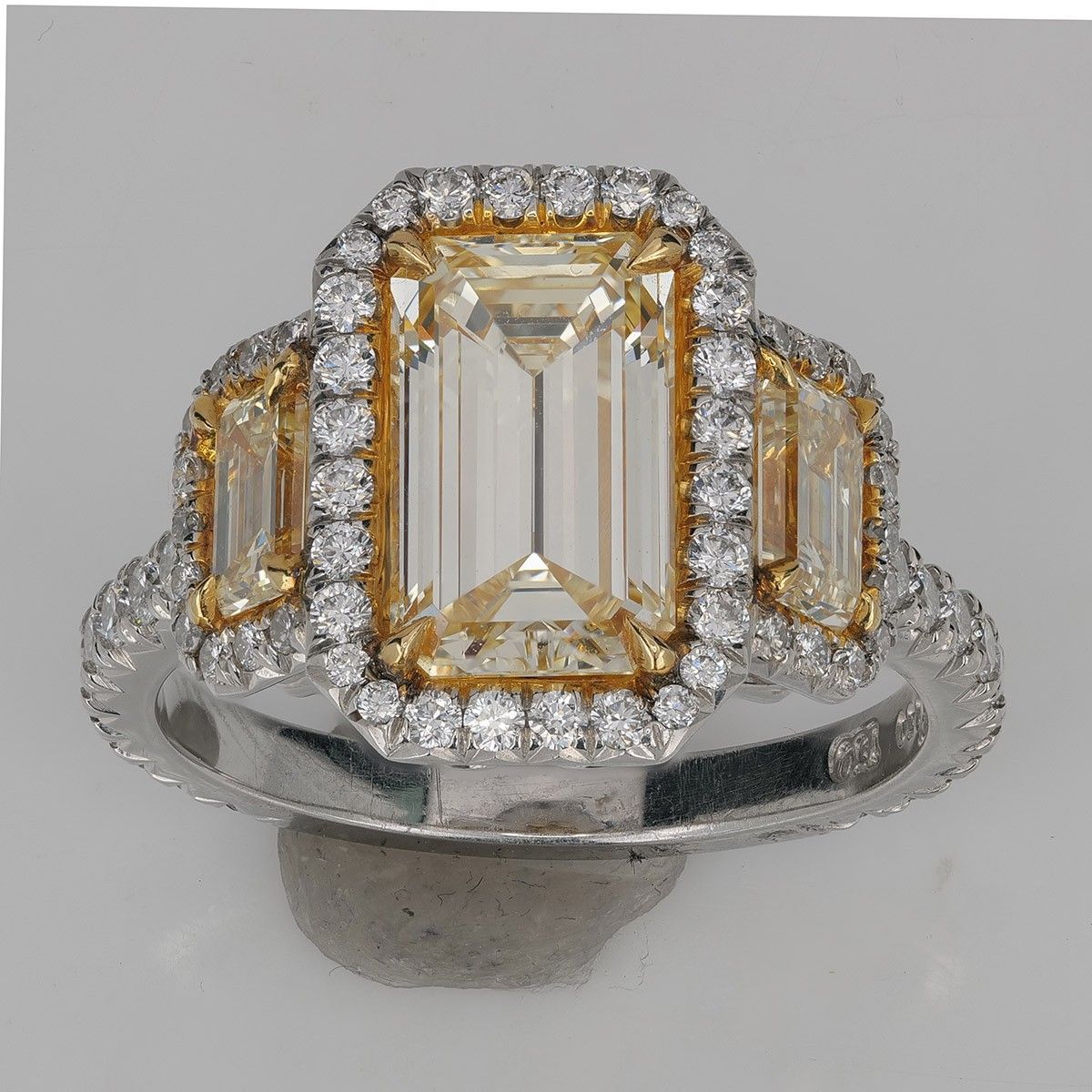
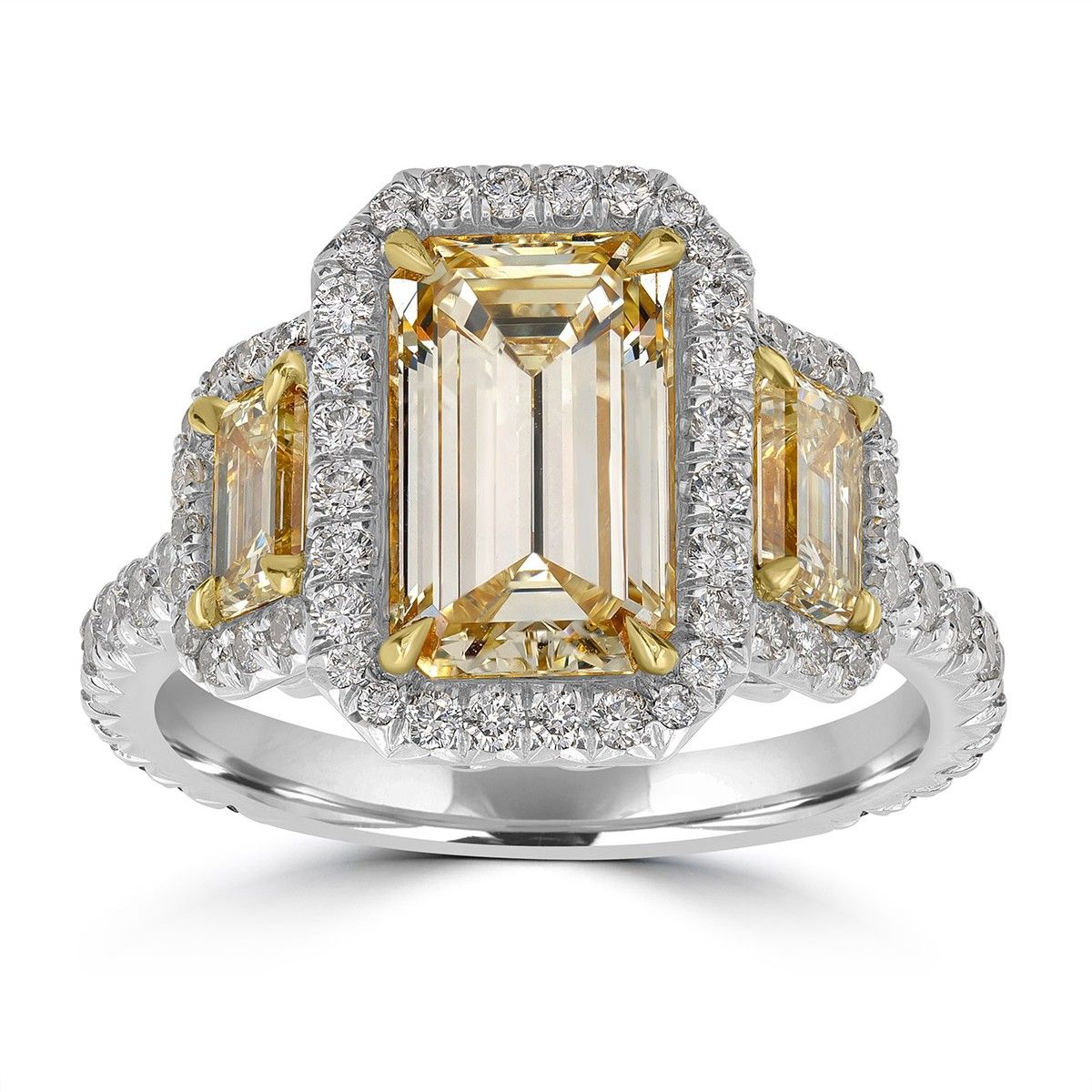
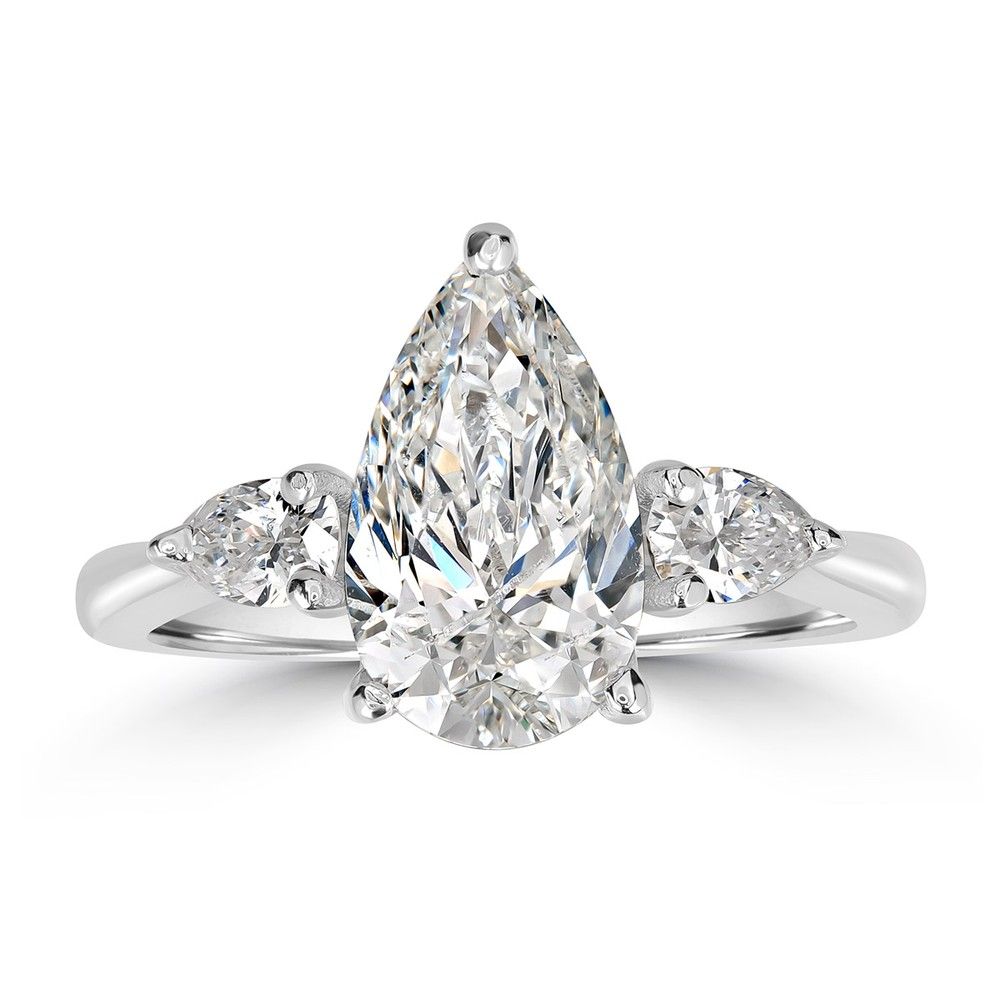
These are real production files from a professional jewelry studio, not staged demos: gray working backdrops, mounting putty, dust, the scratches every working photographer knows. The retouched side came out of Jewelry Retoucher Precision. The piece is pixel-aligned in each pair, so drag the handle and watch the background, putty and scratches go while every stone stays.
From cameraNeuroViz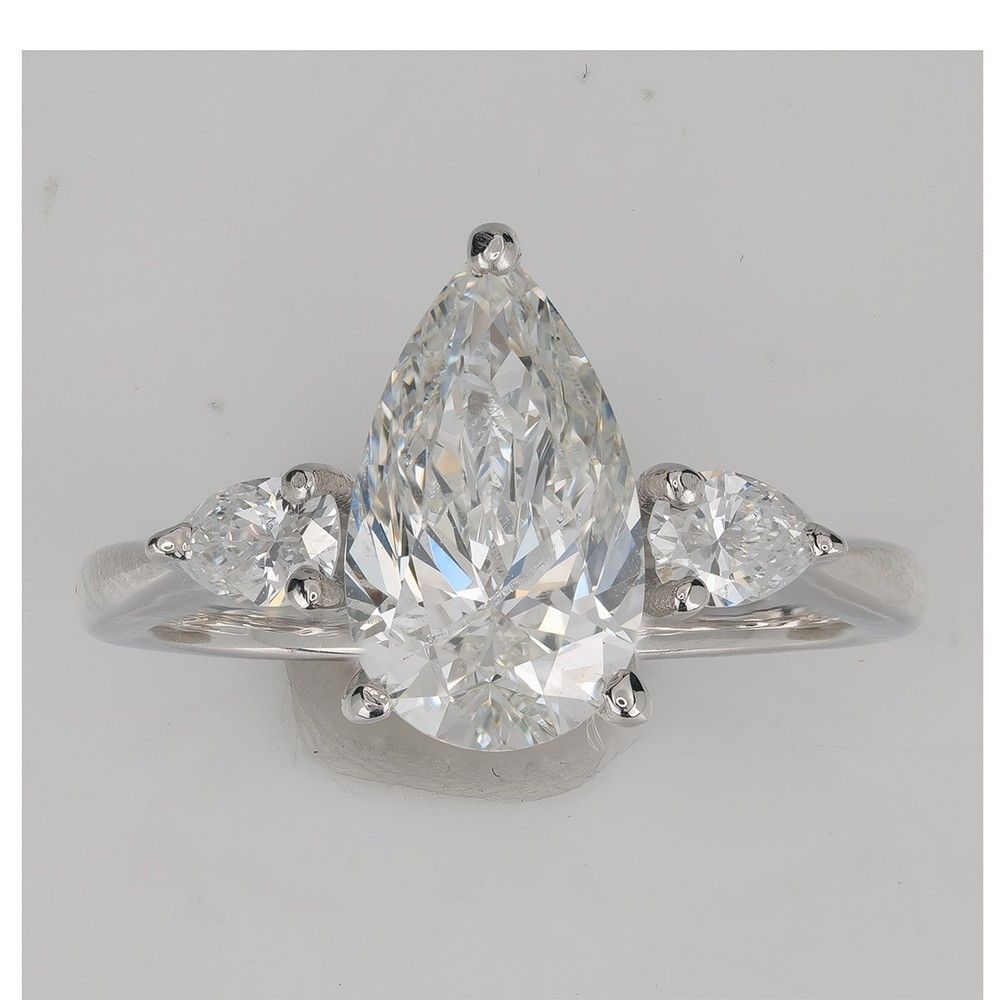
 From cameraNeuroViz
What a professional should check here is not the clean background, it is what did not change: stone count, prong positions, the cut of every diamond, even the natural character inside the centre stones. That is the difference between retouching a photo and generating a different piece.
Pixel-Level Inspection
Sliders are for the first impression. Retouchers judge at 100%. Each card below shows the identical crop from the source file and from the NeuroViz result, at roughly 2× magnification. Click any card to open it full size.
Polished metal and cleanup. Mounting putty, dust fibres and band scratches are gone; the reflections stay physical instead of turning plastic. This is the finish a professional studio rated above its own best hand editors.
Facets, prongs and pavé. The step facets of the emerald cut keep their edges, the prong tips keep their shape, and the halo holds the same stones in the same seats. Pavé stays pavé.
The stone stays the stone. Compare the internal facet pattern point by point: it is the same diamond, cleaner and better lit, not a generated replacement. With the Retouch Gemstones toggle off, even natural inclusions stay untouched.
You Decide What Changes
Professional retouching is a contract: some things must change, some things must never change. These are the controls that enforce it, exactly as they appear in the app.
All three carry the same gemstone controls. The difference is how they treat your source.
Studio sources
Pixel-to-pixel on a sharp, well-lit photo: your framing, your angle, your piece, finished. The mode for professional client work, and the one behind every example on this page.
From 20 credits · ~$0.40 at 1 Mpx
Difficult sources
For the shots you would rather reshoot but can't: estate pieces, consignment, archive files. Reframes the piece and rebuilds the presentation on autopilot, with area masking when only part of the image should change.
From 5 credits · ~$0.10
Marketing look
A saturated, high-contrast finish for ads and social. May adjust the angle for drama, which is exactly why it is not the mode for catalog fidelity, and why it exists as a separate choice.
25 credits · ~$0.50
From Shoot to Delivery
Nothing about your shooting changes. NeuroViz replaces the retouching queue between your memory card and the client's inbox.
Shoot the way you already shoot. For Precision, the app asks for what you would demand yourself: everything in focus, good exposure, 2000 × 2000 px or larger. No props, tags or price labels in frame; validation warns you if it spots them.
Pick the mode and quality tier, set the Retouch Gemstones toggle, choose background, aspect ratio and framing padding. Your settings, not a prompt lottery: the same setup produces the same treatment across a whole order.
Open the result full size and check it the way you would check a retoucher's file: facet edges, prong tips, stone count, reflections. Not right? Up to four variations per run, and Pro members re-run at about a third of the cost.
Download PNG, JPG or WebP up to 16 Mpx native at 300 DPI and send it to the client. Files are flattened, no layers, so when a job needs a manual pass, open the download in Photoshop and finish it there like any other image.
Whole Orders, Not Single Files
A studio's real unit of work is not an image, it is an order: forty pieces, one look, one deadline. These features shipped because a professional studio needed exactly that.
Technical Conditions
Everything below is the current behavior of Jewelry Retoucher Precision in the app, stated plainly, including the limits.
| Source photo requirements | Everything in focus, good-quality photography. For best results 2000 × 2000 px or larger. Props, tags and shallow depth of field are flagged by validation before generation. |
| Output formats | PNG (default), JPG with quality control from 50 to 100, or WebP. |
| Output resolution | Quality tiers from 1 Mpx to 16 Mpx. PRO and ULTRA render up to 16 Mpx natively, with no upscaling; ULTRA is the most faithful on difficult pieces. |
| Print export | DPI selectable from 72 to 300; 300 DPI is the default. |
| Aspect ratios | Auto, plus fourteen fixed ratios: 1:1, 4:5, 5:4, 3:4, 4:3, 2:3, 3:2, 9:16, 16:9, 21:9, 1:4, 4:1, 1:8, 8:1. |
| Background | Keep the retouched background, replace with any exact HEX solid color, or export transparent (solid and transparent add 3 credits). Optional natural contact shadow at no charge. |
| Layers and masks | Results are flattened files. No layered PSD output; for layer-level finishing, download the full-resolution result and continue in your own editor. |
| Failed generations | Inputs are validated before generation with a stated reason on failure. Only generations that succeed consume credits. |
| Usage rights | Full commercial license on every download made with paid credits: client delivery, stores, marketplaces, ads and print. |
| Automation | The full app catalog is available through the NeuroViz API, plus a native MCP server for AI-assistant pipelines. API and MCP access come with Pro Membership; the web app needs no subscription. |
Tested in Production
A US jewelry photography studio processing thousands of images a month, with an archive of over 100,000 jewelry photos and hand editors on two continents, spent seven months running NeuroViz on real client files, side by side with its own retouchers. The metal finish was rated above the studio's best hand editors. The feedback on stones, facets, inclusions and design drift became the controls described on this page. The studio still runs its production on the NeuroViz engine today.
The economics for a studio are blunt: retouching from $0.10 per image at volume, a typical retouch at $0.40 to $1.60, against roughly $2 for a simple offshore hand retouch rising to $15 and more for complex hero work. The AI price does not grow with complexity, and our customers report up to 90% cost savings against traditional studio workflows.
Beyond Retouching
Every retouched file behaves like any other product photo in NeuroViz, which means a studio can quote services that used to need extra shoots: on-model imagery, video, editorial scenes. Same pieces, same session, more line items.
Put a client's piece on a model's hand, ear or neck without booking a model. Eight tools trained on jewelry anatomy.
Turn a retouched photo into a 360° rotation or a scene video for the client's product page and Reels.
Editorial scenes, backgrounds and moods from a catalog shot, for campaigns the client didn't budget a set for.
For manufacturer clients: product photos straight from CAD files, before the piece exists.
Pricing
Pay-as-you-go credits, valid 12 months, spendable across every NeuroViz tool. No subscription required for the web app. Only successful generations are charged.
| Retouch | Credits | Cost |
|---|---|---|
| Rescue, 1K low | 5 | $0.10 |
| Precision, STANDARD 1 Mpx | 20 | $0.40 |
| Precision, PRO 4 Mpx | 40 | $0.80 |
| Precision, PRO 16 Mpx | 80 | $1.60 |
| Precision, ULTRA 16 Mpx | 130 | $2.60 |
| Vivid | 25 | $0.50 |
Dollar figures at volume pricing ($0.02 per credit). Solid or transparent background adds 3 credits; de-banding adds 1. The Generate button always shows the exact cost of your current settings before you run.
| Amount | Credits | ~Images |
|---|---|---|
| Free trial | 80 | 4 |
| $10 | 250 | 12 |
| $50 | 1,500 | 75 |
| $200 | 8,000 | 400 |
| Studio plan, monthly | 10,000 | 500 |
| Pro Membership | $29/mo | Batch + API + retry at ⅓ |
Images counted at 20 credits (Precision STANDARD). Pro Membership adds batch processing, API and MCP access, expert generation support and re-runs at roughly a third of the cost; the Studio plan at $200 a month includes it.
FAQ
Go Deeper
The product page: all three modes, source requirements and examples, from $0.10 per image.
Facets, engraving and texture under magnification, with downloadable crops to verify yourself.
The complete guide: how it works, what it fixes and where its limits are.
An honest, regularly refreshed comparison of jewelry photo editing tools, ours and competitors' alike.
Turnaround, cost per image and quality control, side by side with outsourced retouching.
Pay-as-you-go credits from $10. Pro Membership at $29/mo. Free trial — 80 credits.
Upload a real source photo from your last shoot, set the controls the way this page describes, and inspect the result at 100% against your own standards. 80 free credits cover the test; no credit card, no subscription.
Studios running client volume: talk to us about team workflows.