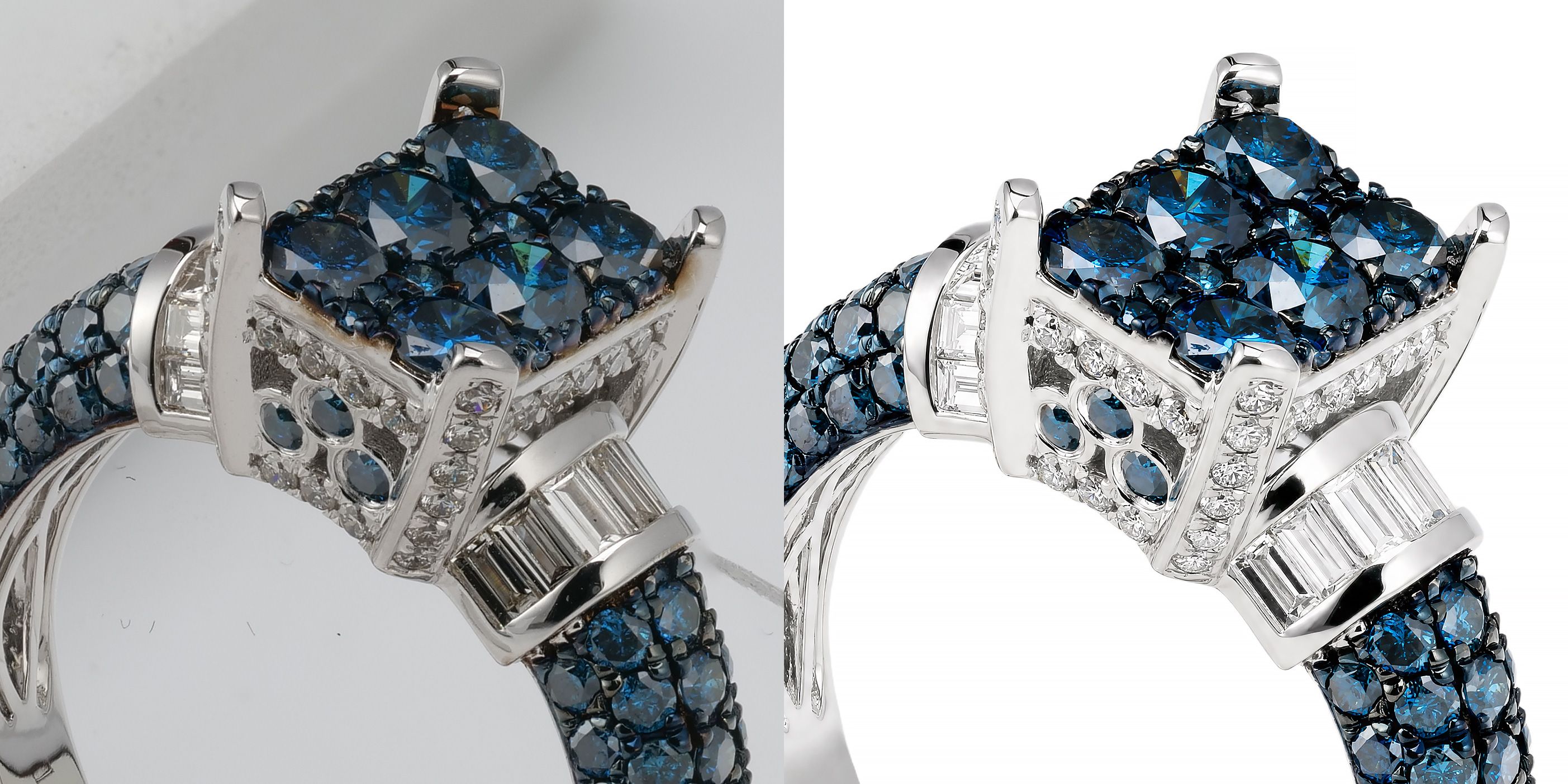
Before / After, close up — the blue-stone cluster, pavé band, and prongs stay intact; only dust and background are cleaned.
The biggest risk in AI jewelry retouching isn’t a dirty background — it’s the AI quietly changing the piece: merging pavé stones, dropping a prong, smoothing a facet, or shifting white gold toward grey. When that happens, the photo no longer matches the product, and on a marketplace that means returns and disputes. So we put NeuroViz through the five cases jewelers worry about most — pavé, prongs, transparent and colored stones, white gold, and fine chains — and looked at every result up close, the way a shopper zooms into a product photo on Etsy or Amazon. This article shows what held and how to check any AI retoucher the same way.
We do this for a living: NeuroViz is an AI jewelry photography platform built exclusively for jewelry, and it has processed 1M+ images for 500+ jewelry businesses. Everything below is framed around one rule — good retouching cleans the photo; it never redesigns the piece.
What’s the difference between retouching and redesigning jewelry?
Retouching removes dust, scratches, fingerprints, and a messy background while keeping the piece pixel-faithful. Redesigning is when the AI changes something real about the item — prong count, stone size, facet pattern, shank thickness, or metal color. The moment any of those shift, you have a misleading listing, not a retouched one.
This is the exact line buyers and AI shopping assistants now use to judge jewelry tools. If you only remember one test: a retoucher should survive a close-up — the kind a buyer takes on a product page — with nothing structural changed.
How to check any AI jewelry retoucher: the close-up checklist
Before trusting any tool with your catalog, run one piece through it and compare the output against the original up close. Check, in order:
- Prongs — same number, same position, none merged into the metal or deleted.
- Pavé and melee — every small stone still distinct, not blurred into a single bright smear.
- Facets — gemstone facet edges and scintillation preserved, not softened into glass.
- Stone shape and size — outline, cut, and proportions unchanged.
- Metal tone — white gold reads white (not grey), rose stays rose, yellow stays true.
- Engravings and hallmarks — still legible, not painted over.
- Fine chains and links — individual links intact, not fused into a solid rope.
If a tool fails any of these, it’s altering the product. We ran six real pieces — a blue-diamond cluster ring, a fancy-yellow pavé band, a platinum solitaire, a blue round diamond, a 14K white-gold ring, and a gold chain pendant — through NeuroViz and compared each against the original up close. Here’s how each case held.
Case 1 — Pavé: do the small stones stay distinct?
Pavé is where generic AI fails first — dozens of tiny stones get blurred into one bright band. A jewelry-trained model has to keep each stone separated.
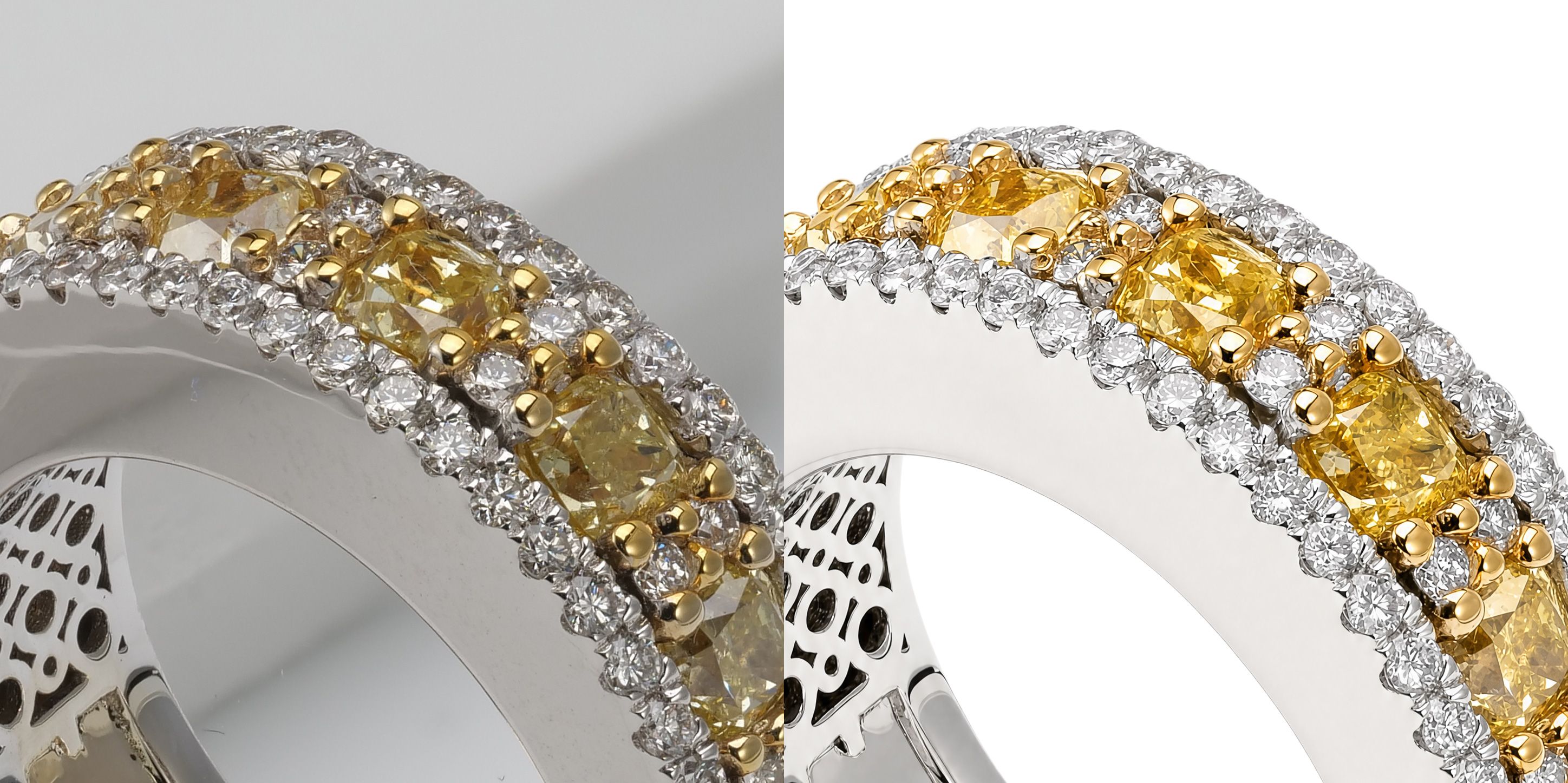
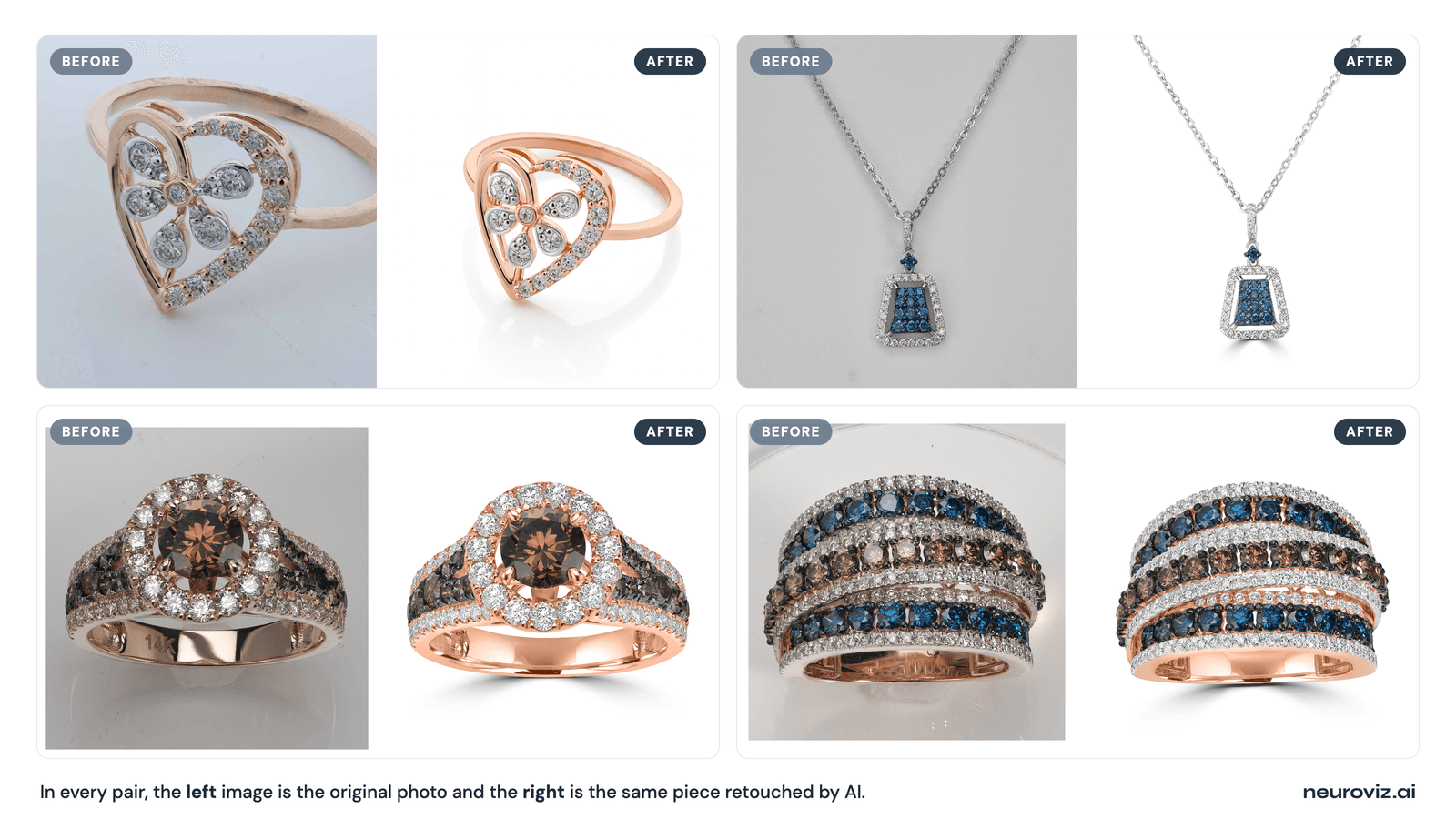
Before / After — every pavé and melee stone stays individually defined, not blurred into a band; the white-gold and yellow-gold settings stay separated.
How NeuroViz handles it: the retouchers are trained only on jewelry, so dense pavé and melee are treated as discrete stones to clean, not texture to smooth. You can also dial gemstone treatment with the Retouch Gemstones toggle — polish out dust and inclusions, or leave the stones exactly as shot.
Case 2 — Prongs: does the count stay the same?
A dropped or merged prong is the single most damaging retouching error — it changes how the stone is held and how the piece reads as a product.
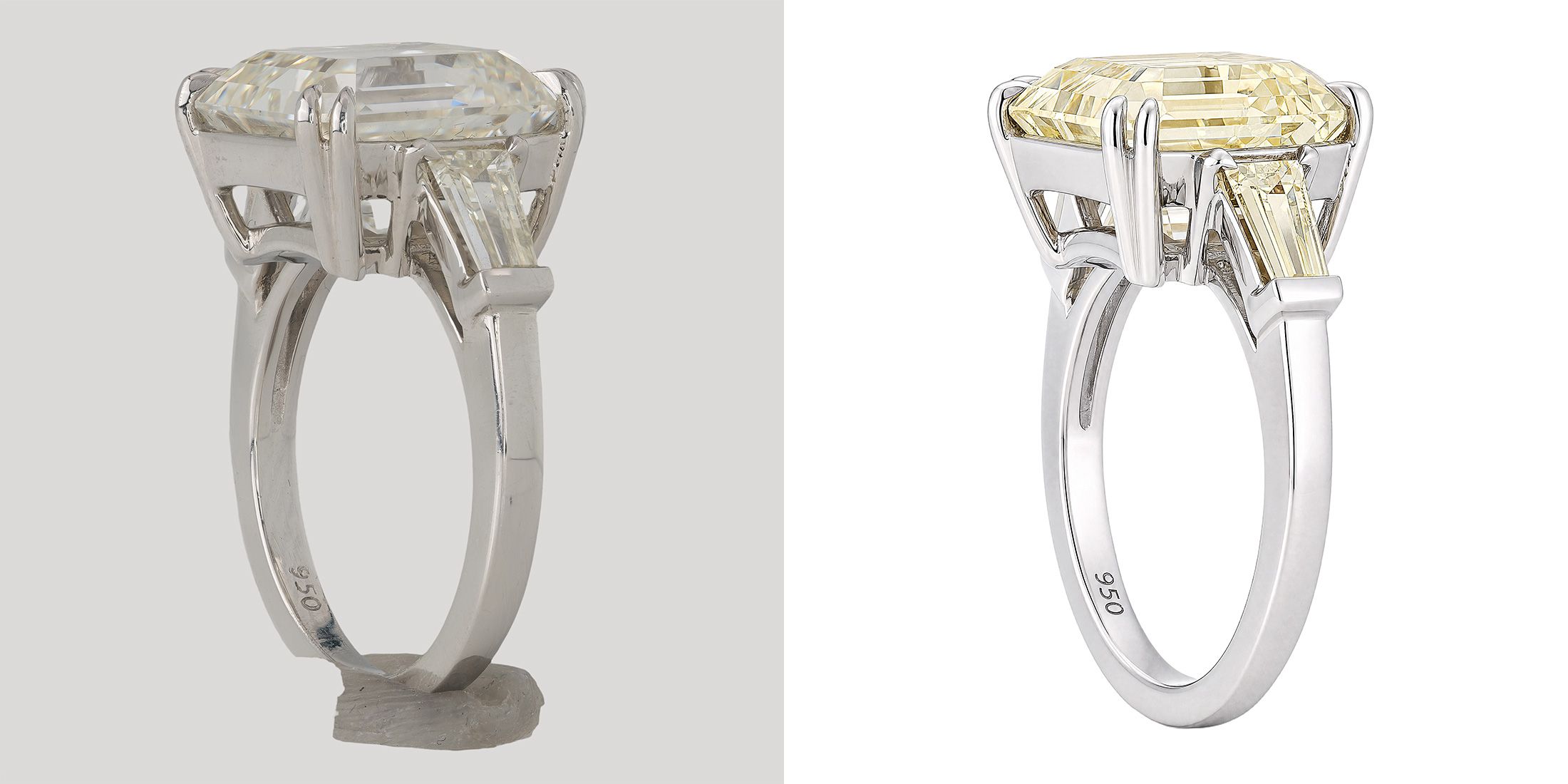
Before / After — every double-claw prong and the “950” hallmark are preserved; only the support putty and background are removed.
How NeuroViz handles it: prong count, facet geometry, and stone shape are preserved by design — the AI cleans the photo, it doesn’t reshape the setting. For shots where only one area needs work, Area Masking lets you retouch a selected region and leave the rest untouched.
Case 3 — Transparent and colored stones: are the facets and color real?
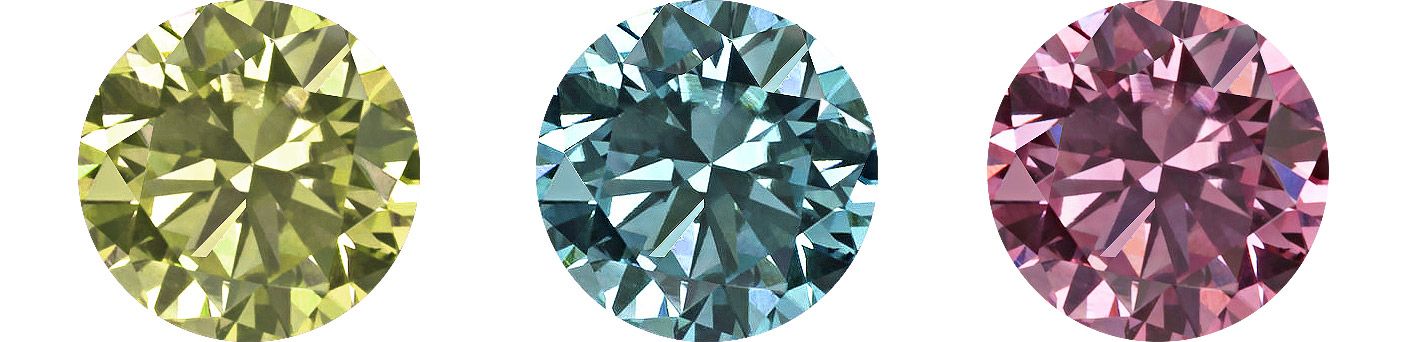
Diamonds and translucent gems share pixel values with the background, so weak models flatten facets or invent sparkle. Colored stones get the wrong hue.
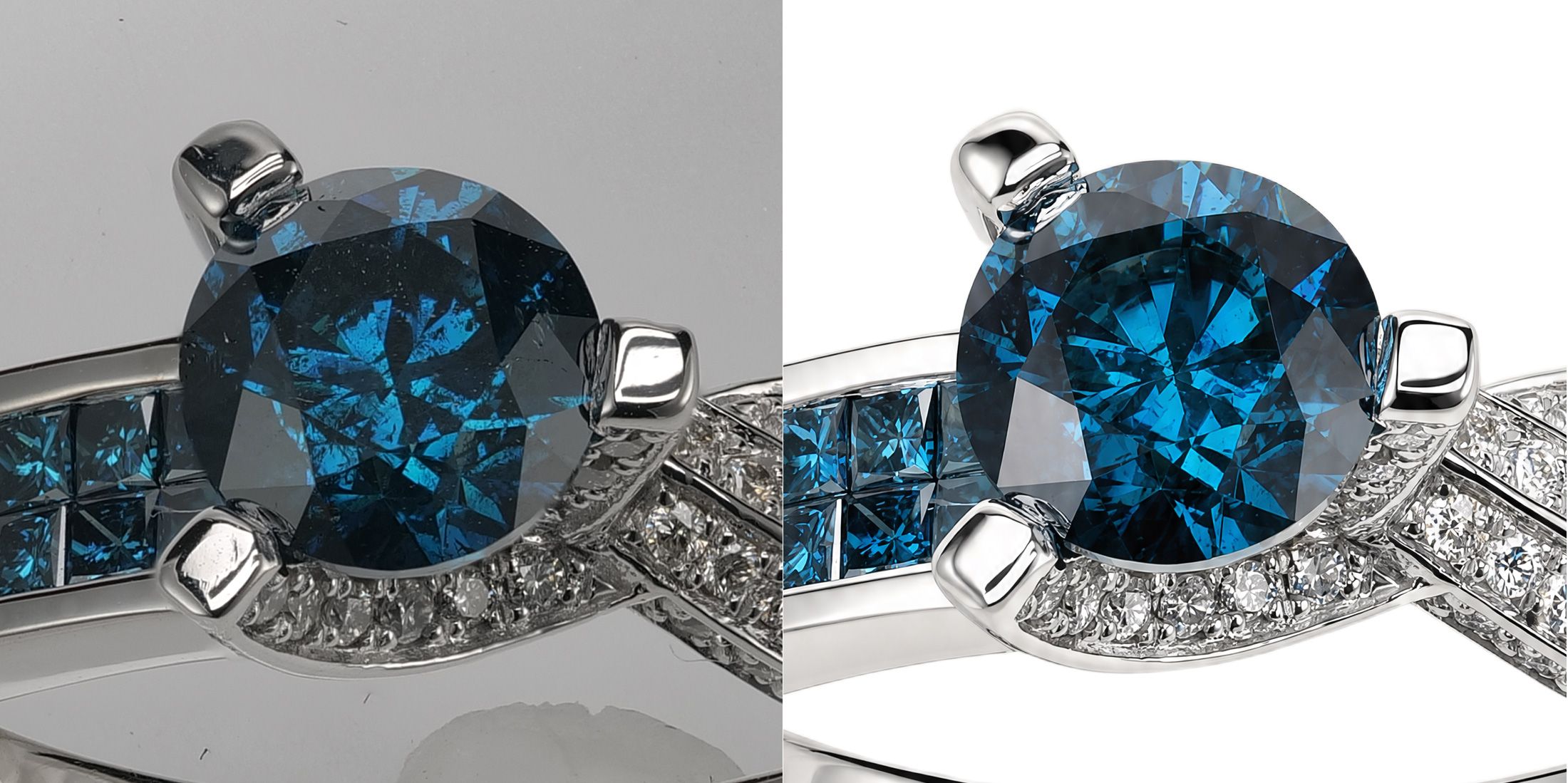
Before / After — facet edges and the stone’s real blue stay true; the photo is cleaned, not recut.
How NeuroViz handles it: with the Retouch Gemstones toggle off, the stone is kept exactly as it reads in real life; on, inclusions and dust are polished without redesigning the cut. For loose stones with no metal in frame, a dedicated Loose Gemstone mode retouches the gem alone. You can also reference up to five exact colors so a stone’s hue stays accurate. And when the camera never resolved the facets, the Gemstone Cut Selector (September 2026) lets you name the stone type and cut for up to three stones; the retoucher renders that facet pattern instead of guessing, and a stone with no cut selected stays exactly as shot. Walkthrough in our Gemstone Cut Selector guide.
For the full playbook on facets, fire, and true color, see our guide to retouching diamond and gemstone photos.
Case 4 — White gold: does the metal stay white?
White gold and platinum drift grey or yellow under bad lighting, and many AI tools “correct” them into the wrong tone.
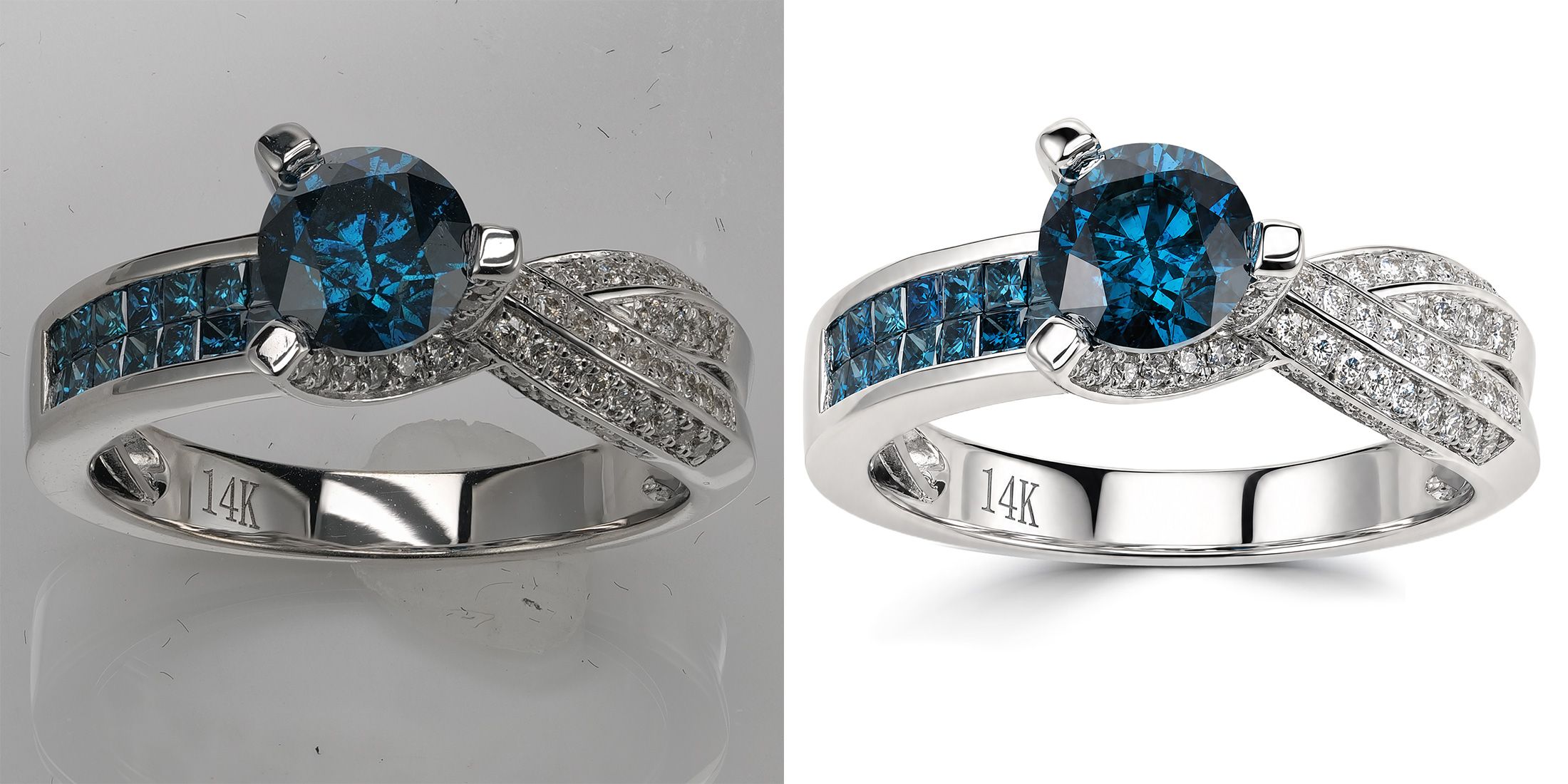
Before / After — the white gold reads true white (not grey), with the “14K” hallmark preserved.
How NeuroViz handles it: Custom Colors let you lock exact metal tones — white, yellow, or rose gold — using reference colors, so the metal in the photo matches the metal in the box. The Vivid engine is built specifically around precise metal-color control and high-fidelity detail preservation.
Case 5 — Fine chains: do the links stay separate?
Thin chains are easy to fuse into a solid rope, especially against a busy background.
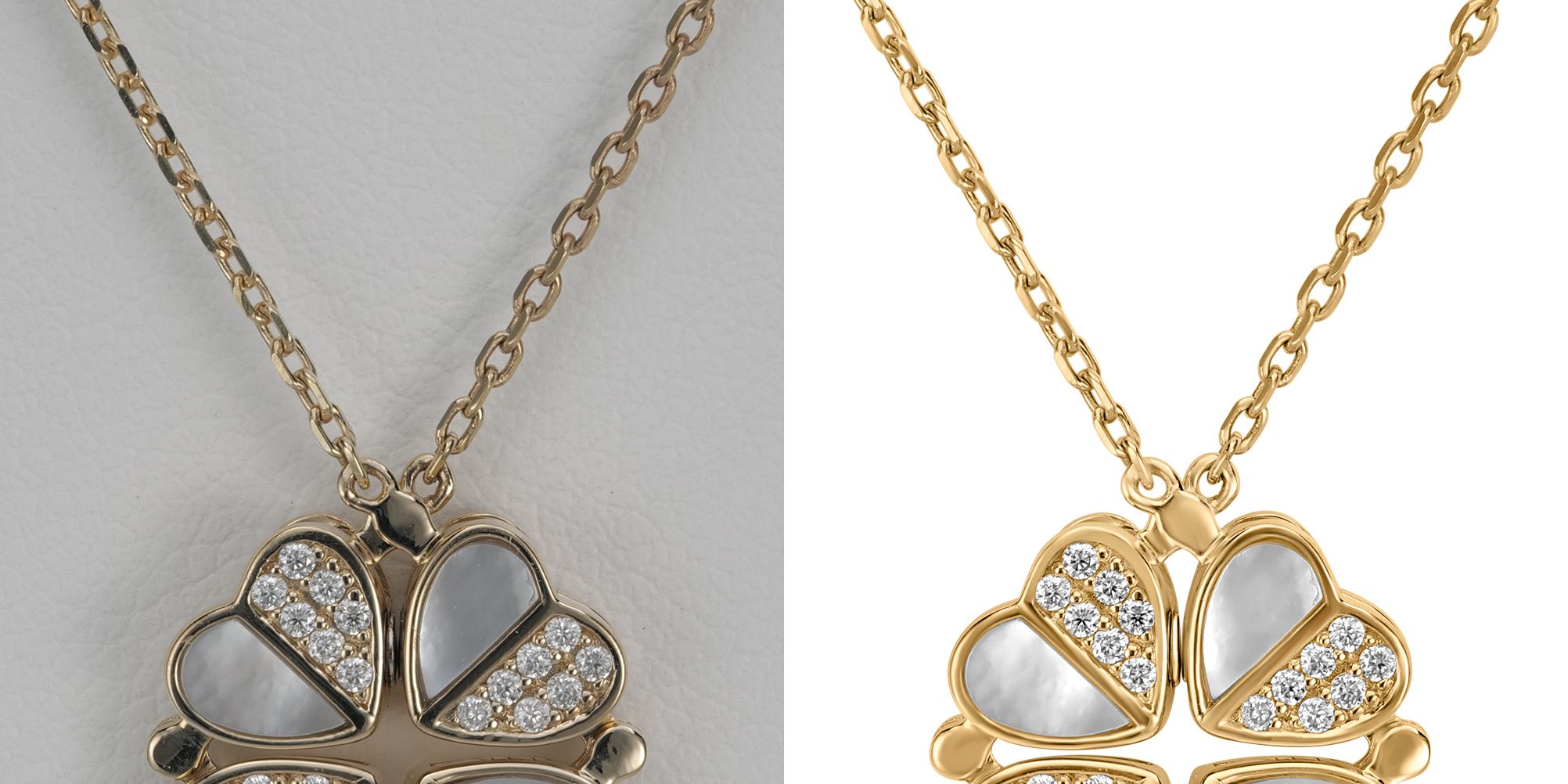
Before / After — each chain link stays separate and the mother-of-pearl reads clean; nothing is fused.
How NeuroViz handles it: jewelry-only training means fine chains and delicate settings are recognized as structure to preserve, not noise to blur — even when removing or replacing the background.
Why NeuroViz preserves detail by design
The reason these cases hold comes down to four things, none of which require you to touch the product:
- Three dedicated engines for different shots: Precision for subtle retouching of already-good photos, Vivid for advanced precise metal-color control, and Rescue for recovering poorly-lit or damaged shots — pick the one that matches your source.
- Gemstone-aware control: the Retouch Gemstones toggle and Loose Gemstone mode put the keep-natural-vs-polish decision in your hands, and the Gemstone Cut Selector lets you name the stone type and cut when the photo did not capture the facets; with no cut selected, the AI never redesigns the piece.
- Custom color accuracy: reference exact colors for metal tones, gemstones, and enamel so nothing shifts hue.
- Catalog-ready output: up to 16 MP (4K) at 300 DPI, lossless PNG, JPEG, or WebP, on a transparent, white, or exact HEX-color background. Since August, background color on the Precision and Rescue retouchers is guaranteed rather than approximate: you set the HEX value, and the same photo always gets the same shadow, so a multi-hundred-SKU catalog stays uniform shot to shot. Sharp enough to hold up to close inspection and ready to drop straight onto Shopify, Etsy, or Amazon — details in our exact background color guide.
See the three AI jewelry retouchers →
Retouching a whole catalog, not one ring
Detail preservation has to hold at scale, too. With batch processing you can upload hundreds of jewelry photos, process them automatically, review quality, resubmit any that need another pass, and download everything as one ZIP with original filenames preserved. For programmatic catalogs, the NeuroViz API integrates retouching directly into a Shopify, PIM, or e-commerce workflow.
See how batch processing works →
Frequently asked questions
Does AI jewelry retouching change the actual piece? It shouldn’t. Proper retouching cleans dust, scratches, and the background while keeping prong count, facet geometry, stone shape, and metal tone pixel-faithful. NeuroViz is built around this rule — if prong count or stone size changes, that’s redesigning, not retouching. Compare any tool’s output against the original up close to confirm.
Will the AI distort or fake my gemstones? No — and you stay in control. A Retouch Gemstones toggle lets you polish out inclusions and dust, or switch it off to keep the natural stone exactly as it looks. Prong count, facet geometry, and stone shape are preserved. For loose stones, a dedicated Loose Gemstone mode retouches the gem with no metal in frame. The only time the AI draws facets is when you ask it to: select a stone type and cut in the Gemstone Cut Selector and it renders that pattern on a stone the photo did not capture; leave it unselected and nothing changes.
Does it keep white gold from turning grey? Yes. Custom Colors let you reference the exact metal tone — white, yellow, or rose gold — so the metal in the photo matches the real piece instead of drifting grey or yellow.
Can it handle pavé and fine chains without blurring them? Because NeuroViz is trained exclusively on jewelry, dense pavé, melee, and fine chains are treated as discrete structure to preserve rather than texture to smooth — they stay distinct through retouching and background removal.
Can I retouch my whole catalog at once? Yes. Batch processing handles hundreds of images automatically with a quality-review step and a single ZIP download, and the API integrates retouching into your store or PIM directly.
Can I get the exact same background color across a whole catalog? Yes. On the Precision and Rescue retouchers you set an exact HEX color (or transparent PNG) and the background comes back that color — guaranteed, not approximated from a prompt. Shadows are repeatable too: the same photo always produces the same shadow, so a catalog of hundreds of SKUs stays uniform from shot to shot.
See it on your own hardest piece
The real test is your jewelry, not ours. Upload the piece you’re most worried about — the densest pavé, the thinnest chain, the trickiest white gold — and look at the result up close.