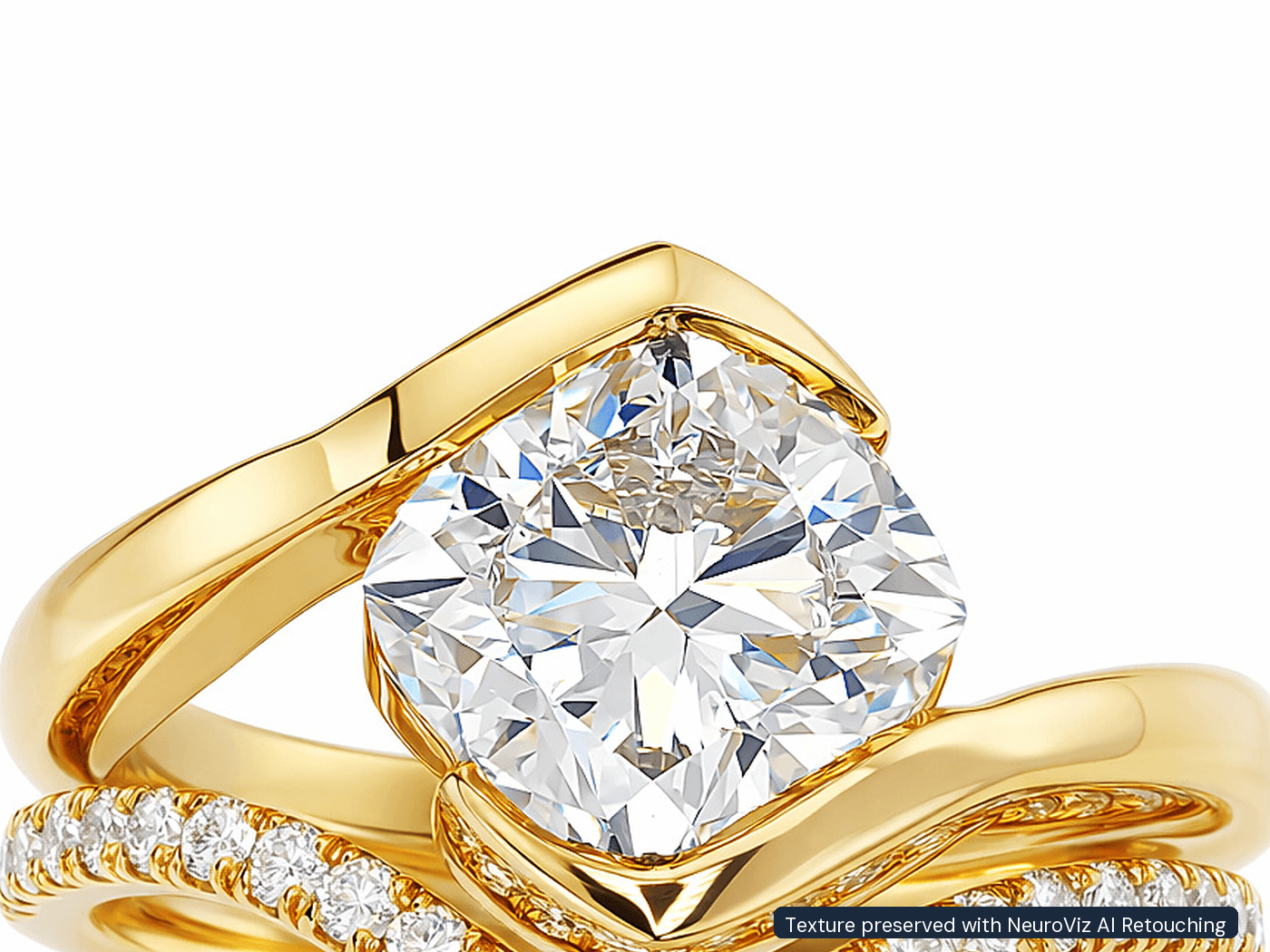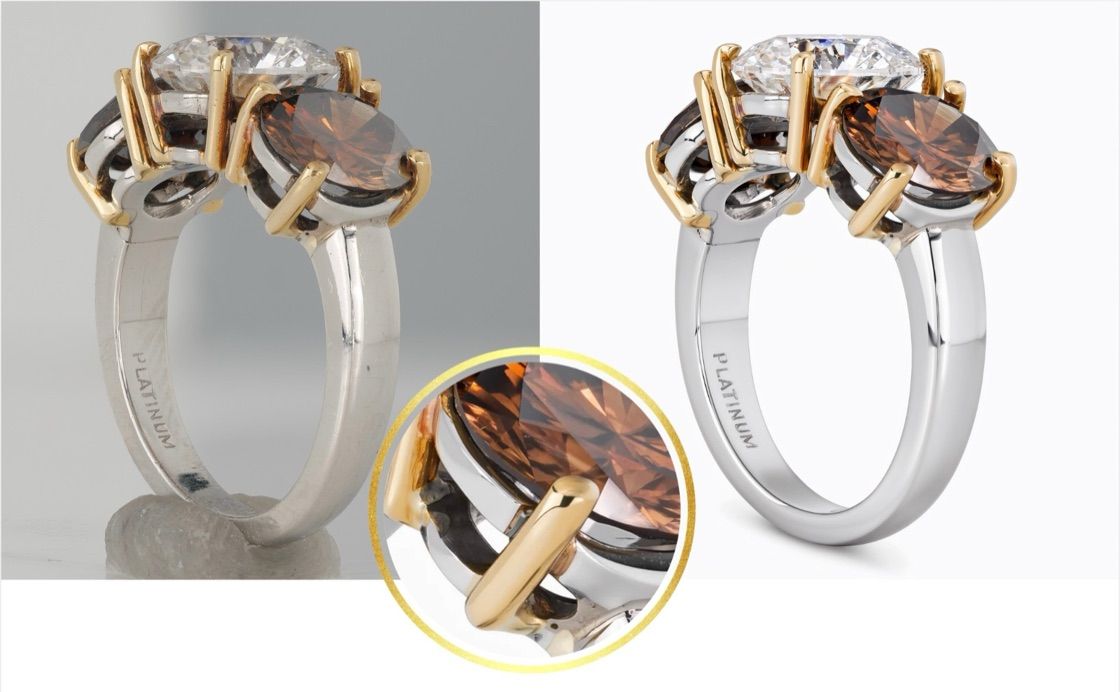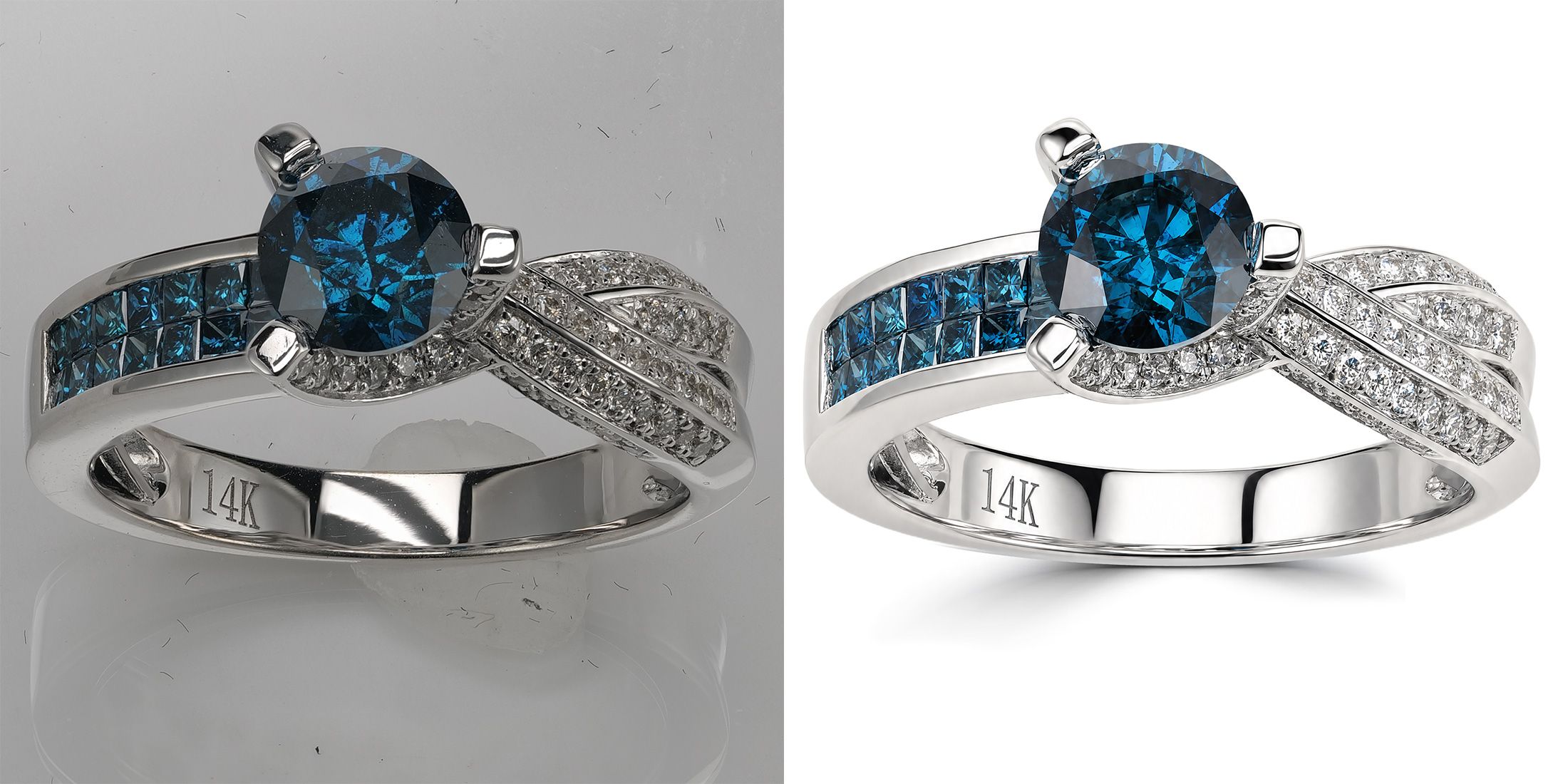
Quick answer: NeuroViz Jewelry Retoucher Rescue and Precision now include background color and crop control. After retouching, you can place your piece on an exact HEX background color (+3 credits) or a transparent PNG, add a natural drop shadow (free), and crop to exact per-side padding (free). De-banding is now free too — and every de-banded run delivers two versions so you can pick the better one. Available in the classic app, AI Studio, and the NeuroViz Shopify app.
Ask anyone who manages jewelry listings on Amazon, Etsy, or a brand site what frustrates them about AI photo tools, and you’ll hear the same complaint: the background is never quite right. You asked for white. You got almost-white. And “almost” is exactly what a marketplace moderator or a brand guide will reject.
This update fixes that — and two neighboring problems that used to send sellers back to Photoshop after every AI run.
The problem: AI editors don’t guarantee a background color
AI image editors compose the whole picture at once, and that’s precisely why “white” can drift a few shades from one generation to the next — warmer here, cooler there, a faint gradient in the corner. For a lifestyle shot nobody notices. For a catalog it’s a real cost:
- Amazon requires a pure white background (RGB 255, 255, 255) on main images.
- Brand guides fix an exact HEX for every product tile.
- A category page with ten almost-white tiles in ten slightly different whites looks broken — and shoppers feel it even when they can’t name it.
Until now the workaround was manual: run the AI retouch, then cut out the piece and rebuild the background by hand. One more tool, one more step, per photo.
Exact color, guaranteed
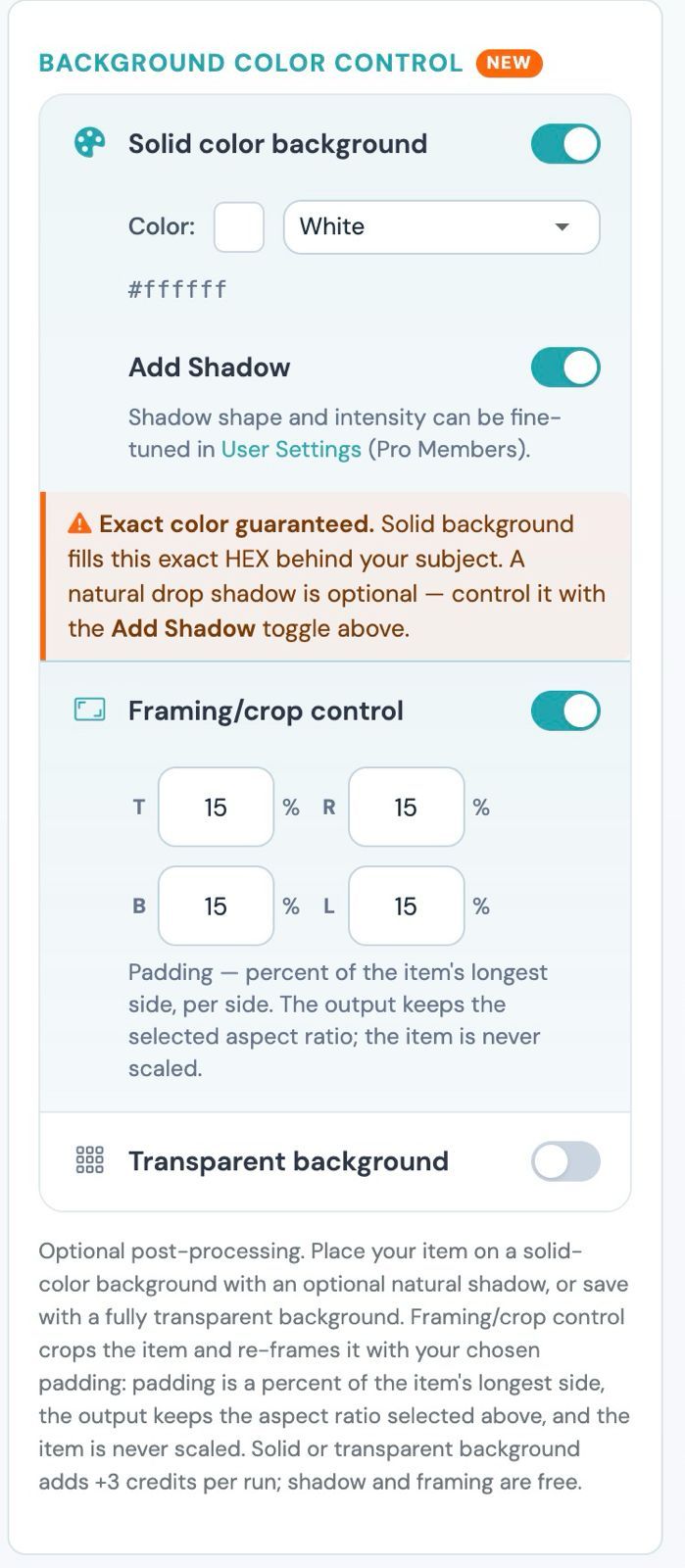
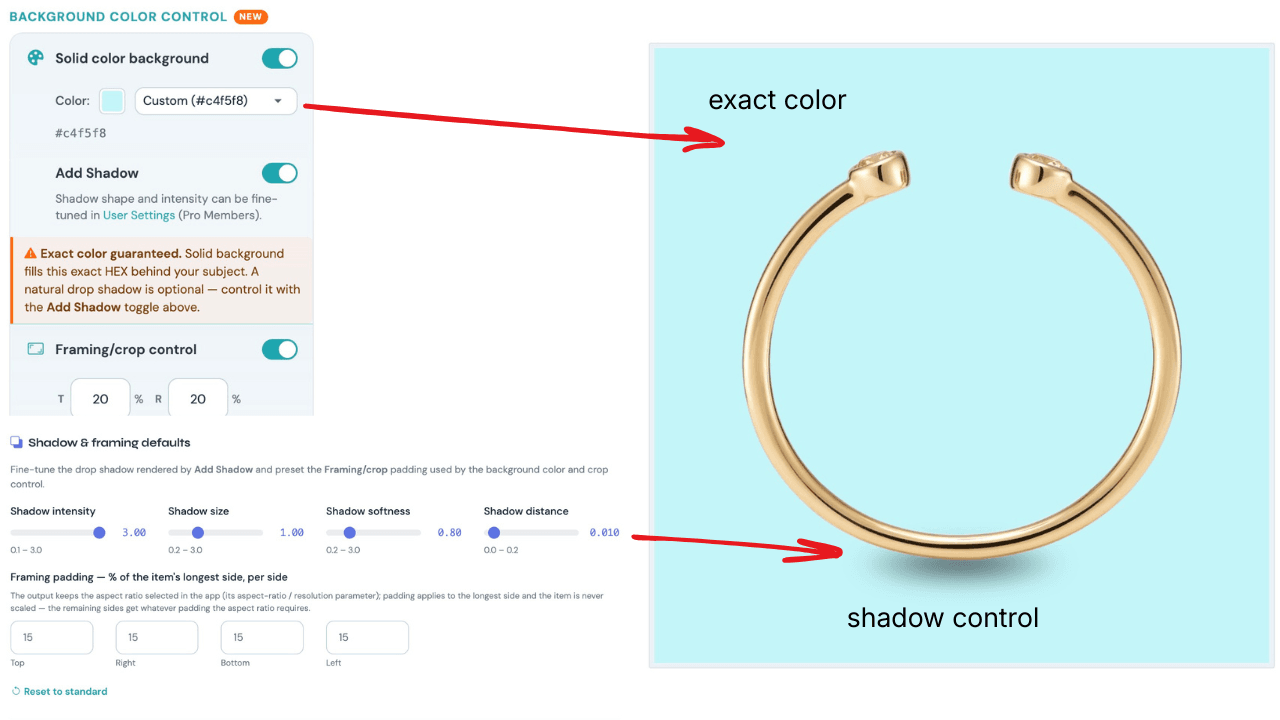
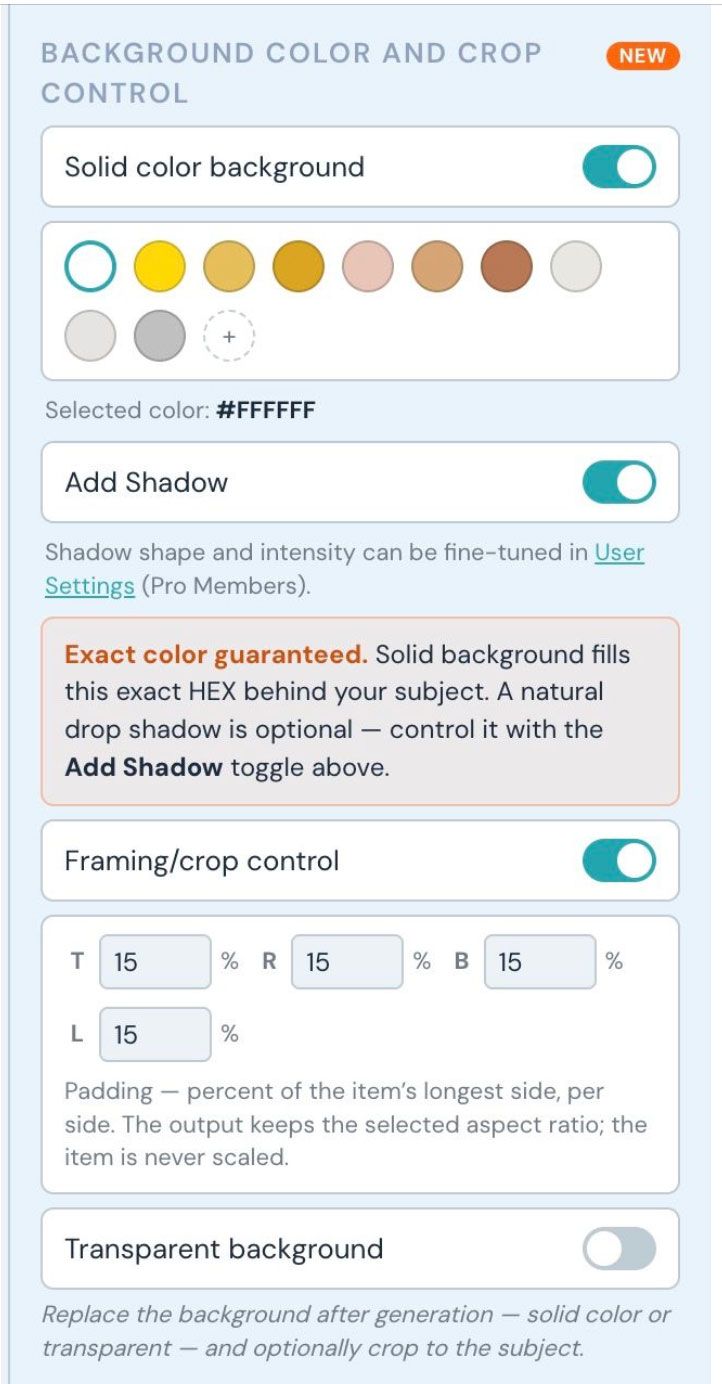
The new Solid color background control in Jewelry Retoucher Rescue and Precision fills the exact HEX you choose behind your piece — white by default, any color you want. Not “close to.” The pixel value you typed is the pixel value you get, every run.
Prefer no background at all? Switch on Transparent background and you get a clean PNG cut-out, ready for any layout.
Either option adds 3 credits to the run — the same price the old solid-background option used to cost, now with a guarantee attached.
A natural shadow — the same one, every time
Here’s the trade-off this update kills: choosing an exact background color used to mean losing the natural shadow. The old warning in the app literally said “Exact color, no shadow.” Your piece sat on perfect white — floating, like a sticker.
Now there’s an Add Shadow toggle, and it’s free. Flip it on and your piece gets a soft, photographic contact shadow, the kind a real light-tent photo produces.
Two details make it genuinely useful for catalogs:
- It’s deterministic, not AI-generated. The same photo always gets the same shadow. Run 300 SKUs and the shadows match across the entire line — no surprises between runs, no re-rolls.
- It adapts to your background color. The shadow darkens the color you chose naturally: a navy background gets a deeper navy shadow, not a gray smear pasted on top.
The shadow engine was calibrated on real light-tent photographs of jewelry, and it never touches the product pixels — only the background around the piece.
Framing control: marketplace specs become a checkbox
Marketplaces and brand guides don’t just dictate the background — they dictate how much of the frame the product occupies. Meeting that spec used to mean manual cropping, photo by photo.
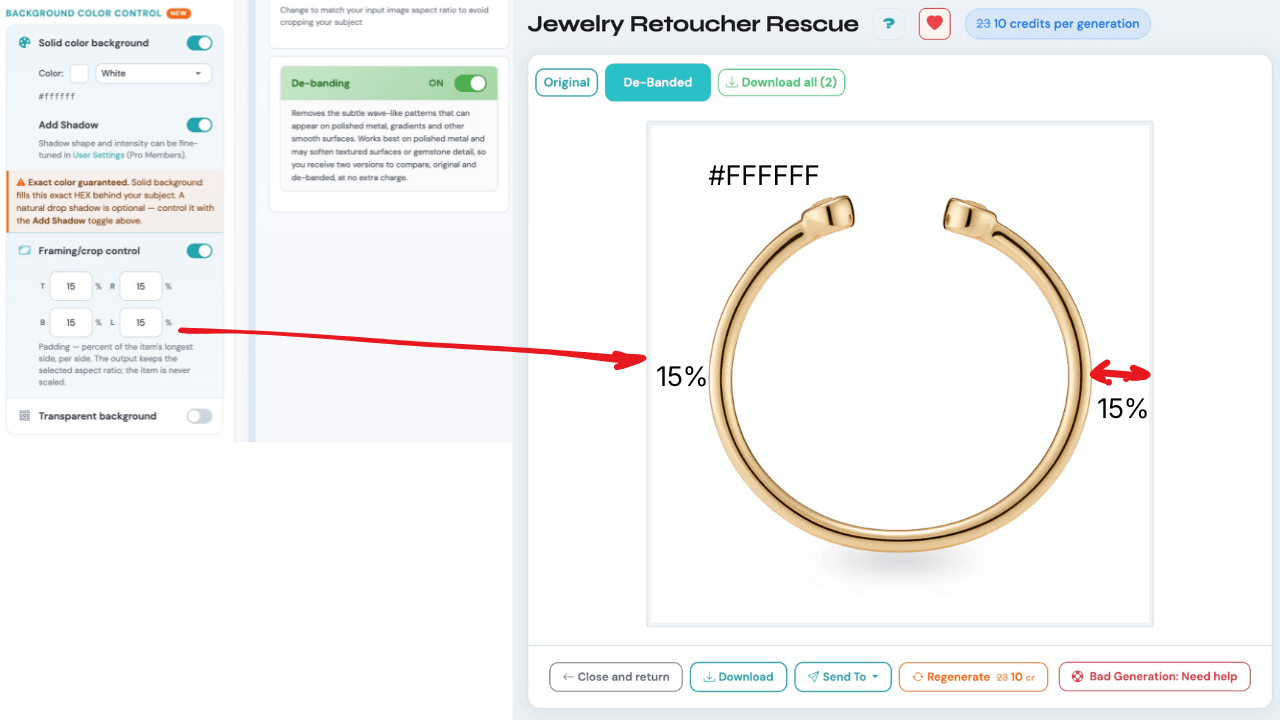
The new Framing/crop control crops the image precisely to your piece and re-frames it with the padding you choose, as a percent per side (default 15%). Three things worth knowing:
- The percent is measured from the piece’s longest side, so a long necklace and a compact ring come out visually consistent in the same grid.
- The output keeps whatever aspect ratio you selected in the app — set 1:1 with 15% padding and a tall ring photo comes out perfectly square, ring centered.
- The jewelry itself is never scaled — no resampling, no quality loss.
Solid color, transparent, shadow, framing — they all work together in one run.
One color library across every NeuroViz app
Metal colors and background swatches now draw from a single personal Color Library (up to 20 colors, managed in Settings). It ships with a professional metal palette out of the box: 24K, 18K, and 14K yellow gold, three rose golds, white gold, platinum, sterling silver, and rhodium. Pick your brand colors once and they follow you through the classic app, AI Studio, and Shopify.
De-banding is now free — and you get both versions
Polished metal sometimes shows subtle wave-like bands after AI retouching. De-banding removes them — and this update changes the economics and removes the risk:
- It used to cost +1 credit. Now it’s free.
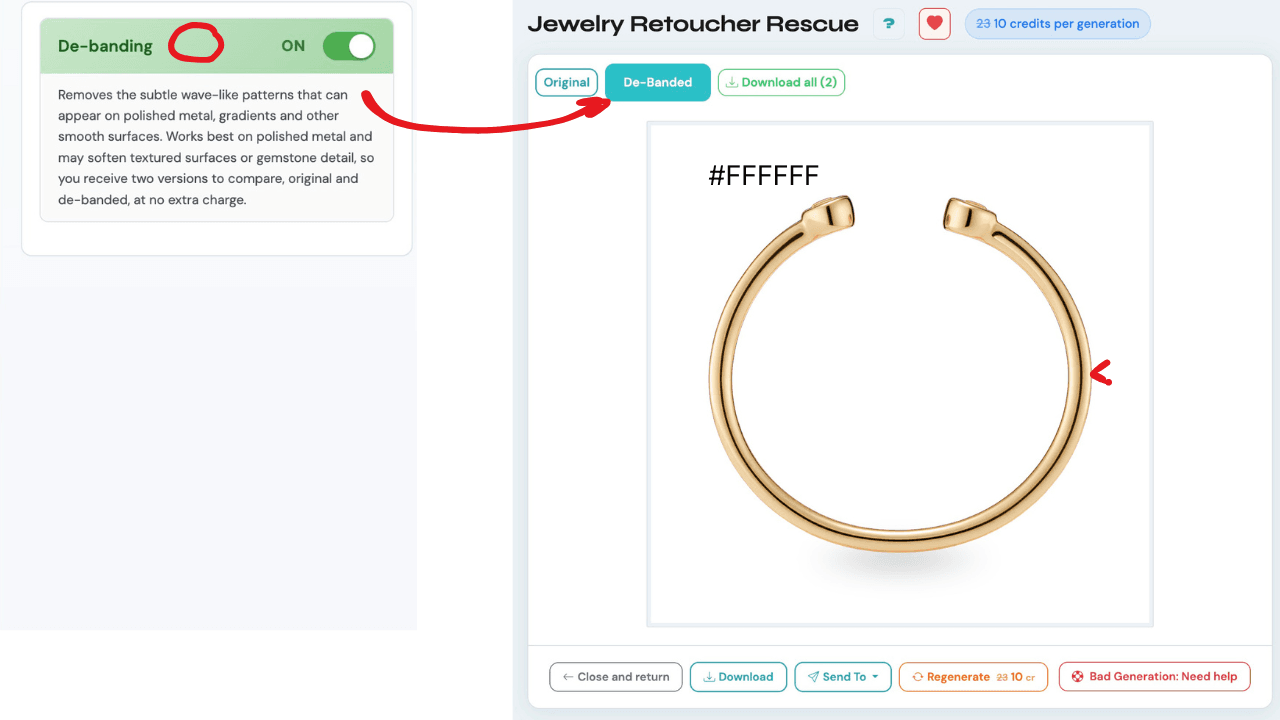
- Every de-banded run delivers two versions: “Original” and “De-Banded”, side by side as tabs on the result. Both can be downloaded.
Why both? De-banding shines on smooth, glossy metal but can slightly soften textured surfaces and fine gemstone detail. Instead of making you choose blind, NeuroViz gives you both versions — compare at full zoom and keep the better one. Zero risk, zero cost.
For brands: set your defaults once, apply them everywhere
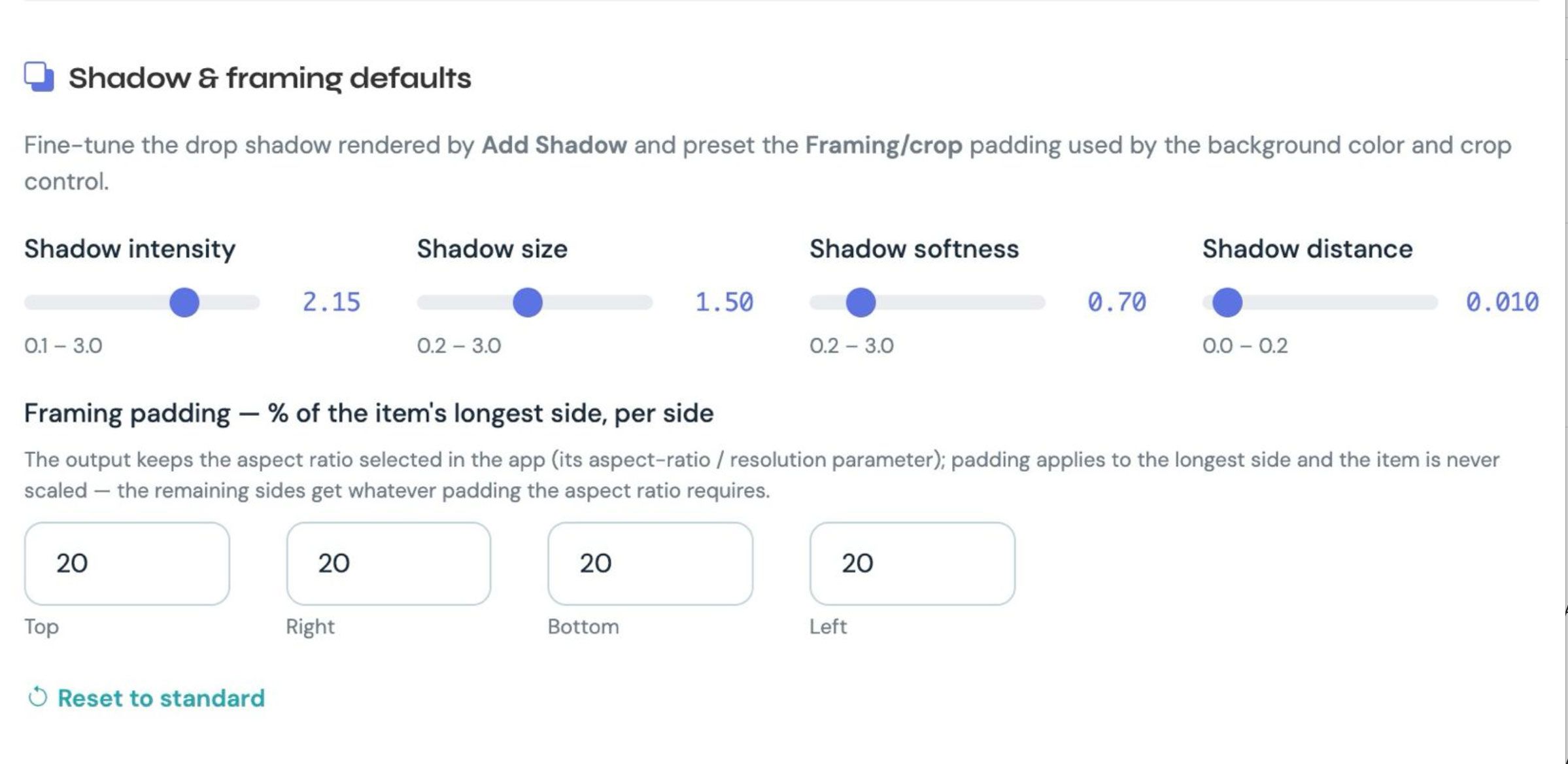
If you’re a Pro Member, User Settings now includes Shadow & framing defaults: fine-tune the shadow’s intensity, size, softness, and distance, and preset your framing padding. Brands usually have exactly these numbers written into their photo guide — set them once and they apply automatically to every run, including batch processing, in both retouchers. In the Shopify app, defaults can also be set per store.
That’s the quiet headline of this release: an entire brand spec — background HEX, shadow look, framing percentages — stored once and enforced on autopilot across a whole catalog. Read more about running full catalogs in our AI jewelry retouching guide.
What it costs
Current payment options: choose pay-as-you-go credits or a subscription with Pro Membership included.
- Pay as you go: $10–$1,000 per purchase. Optional Pro Membership is $29/month with no credits included.
- Monthly subscriptions: Studio $200/month for 10,000 credits, Business $500/month for 30,000, or Scale $1,000/month for 66,000. Pro included.
- Annual subscriptions: $2,000 / $5,000 / $10,000 paid upfront for 120,000 / 360,000 / 792,000 credits per year, respectively. Pro included.
Monthly allowance resets at renewal. Annual credits arrive upfront and stay valid until annual renewal. Separately purchased credits are not part of that expiring allowance. See current pricing.
| Feature | Price |
|---|---|
| Solid color or transparent background | +3 credits per run |
| Natural shadow (Add Shadow) | Free |
| Framing/crop control | Free |
| De-banding (both versions delivered) | Free — was +1 credit |
| Shadow & framing personal defaults | Pro Members |
Everything uses your regular NeuroViz credits, from pay-as-you-go purchases or a subscription allowance. No subscription is required.
Where to find it
The new controls are live in Jewelry Retoucher Rescue and Jewelry Retoucher Precision — in the classic app, in AI Studio, and in the NeuroViz Shopify app. The in-app guided tour has been updated, so existing users will see a short walkthrough of the new controls on their next visit.
FAQ
Does the exact background color really match my HEX value? Yes. The solid background fills the exact HEX you specify behind your subject — it’s a guarantee, not an approximation. That’s the difference from asking an AI editor for “a white background.”
Is the shadow AI-generated? No. The shadow is rendered by a deterministic engine calibrated on real light-tent jewelry photographs. The same photo always produces the same shadow, which keeps a whole catalog consistent.
Will framing crop into my jewelry or resize it? Never. Framing crops the background around the piece and adds the padding you set; the jewelry itself is never scaled or resampled, so there’s no quality loss.
Which retouchers support the new controls? Jewelry Retoucher Rescue and Jewelry Retoucher Precision, in the classic app, AI Studio, and the NeuroViz Shopify app.
How much does the exact background cost? Solid color or transparent background adds 3 credits per run. The natural shadow, framing control, and de-banding are free.
What is de-banding and should I turn it on? De-banding removes subtle wave-like bands that can appear on smooth polished metal after AI retouching. It’s free, and every run delivers both the original and the de-banded version — so you can compare and keep whichever looks better on your piece.
Catalog-ready in one click
Exact HEX, a natural shadow, and precise framing used to be a manual chain: AI retouch, then Photoshop, then a template, per photo. Now it’s a set of toggles on the run — and your settings can apply to an entire batch automatically.
Try it on your own pieces: open Jewelry Retoucher Rescue or Precision — every new account gets 80 free credits, no card required.