AI Built for E-commerce Photography

AI Product Photography A Complete Toolkit for E-commerce

Seven specialized AI tools that handle product retouching, on-model fashion shots, background cleanup, creative scenes, and prompt-driven photo edits — built for fashion, beauty, home goods, accessories, and any seller who's outgrown generic stock-photo tools.

  • No credit card required
  • Works for any product category
  • Commercial license included
Works with Claude · ChatGPT · Cursor Connect your AI assistant →
500+
E-commerce sellers
7
Tools, one platform
$0.20
From per image
4.9/5
Customer rating
60s
Avg. generation time

Built for E-commerce Sellers Across Categories

NeuroViz started in jewelry. The AI is now trained to handle any product photography problem an online seller faces — from Amazon-compliant white-bg shots to model photos to creative marketing scenes — across every product category sold online.

  • Fashion sellers — clothing, dresses, outerwear, accessories. Place items on AI models without booking a fashion photoshoot.
  • Beauty & skincare brands — bottles, jars, palettes. Marketplace-compliant white-bg shots; lifestyle scenes for Instagram.
  • Home goods & decor — furniture, kitchenware, candles. Clean catalog photography + styled lifestyle imagery.
  • Accessories sellers — handbags, sunglasses, hats, scarves, belts. On-model photography without booking models.
  • Amazon FBA & Etsy sellers — sharp marketplace-ready shots with clean white backgrounds in seconds.
  • Shopify & DTC brands — full-stack photography from product shots to creative marketing campaigns, all from one platform.

What Is NeuroViz AI Product Photography?

NeuroViz covers e-commerce product photography beyond jewelry: fashion, beauty, home goods, accessories, and electronics. Seven tools handle what sellers actually need — marketplace-ready white-background retouching, product-on-model and fashion-model shots, object and background removal, and styled marketing imagery. Images cost $0.20–$0.46 (10–23 credits), and every one includes a full commercial license for Amazon, Etsy, Shopify, and paid ads. No subscription: pay-as-you-go credits work across every tool.

How AI Product Photography Software Works
(3 Steps)

Every tool follows the same three-step flow. Pick the tool that matches the job, drop in your photo, get a professional result in minutes.

1

Pick the Right Tool

Seven tools, two categories. Need a clean Amazon-ready shot? Use AI Retoucher Pro. Need clothing on a model? Fashion Model Studio. Want creative marketing imagery? Creative Photographer. The decision flow takes 5 seconds.

2

Upload Your Product Photo

Drop in a phone snap, DSLR shot, supplier image, or scanner output. Most tools auto-handle background cleanup, lighting normalization, and product isolation. Clean source helps; rough source still works.

3

Get a Professional Result

Your finished image is ready in under a minute (most tools) at up to 4K resolution, with a full commercial license. Use it on Amazon, Etsy, Shopify, Instagram, ad platforms — anywhere your products live.

Seven AI Tools, Two Workflows

Different jobs need different tools. NeuroViz organizes its e-commerce photography toolkit into two workflows — essentials every online seller needs and creative tools for distinctive marketing imagery. Every result can be 3×-upscaled to 10–12+ megapixels — banner, catalog, and print ready.

E-commerce Essentials — The Tools Every Online Seller Needs
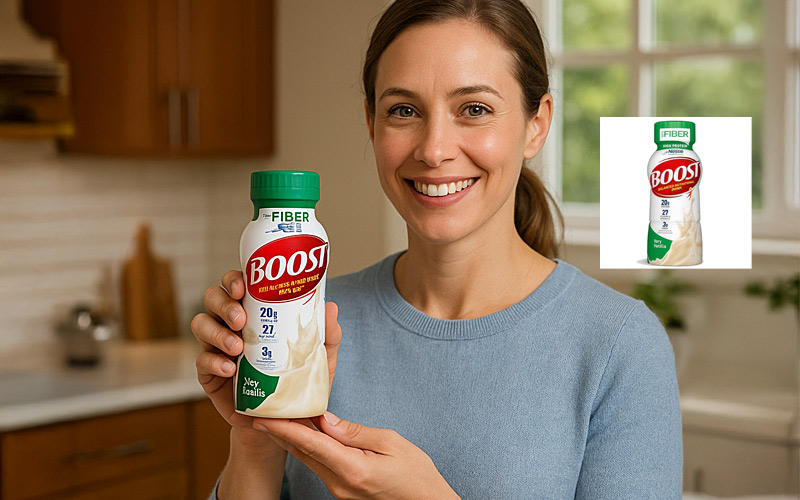
Product + Model Studio example — beverage product held by an AI-generated model in a kitchen lifestyle scene
E-commerce

Product + Model Studio

Place any product on an AI model — accessories, fashion, beauty.

Manual Resize & Position — set true real-world proportions before generating, so a 20 cm handbag never turns into a 40 cm one. Up to 8 MP output.

Best for: Marketing scenes for handbags, accessories, cosmetics, fashion items.

20 credits per image · ~$0.40

Try Free →
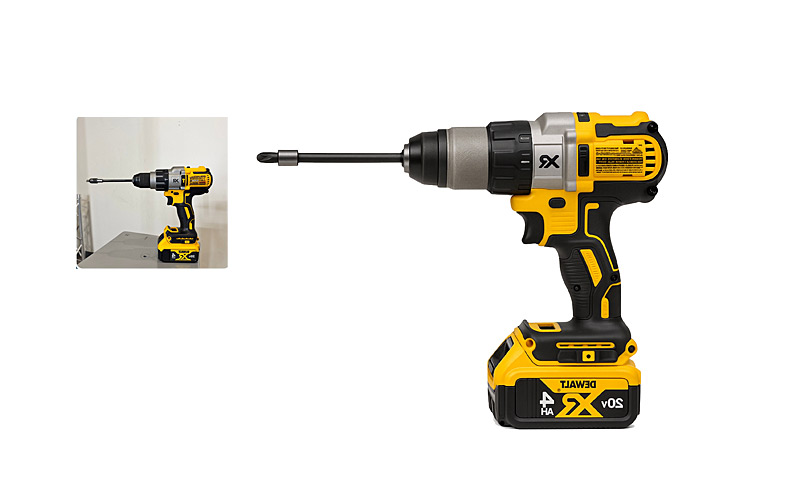
AI Retoucher Pro for Marketplaces example — power drill rendered as a sharp clean white-background product shot
Most Popular

AI Retoucher Pro for Marketplaces

Marketplace-compliant white-background retouching — tuned for Amazon's image guidelines, and equally at home on Etsy, eBay, Walmart, and Shopify.

Your product is automatically placed on a marketplace-compliant solid background — pure white #FFFFFF by default, or any hex color your brand uses. Autopilot: upload and generate, no instructions needed.

Best for: Amazon FBA, Etsy, eBay, Walmart, and Shopify listings. Works for any product type.

23 credits per image · ~$0.46

Try Free →
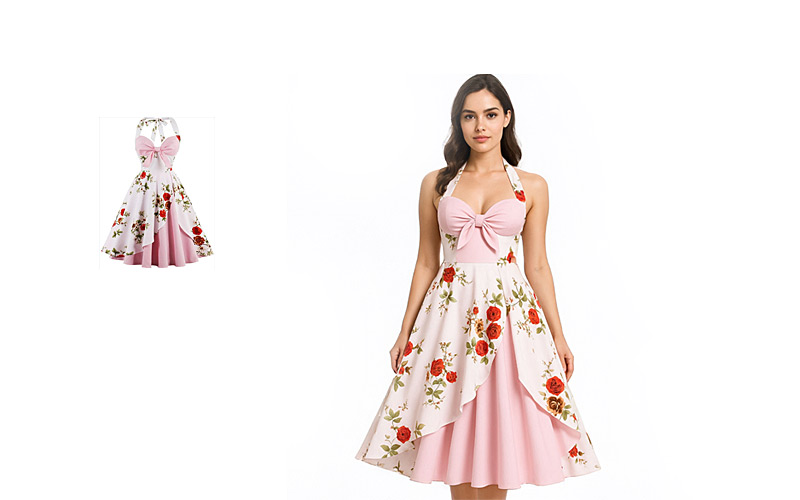
Fashion Model Studio example — clothing item on an AI-generated fashion model
Fashion

Fashion Model Studio

Clothing on AI models — flat-lay to lifestyle in 60 seconds.

One click on "Create Video" turns the finished shot into an animated walk or pose — ready for Reels, TikTok, and product pages.

Dress one model in a complete outfit — up to 3 garments layered in a single generation. Kidswear supported — showcase children's clothing without casting child models.

Best for: Clothing brands, apparel sellers, fashion e-commerce.

20 credits per image · ~$0.40

Try Free →
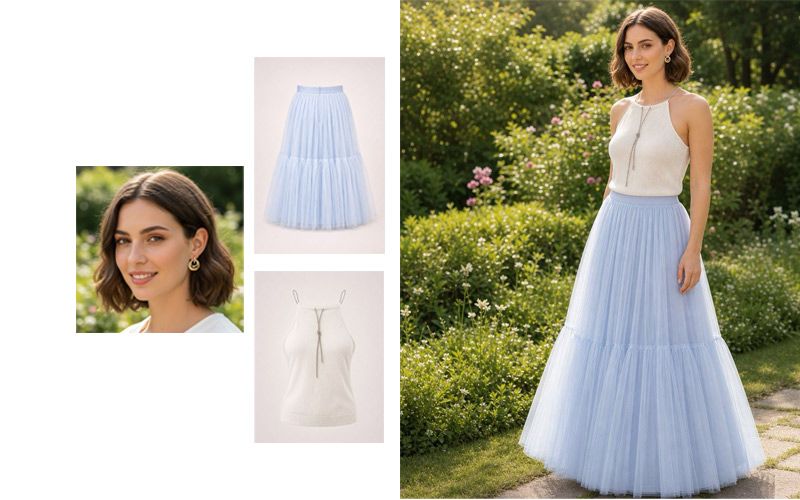
Fashion Studio Advanced example — one AI model dressed in a complete multi-garment outfit
Fashion · Advanced

Fashion Studio Advanced

Advanced outfit builder — dress one model in up to 4 garments at once.

Dress one model in a complete outfit — up to 4 garments layered in a single generation: top, bottom, outerwear, and accessories together.

Upload any styled photo as a reference — your own shoot or a look you love. The AI extracts its lighting, color, and mood — never the objects — so your product appears in that aesthetic, preserved completely.

Best for: Complete looks, lookbooks, capsule collections, brand-styled fashion imagery.

20 credits per image · ~$0.40 (quality tiers from 5 to 35 credits)

Try Free →
Creative Suite — Build Distinctive Marketing Imagery
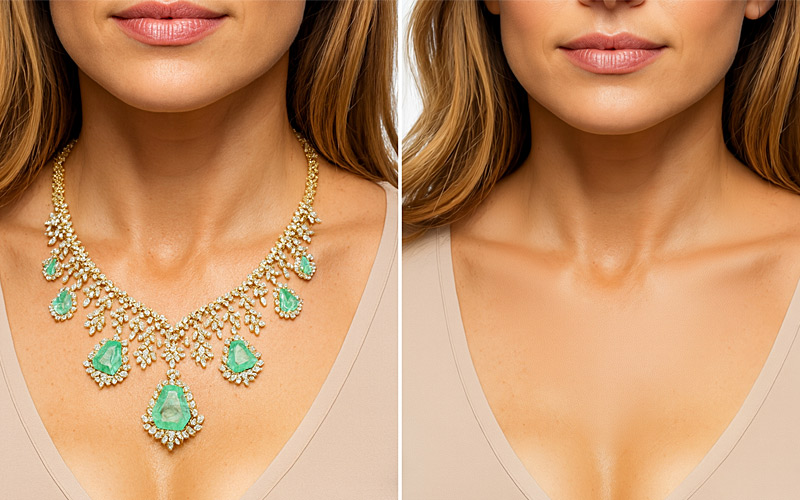
Object Remover example — distractions removed from a product photo with AI
Cleanup

Object Remover

Type the object name. Watch it disappear.

Best for: Quick cleanup without Photoshop — distractions, watermarks, props.

10 credits per image · ~$0.20

Try Free →
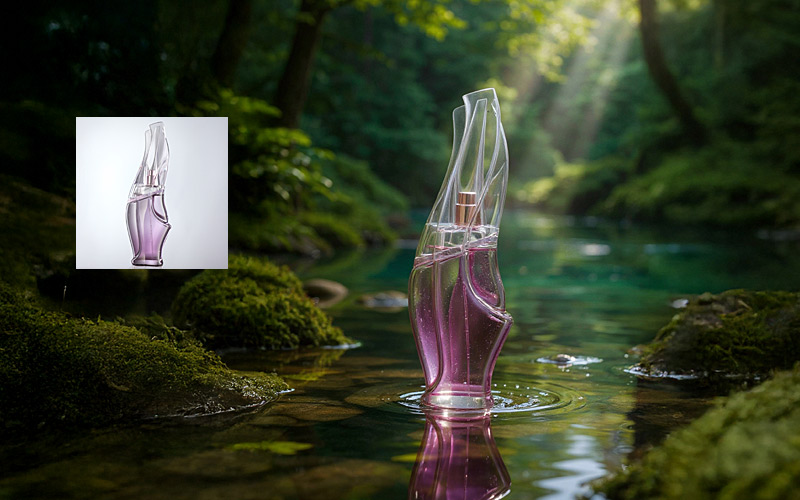
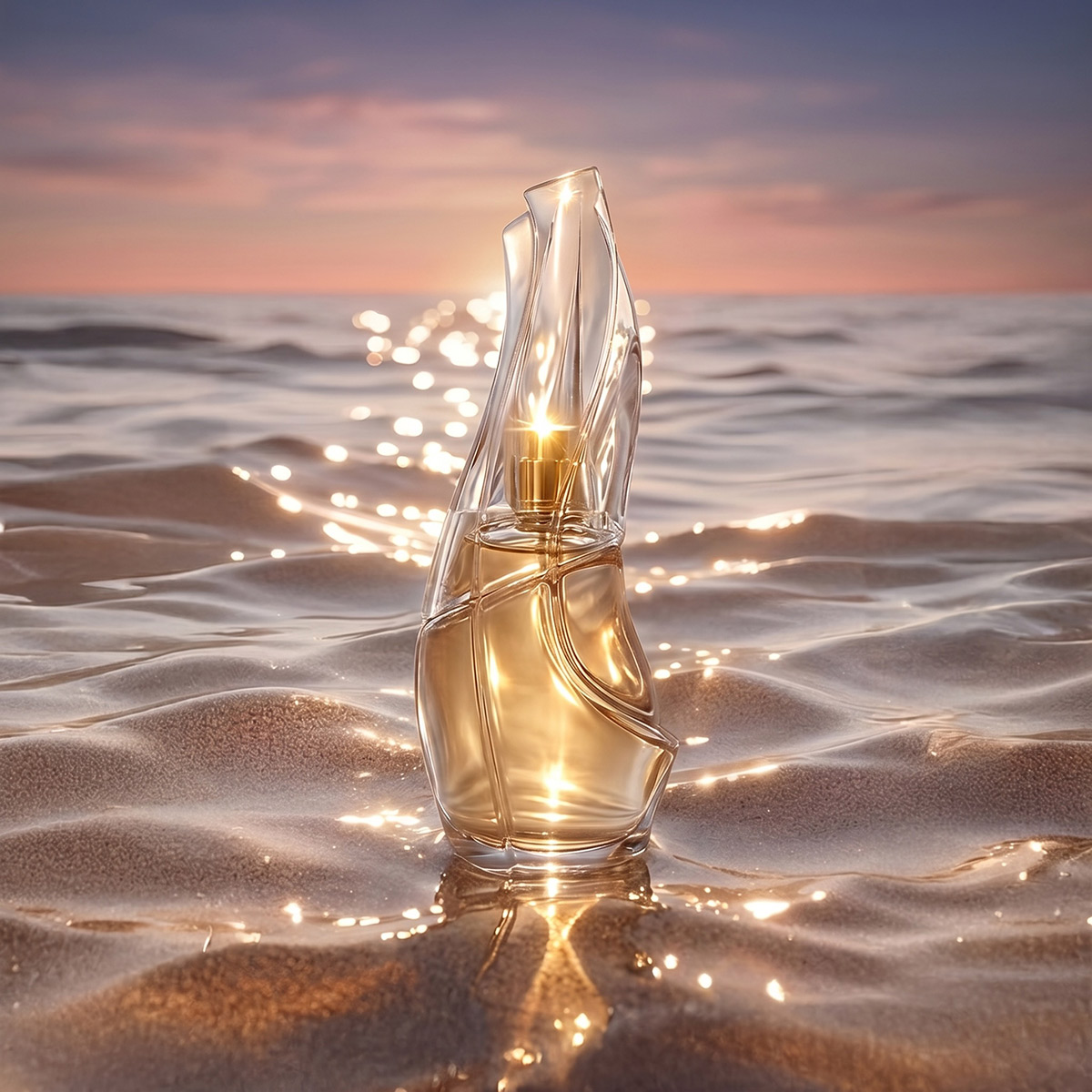
Creative Photographer example — premium AI product photography with cinematic scene
Style Transfer

Creative Photographer

Premium creative photography with full scene control.

Upload any styled photo as a reference — your own shoot or a look you love. The AI extracts its lighting, color, and mood — never the objects — so your product appears in that aesthetic, preserved completely.

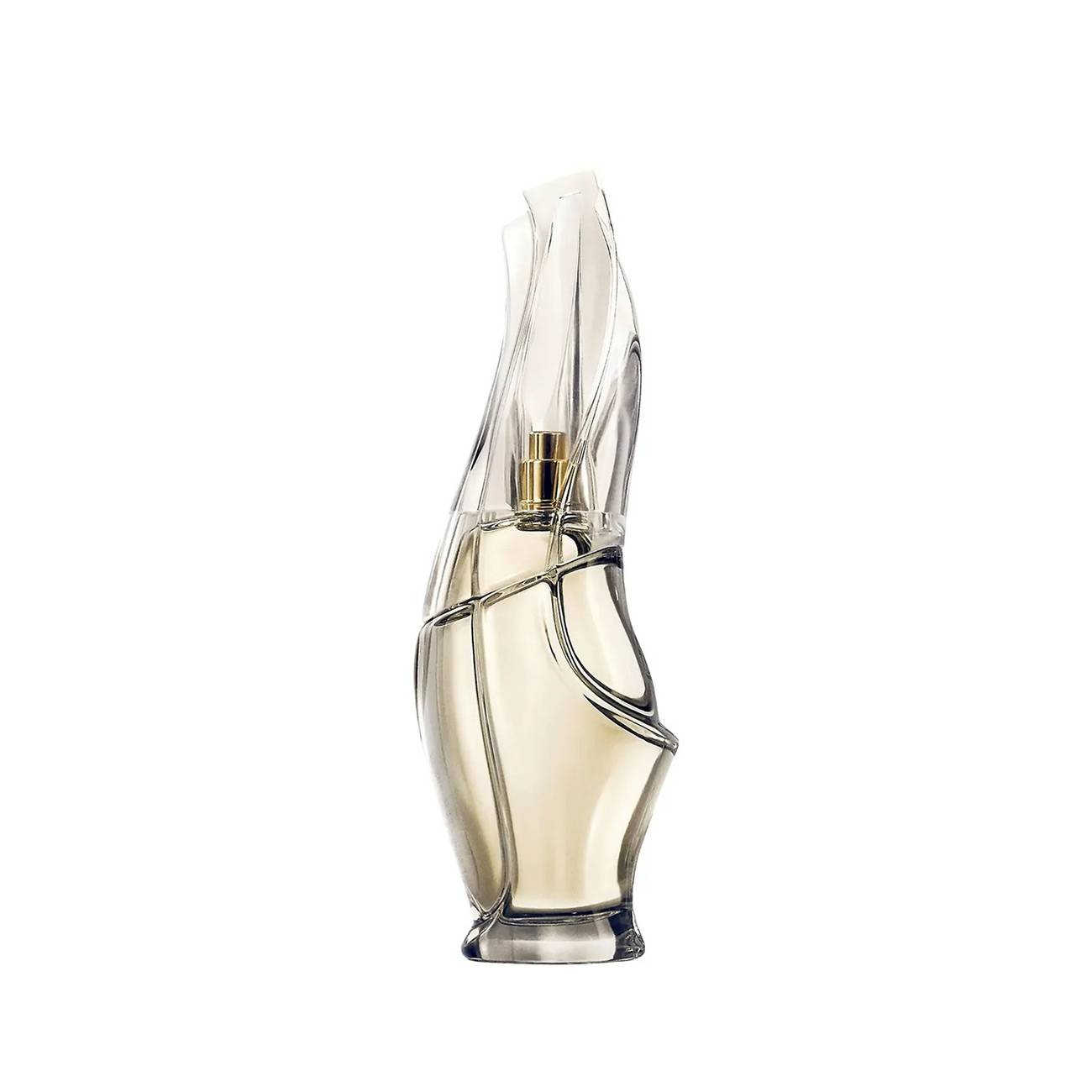
Semi-transparent items — perfume bottles, glass, liquids — render with light passing through naturally.

Best for: Creative agencies, premium brands, professional photographers.

20 credits per image · ~$0.40

Try Free →
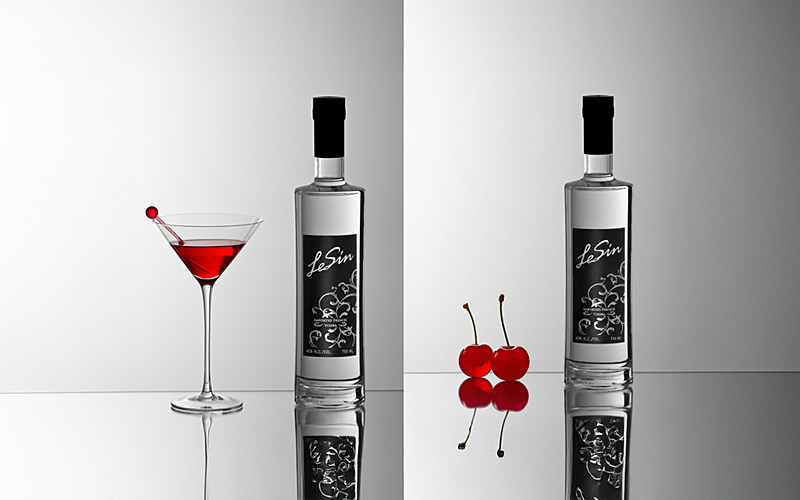
AI Photo Editor Pro example — prompt-driven photo edit with brightness and color adjustments
AI Photoshop

AI Photo Editor Pro

AI Photoshop — describe the edit, get the result.

Describe the edit in any language — "remove the cocktail glass," "add ice cubes," "replace the glass with cherries." The AI keeps everything else untouched, so the result looks shot that way, not edited.

Best for: Prompt-based photo editing without Photoshop skills. Multi-language.

15 credits per image · ~$0.30

Try Free →

Where AI Product Photography Gets Used

Most NeuroViz e-commerce customers run all seven tools across these six daily, weekly, or monthly workflows. Each is a real revenue-driving job.

  • Amazon product listings. Marketplace-compliant white-bg main shots + lifestyle secondary images. Both formats from one platform, no studio rental.
  • Etsy shop photos. Clean white-bg primary photos + 6 secondary lifestyle/scene shots per listing — Etsy buyers convert higher when listings have variety.
  • Shopify store images. Hero banners, product page galleries, collection thumbnails. Generate variations on demand for A/B testing.
  • Instagram & Pinterest content. Lifestyle scenes, model photos, creative compositions — generate weekly content without a stylist or photographer.
  • Marketing campaigns & paid ads. Meta, Google Shopping, TikTok creatives. Test 5 styled variants per piece in the time a photoshoot takes to schedule.
  • Catalog photography. Build full seasonal lookbooks in an afternoon — diverse models, consistent styling, full commercial license.

Why NeuroViz for E-commerce Photography

Generic AI photo tools (Photoroom, Phot.ai, Pebblely) handle "any product" by treating every category the same. NeuroViz built specialized models for the categories that actually matter to e-commerce sellers.

NeuroViz E-commerce Toolkit Hiring a Photographer
Cost per image$0.20–$0.40$50–$200
Cost per session$0.40 × N images$500–$3,000+
TurnaroundMinutes1–3 weeks
Model variety Pick any demographic, on demandOne model, paid hourly
Re-shoot a pieceSecondsReschedule + re-pay
Catalog scale (100+ products) TrivialMulti-month project
Marketplace compliance Built-inManual processing
Commercial license IncludedOften a separate buyout

Five reasons NeuroViz wins for e-commerce

  1. Specialized models, not generic AI. Our retouching, on-model, and creative AI all carry product-category training. The output respects metal reflections, fabric draping, plastic surface highlights — the things generic tools fake or flatten.
  2. Marketplace ready out of the box. AI Retoucher Pro is tuned for Amazon's image guidelines (white background, centered product, edge clarity). Drop-in compliant.
  3. One platform for all needs. Retouch, on-model, creative — seven tools in one workflow. No stitching multiple SaaS subscriptions.
  4. Volume-friendly. Pro Membership ($29/mo) unlocks API access and batch processing for high-volume catalog work.
  5. Zero data exposure. Your photos are processed in isolation, never used to train models. Full commercial license on every export.

AI Product Photography Pricing

Pay per image — different tools have different per-image costs based on AI model size and processing. No subscription required. Dollar figures shown at volume pricing ($0.02/credit).

Per Image (sorted by cost)

ToolCreditsCost
Object Remover10$0.20
AI Photo Editor Pro15$0.30
Product + Model Studio20$0.40
Fashion Model Studio20$0.40
Creative Photographer20$0.40
Fashion Studio Advanced20 (5–35 by quality)$0.40
AI Retoucher Pro for Marketplaces23$0.46

Pay-as-you-go credits

PackPriceCredits
Trial+$10250
Starter$501,500
Business$2008,000
Pro Membership$29/mo+ API + batch
Start Free — 80 Credits, No Credit Card

Or see full pricing →

Frequently Asked Questions

Is NeuroViz only for jewelry?
No. NeuroViz started in jewelry — that's where the AI training originally focused — but the platform now covers fashion, beauty, home goods, accessories, electronics, supplements, and most other e-commerce product categories. The seven tools on this page are specifically built for non-jewelry products. We also have four jewelry-specialized landing pages if your product line is jewelry-focused.
Can I use this for fashion / beauty / home goods?
Yes. Fashion Model Studio handles clothing on AI models. AI Retoucher Pro for Marketplaces and Object Remover handle beauty bottles, supplements, candles, kitchenware, electronics, and any non-jewelry product. Creative Photographer generates styled marketing imagery for any category. The platform isn't category-locked.
Which tool should I start with?
For most e-commerce sellers, the answer is AI Retoucher Pro for Marketplaces — it works for any product type and produces marketplace-compliant white-bg shots that fix 80% of the photo problems sellers actually have (23 credits / $0.46 per image). The cheapest tool is Object Remover at 10 credits / $0.20. Start with the retoucher, then add Product + Model Studio when you need lifestyle imagery and Object Remover when you need quick cleanup.
Can I use these images commercially on Amazon, Etsy, Shopify, paid ads?
Yes. Every image generated by NeuroViz includes a full commercial license. Use them on Amazon, Etsy, Shopify, eBay, paid ads (Meta / Google / TikTok), social posts, printed catalogs, lookbooks, and email campaigns — without paying additional licensing fees. Your photos are processed in isolation and never used to train AI models.
Do you support Amazon-specific image requirements?
Yes — that's what AI Retoucher Pro for Marketplaces was built for. It's tuned for Amazon's image guidelines — clean white-background shots with the product centered, sharp edges, and natural lighting — and works equally well for Etsy, eBay, Walmart, and Shopify. The tool also outputs at the resolution and aspect ratios Amazon recommends.
What about background removal for Etsy and Shopify?
Object Remover handles general background and object removal (10 credits / $0.20 per image). For pure background-replacement workflows, AI Retoucher Pro for Marketplaces produces clean white backgrounds automatically as part of its retouching. Both work for Etsy, Shopify, and any other platform that prefers clean product backgrounds.
Can I put a complete outfit on one AI model?
Yes. Fashion Model Studio combines up to 3 garments, and Fashion Studio Advanced dresses one model in up to 4 garments in a single generation — top, bottom, outerwear, and accessories together. Both support full-body and partial-body framing, and you can upload your own model photo or pick one from the gallery.
Can I process my whole catalog in bulk?
Yes. Pro Membership ($29/mo) unlocks batch processing and API access: upload hundreds of product photos, and the AI processes them automatically with your settings. Original filenames are preserved, so the finished set drops straight into your Amazon, Etsy, or Shopify catalog.
Do the AI edits work in languages other than English?
Yes. AI Photo Editor Pro understands prompts in any language. (One exception: Object Remover currently takes object names in English only.)

Start Building Your E-commerce Photography Stack

A photographer + a stylist + a model + studio rental + post-production used to be the cost of doing e-commerce right. Now it's 7 AI tools and pay-as-you-go credits. 500+ businesses already made the switch.

No credit card. No subscription. First image ready in under a minute.

Start Free — 80 Credits