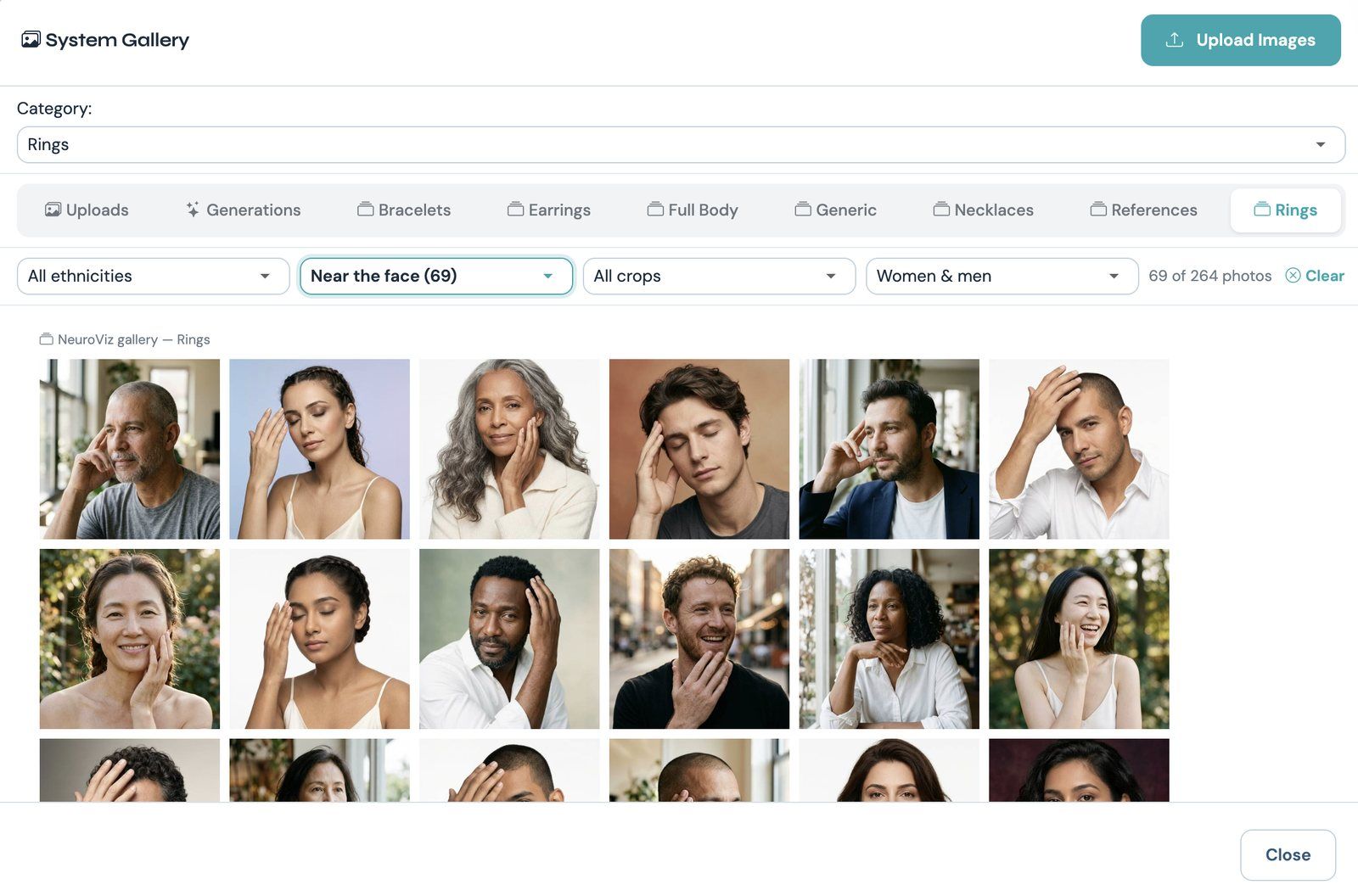
Rings models, filtered by pose
Our built-in galleries used to be small. If none of the model photos fit your piece, you went looking for your own, and the same went for backgrounds.
Now there’s a model or a scene for almost any shot, and filters that find it in seconds. Here’s what’s new:
- Models. 1,522 ready-made model photos for virtual try-on, with filters for ethnicity, pose, crop and gender.
- Scenes. 446 jewelry photography backgrounds and product scenes, with filters for theme, look and placement.
- Floating shots. 87 of those scenes are pure effects, like smoke, a splash or fire, and your product floats right in the middle.
You don’t need your own model photo or background to get a professional shot anymore. Pick one, filter, done.
Over 1,500 models for virtual try-on
Our try-on galleries now hold 1,522 AI model photos for jewelry, and 1,380 of them are new. Rings has 264, Bracelets 277 (for bracelets and watches), Earrings 284, Necklaces 266, Generic 173 (for jewelry sets) and Full Body 258.
They’re women and men from seven ethnicities: African, East Asian, South Asian, Southeast Asian, Middle Eastern, Hispanic / Latino and White / European. 1,060 are studio shots on a white or color-gradient backdrop, and 462 are lifestyle shots. Nobody in them wears jewelry, so nothing competes with your piece.
Four filters sit in one line at the top of each gallery: Ethnicity, Pose, Crop and Women & men. Pose and crop change with the gallery, so you only see options that make sense for the piece:
- Rings: poses from Resting, Raised hand and Near the face to Holding something and Both hands; crops from Close-up to Hand & body and With face.
- Earrings: Side profile, Three-quarter, Front-facing, Over the shoulder and Head tilted; Ear close-up, Face, or Head & shoulders.
- Necklaces: Front-facing, Turned, Chin raised, Hand near the neck and Head tilted; Neck close-up, Head & shoulders, or Waist-up.
- Full body: Standing front, Three-quarter turn, Hand on hip, Walking, Side view and Seated; Full length or Knees up.
Say you’re shooting a cocktail ring and want the hand up by the face. In Rings, set Pose to Near the face. You get 69 photos to choose from, like the gallery at the top of this post.
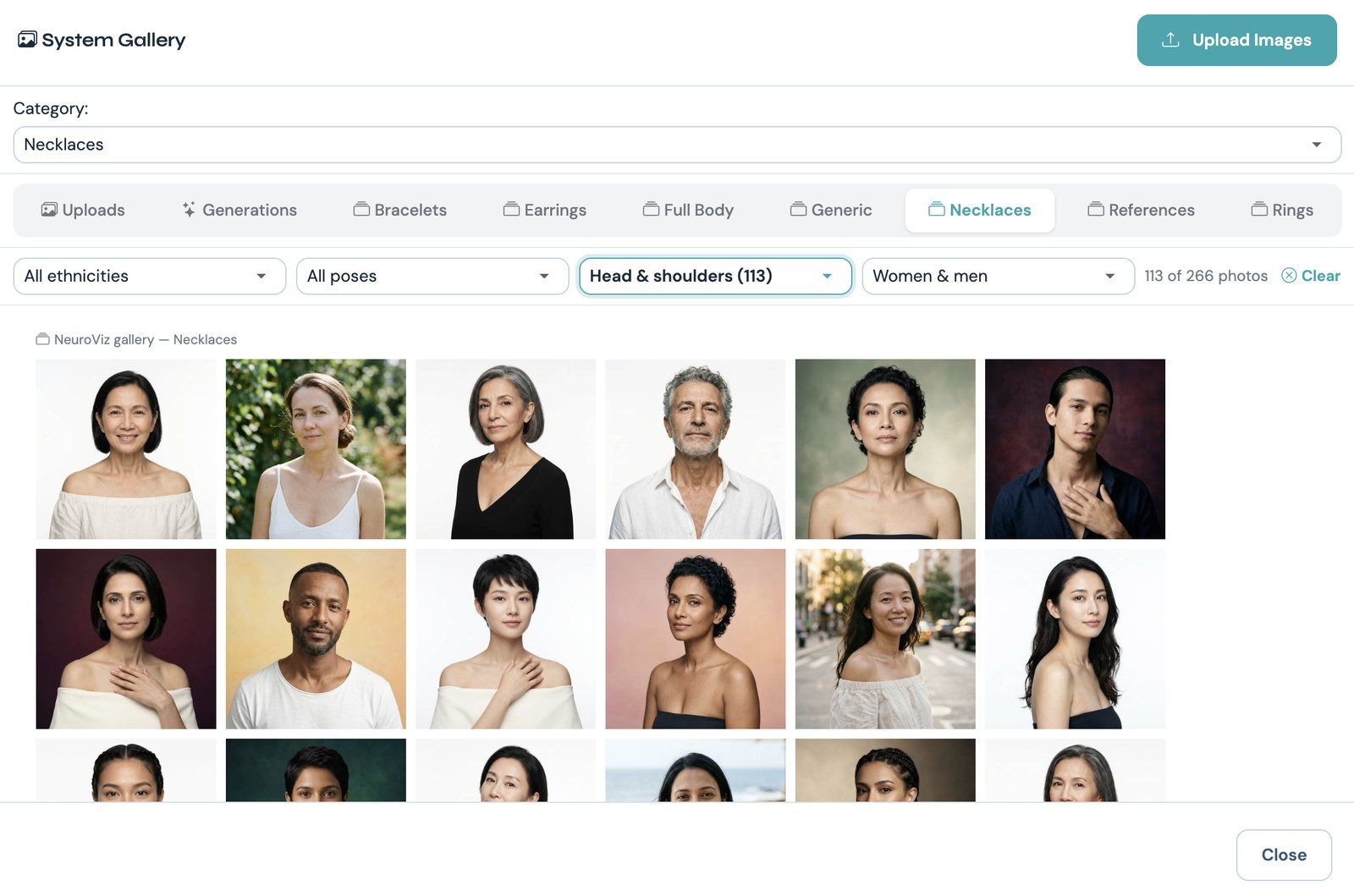
Necklace models, head-and-shoulders crop
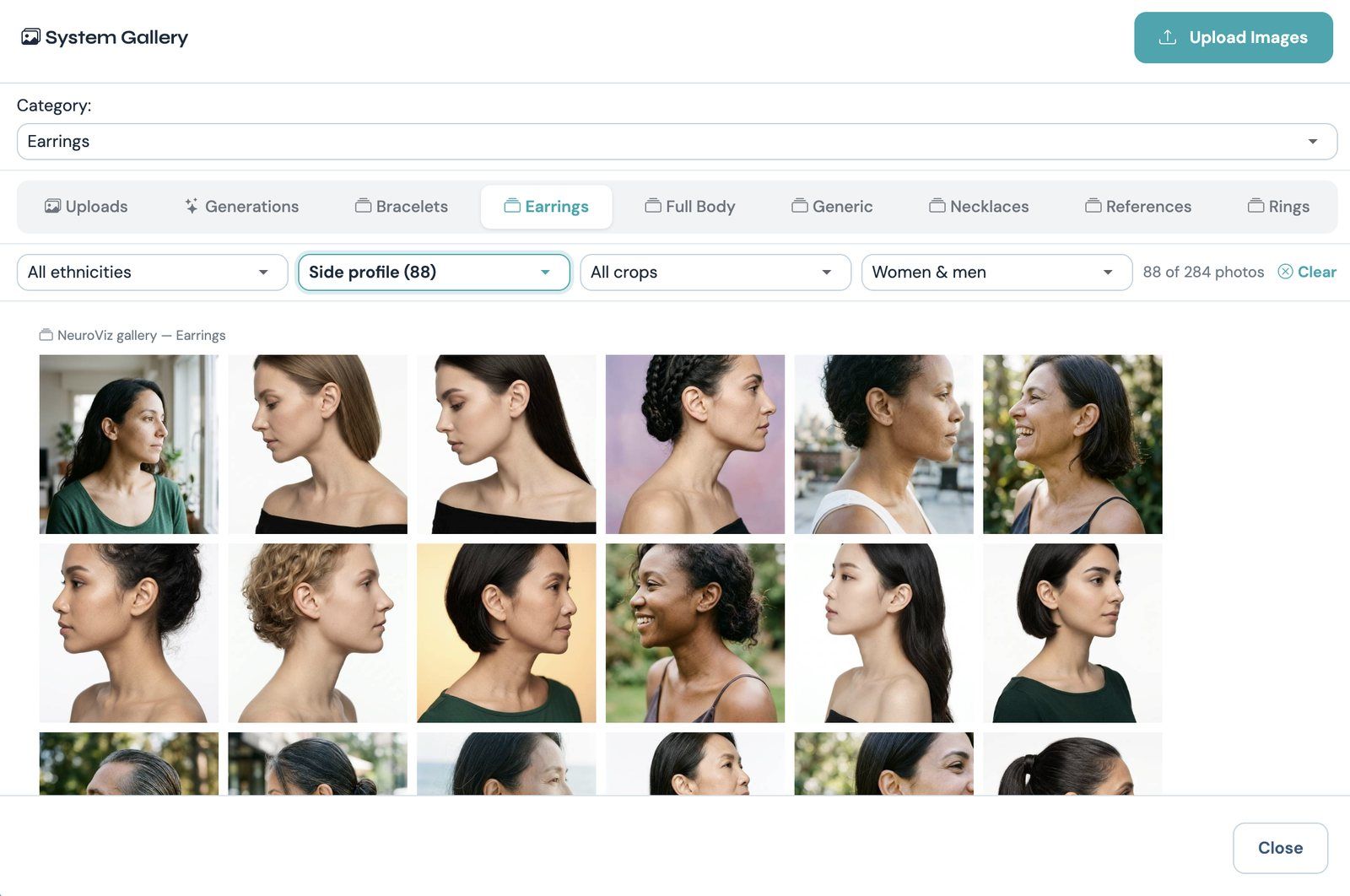
Earring models in side profile
The galleries work in every tool that puts your product on a model: Rings Try On, Bracelet Try-On, Watch Try-On, Earrings Try On, Earrings Try-On Studio, Necklace Try-On, Necklace Try-On Studio, Jewelry Set Try-On, Fashion Model Studio, Fashion Studio Advanced and Product + Model Studio. See how each one works on our virtual try-on page.
Your own model photos come first in each gallery. Click My uploads to see only yours.
446 scenes for creative jewelry and product photos
Open the background picker in Creative Jewelry Photographer V1, Creative Jewelry Photographer Vivid or Creative Photographer, and the References tab now holds 446 ready-made scenes: AI product photography backgrounds for jewelry and for anything else you sell.
Three filters narrow them down. Theme has 17 options: Smoke & mist, Liquid splash, Fire & embers, Sparkle & light, Water & underwater, Wood, Stone & minerals, Nature & plants, Flowers, Sand & beach, Silk & velvet, Podiums & shapes, Jewelry boxes, Lifestyle & tables, Ice & snow, Holidays and Dreamlike. Look is Light & airy, Dark & moody or Colorful. Placement is On a surface (359 scenes) or Floating (87).
The filters combine. Smoke & mist plus Floating gives you 18 scenes for smoke product photography, all made for a floating product. Fire & embers plus Floating works the same way.
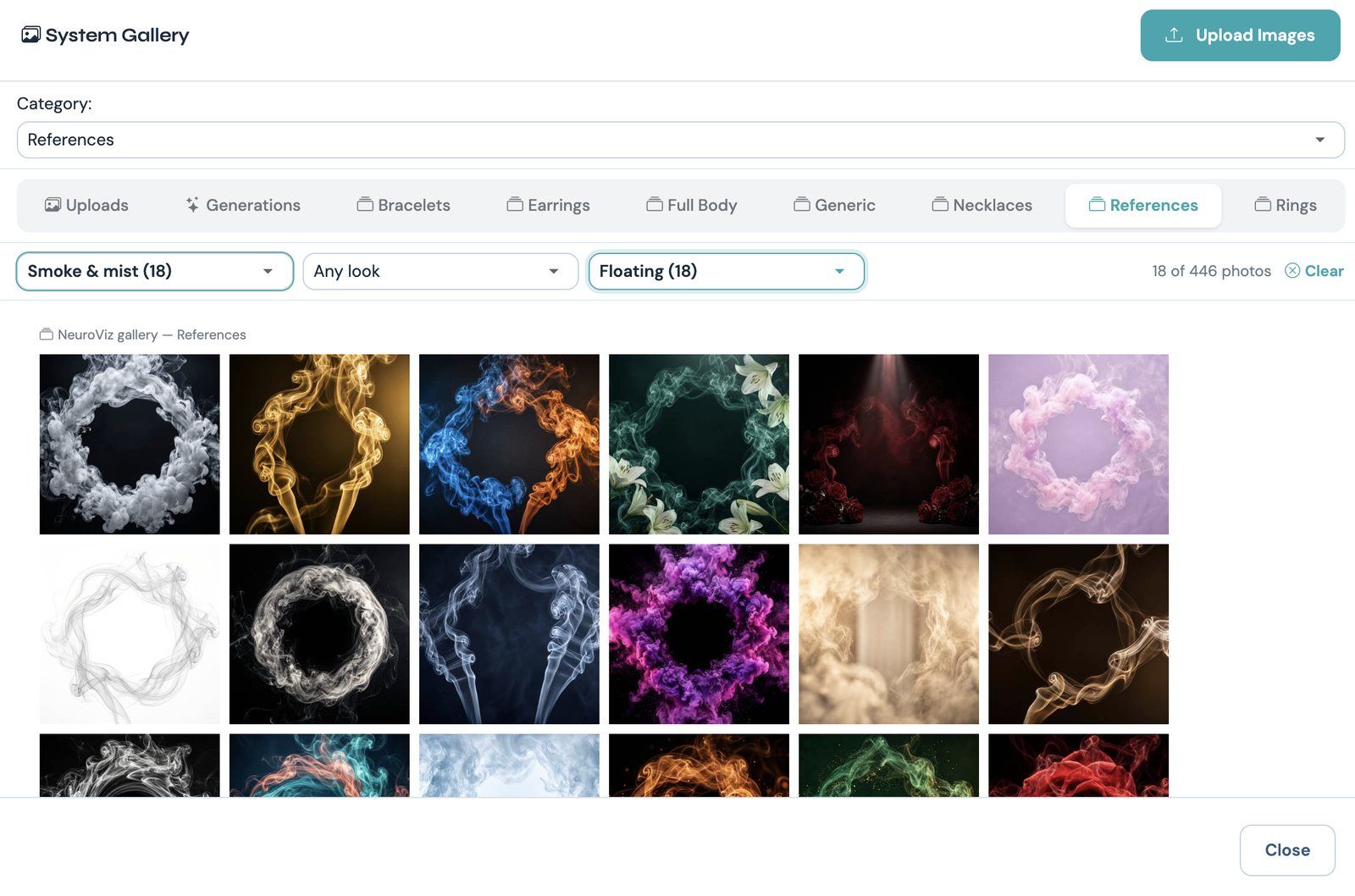
Smoke scenes made for floating products
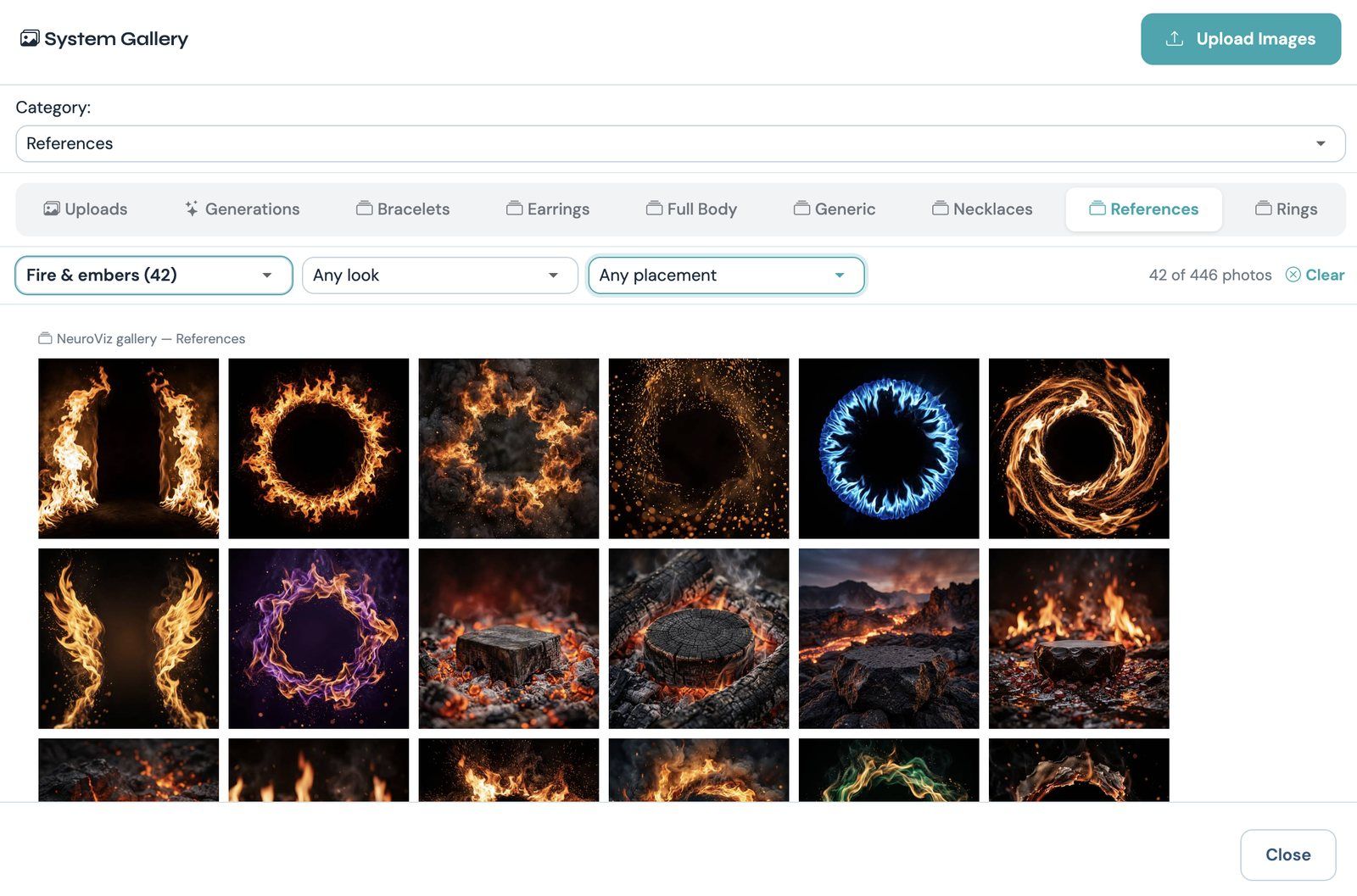
Fire & embers, one of 17 themes
Scenes with a surface leave an empty spot in the middle, on stone, wood, sand, a plinth or a podium. That’s where your product goes.
In Creative Jewelry Photographer V1 and Creative Photographer, Preserve reference image is on by default: we keep the scene and put your product in it. Turn it off and the scene becomes inspiration for a new one. More examples are on our creative jewelry photography page.
Floating scenes: your product in the middle of the action
The 87 floating scenes have nothing to stand on. They’re smoke, a splash of water, milk or gold, a ring of fire, glitter or bubbles around an empty middle.
The creative tools now float your product in that space. It hangs tilted, as if caught in motion. A wisp of smoke or an arc of liquid passes in front of it, droplets sit on the glass or metal, and the effect’s own light falls on it. There’s no stand and no shadow under it. This is floating product photography, the kind of shot you see in perfume and jewelry ads.
It works for rings, earrings, pendants, bracelets and watches. In Creative Photographer it works for any product too: perfume, skincare, shoes and more. Labels and printed text on the product stay as they are. For perfume splash photography, start with the Liquid splash theme. If you sell more than jewelry, see our product photography page.
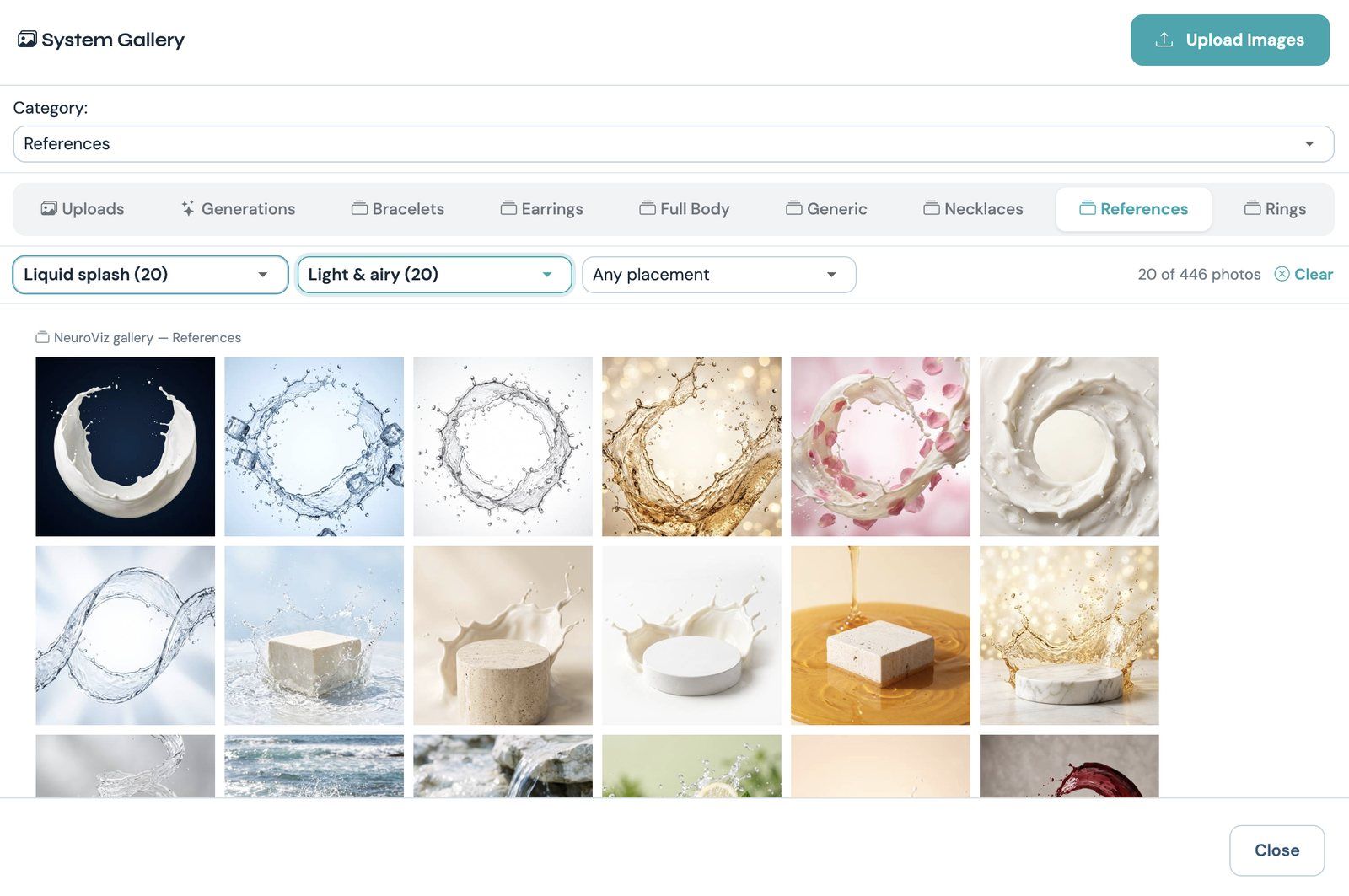
Light, airy splash scenes
Want the product standing instead? Pick a scene with a platform, or write “standing on a black stone” in Instructions. And to float a product in any scene, write “floating in mid-air”.
Where to find it
The galleries are in the web app at app.neuroviz.ai, in AI Studio and in the NeuroViz app for Shopify. They load more photos as you scroll.
- Open a try-on tool or a creative tool.
- Click the model slot or the background slot.
- Pick a tab: the gallery for your piece, or References for scenes.
- Use the filters at the top.
Your own photos still work, and they still come first.
FAQ
How many virtual try-on models does NeuroViz have?
1,522, in six galleries: Rings, Bracelets, Earrings, Necklaces, Generic for jewelry sets, and Full Body. They include women and men from seven ethnicities, in studio and lifestyle shots, and nobody in them wears jewelry.
Can I filter the model galleries by pose?
Yes. Each gallery has four filters: Ethnicity, Pose, Crop and Women & men. The poses and crops match the gallery, so Rings offers poses like Near the face or Raised hand, and Earrings offers Side profile or Three-quarter.
What is a floating product scene?
It’s a background with nothing to stand on, such as smoke, a splash or a ring of fire around an empty middle. The creative tools float your product in that space, tilted as if caught in motion, with no stand and no shadow under it.
Can I still use my own model photo or background?
Yes. Your own uploads come first in every gallery, and the My uploads button shows only yours.
Try it on your own piece
Pick a model or a scene and try it on a piece you already sell. New accounts get free credits to try it, no credit card required. And if you’re comparing tools for jewelry photo editing, we keep an up-to-date roundup.