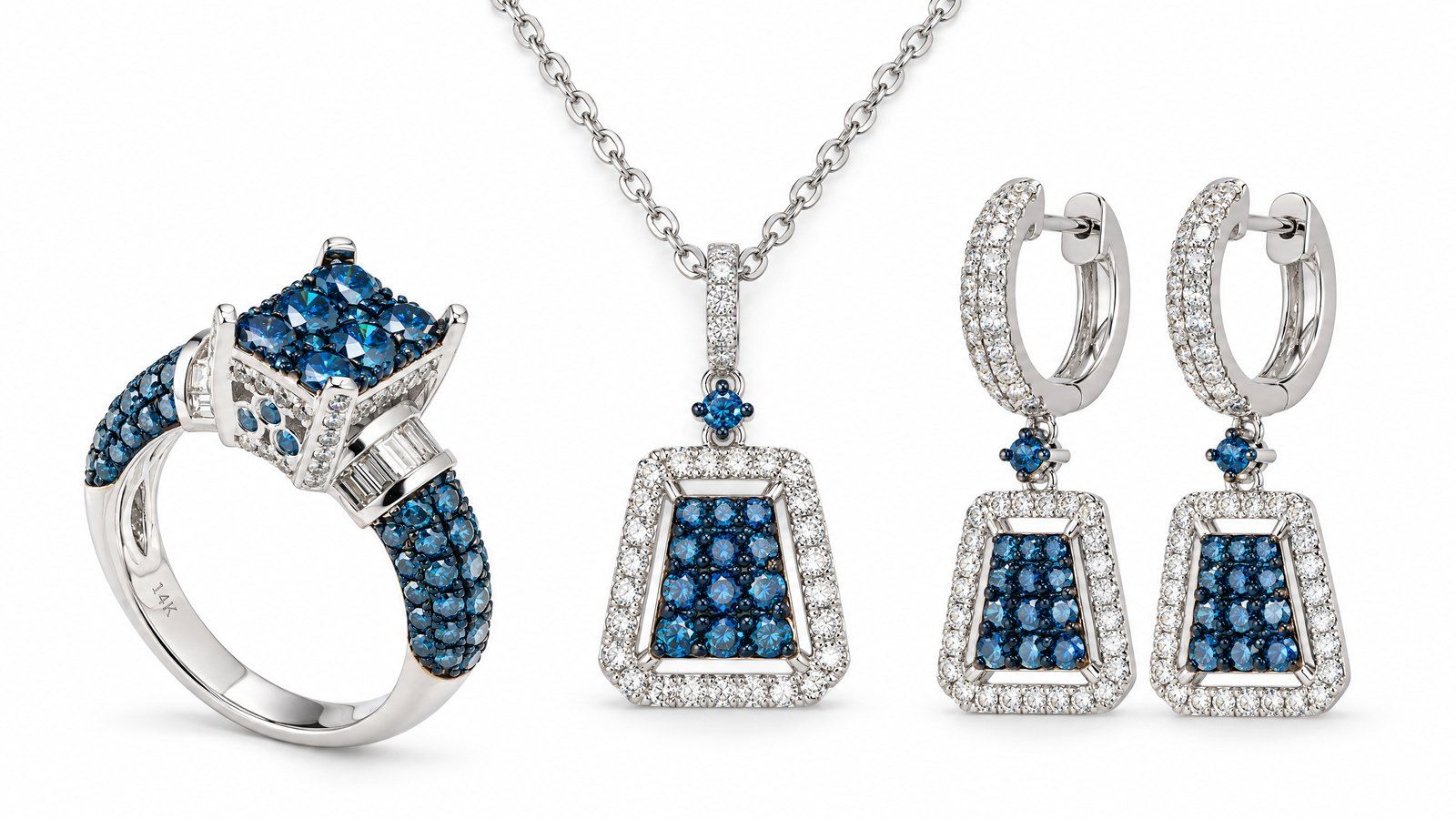
One retouched jewelry photo with a ring, a pendant and a pair of earrings together on one background, made from three separate product photos
Many of you asked for this. You want a ring, a pendant and a pair of earrings in one picture, without retouching three photos and putting them together yourself. As of today, three of our retouchers in NeuroViz, an AI jewelry photography platform, do it for you.
We also made it easier to ask for changes to a piece. This update fixes a few rough spots and adds the new photo inputs to our API too.
Up to three pieces in one retouched photo
Three apps now have two optional photo slots right under the first photo:
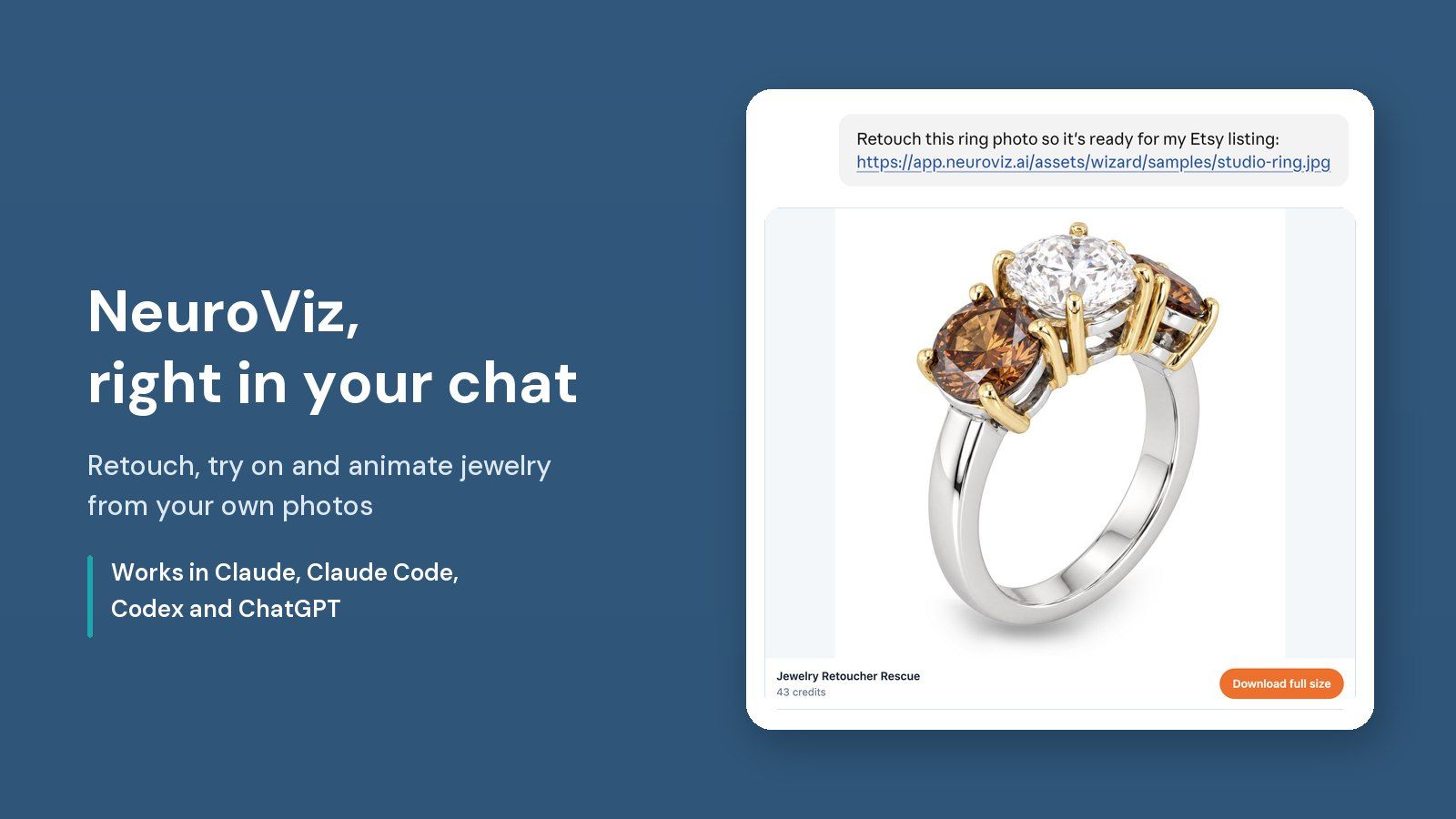
- Jewelry Retoucher Rescue
- Retoucher Pro for Marketplaces
- Jewelry Retoucher Vivid
The slots are called “Jewelry Photo #2 (optional)” and “Jewelry Photo #3 (optional)”. In Retoucher Pro for Marketplaces they’re “Product Photo #2” and “Product Photo #3”.
Add a photo of each piece. You get back one retouched photo with every piece together on one background, under the same light. Each piece keeps its own design and metal. Necklaces, chains and bracelets lie flat.
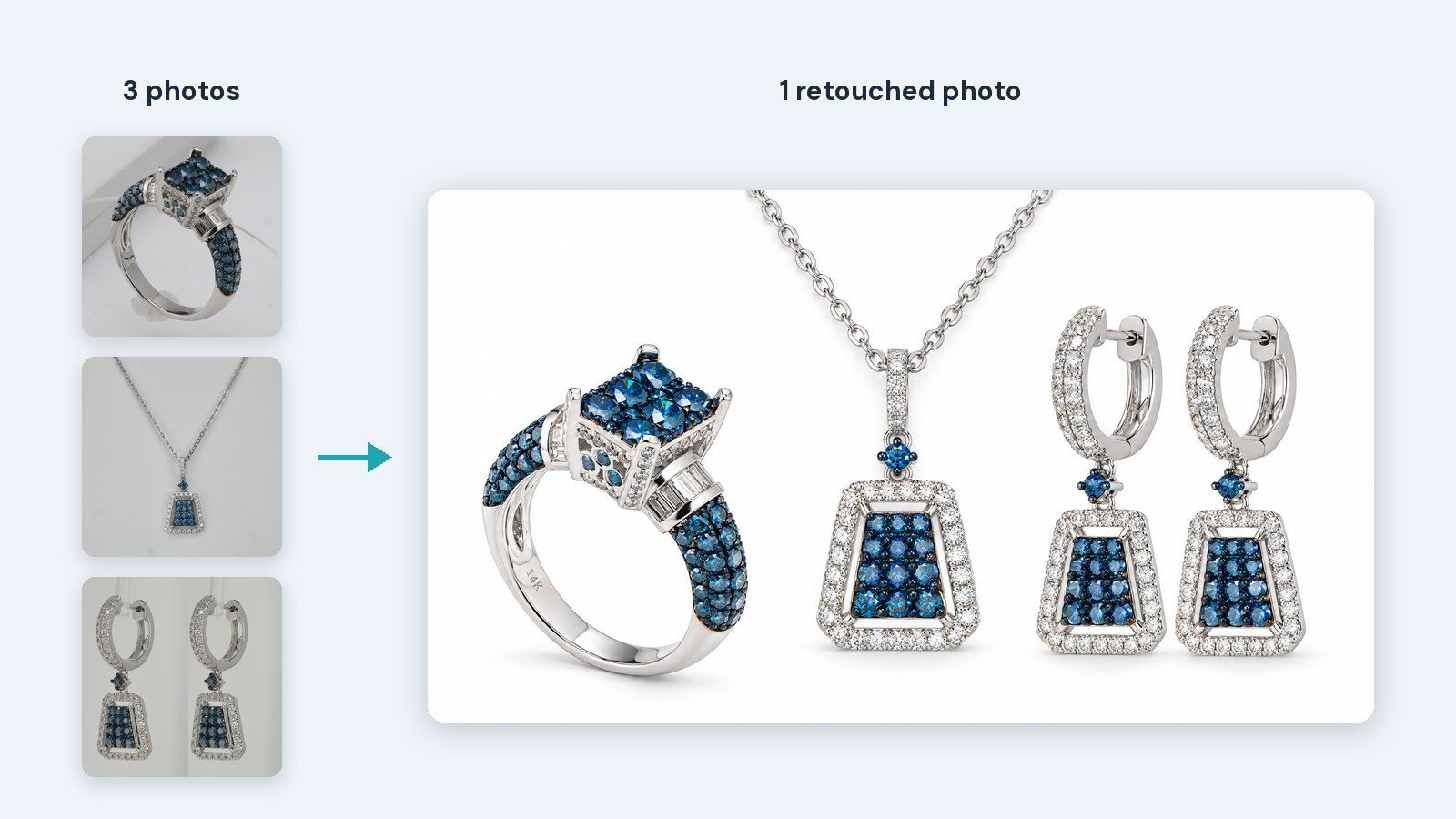
Three separate jewelry photos, a ring, a pendant and a pair of earrings, combined by NeuroViz into one retouched photo
How to use it
- Upload your first photo as usual.
- Add a second photo, and a third if you want.
- Pick your settings and run.
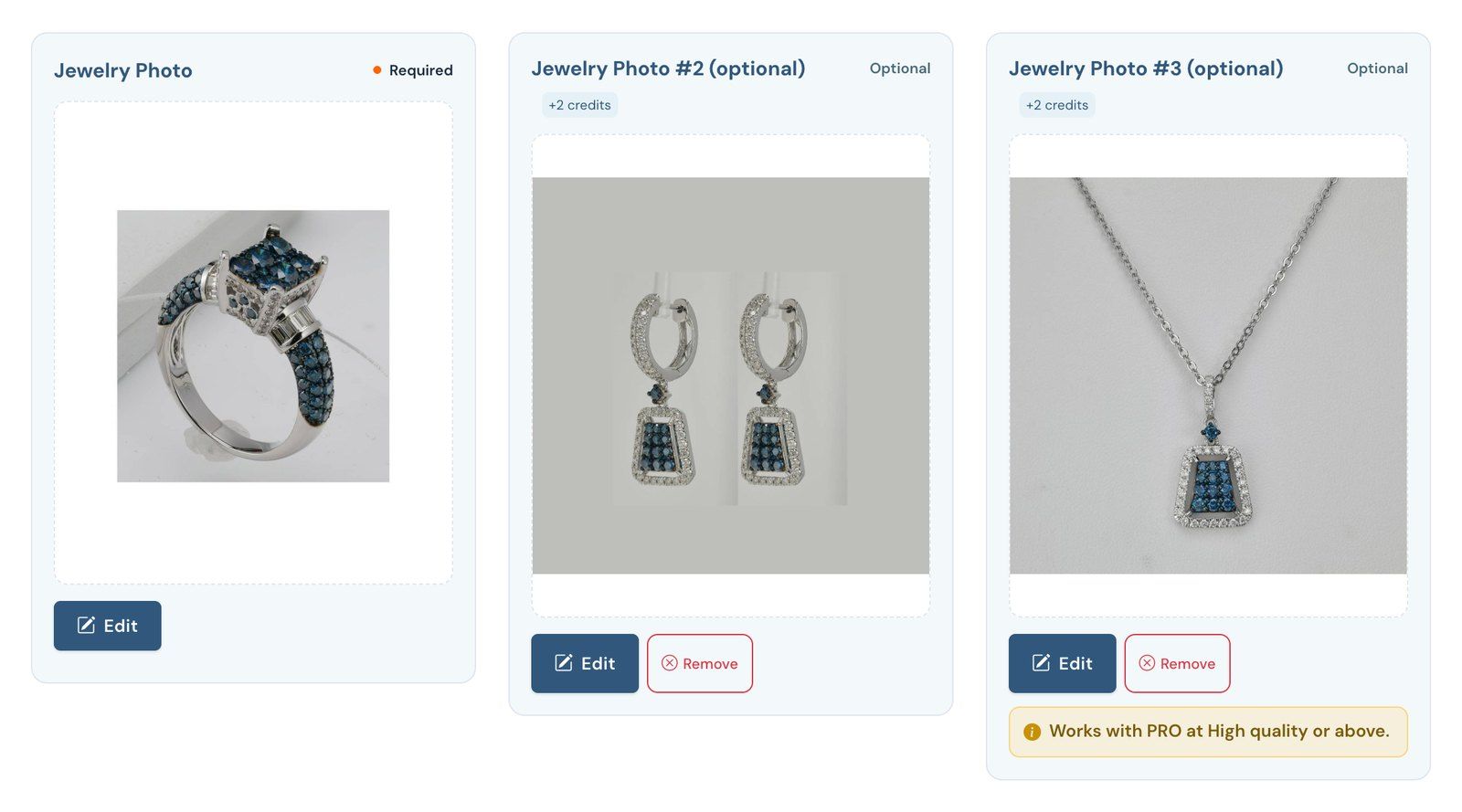
The upload area of Jewelry Retoucher Rescue with three photos added: Jewelry Photo, Jewelry Photo #2 (optional) and Jewelry Photo #3 (optional)
Tips for the best result
- Put one piece in each photo. A pair of earrings counts as one piece.
- Keep the whole chain in the frame if you want a necklace to lie flat. If a photo cuts off part of a piece, it stays cut off. We don’t invent the missing part.
What it costs
Each added photo adds 2 credits to the run. It adds 2 credits to a regeneration too. Background options and other extras cost the same as before.
| App and option | 1 photo | 2 photos | 3 photos |
|---|---|---|---|
| Rescue, PRO at High quality, 1K | 20 | 22 | 24 |
| Retoucher Pro for Marketplaces, SD | 20 | 22 | 24 |
| Retoucher Pro for Marketplaces, PRO 4 Mpx | 40 | 42 | 44 |
| Vivid, 1K | 25 | 27 | 29 |
| Vivid, 2K | 40 | 42 | 44 |
At $0.02 per credit (our rate on a $500 purchase), each added piece costs about 4 cents.
Where it works, and where it doesn’t yet
- Rescue: PRO at High quality or above. STANDARD, and PRO at Low or Medium quality, take one photo.
- Retoucher Pro for Marketplaces: SD and PRO. STANDARD and ULTRA take one photo.
- Vivid: 1K and 2K. 4K takes one photo.
- Switching options: if you add a photo while another option is selected, the form switches you to the closest option that combines photos and tells you. A note under the added photos names the options that work. While extra photos are attached, the other options are greyed out.
- Area editing and batch runs: a painted area or a batch only works with one photo. The form tells you what to remove.
- Other apps: Jewelry Retoucher Precision and our other apps still take one photo.
- Where you can use it: in the web app, in AI Studio’s Retouch tool (Rescue and Vivid), and through the API.
Good to know
When you mix metals, a white-metal piece next to a gold one sometimes comes out with a warm tint. Regenerate and it’s usually fixed.
Ask for changes in Instructions
In Jewelry Retoucher Precision, Rescue and Vivid, you can type a change to the piece into Instructions, in any language. For example:
- “Make it white gold.”
- “Change the center stone to a blue sapphire.”
- “Remove the small side stones.”
- “Shorten the prongs and close them over the stone.”
- “Straighten the band.”
- “Make the finish brushed instead of polished.”
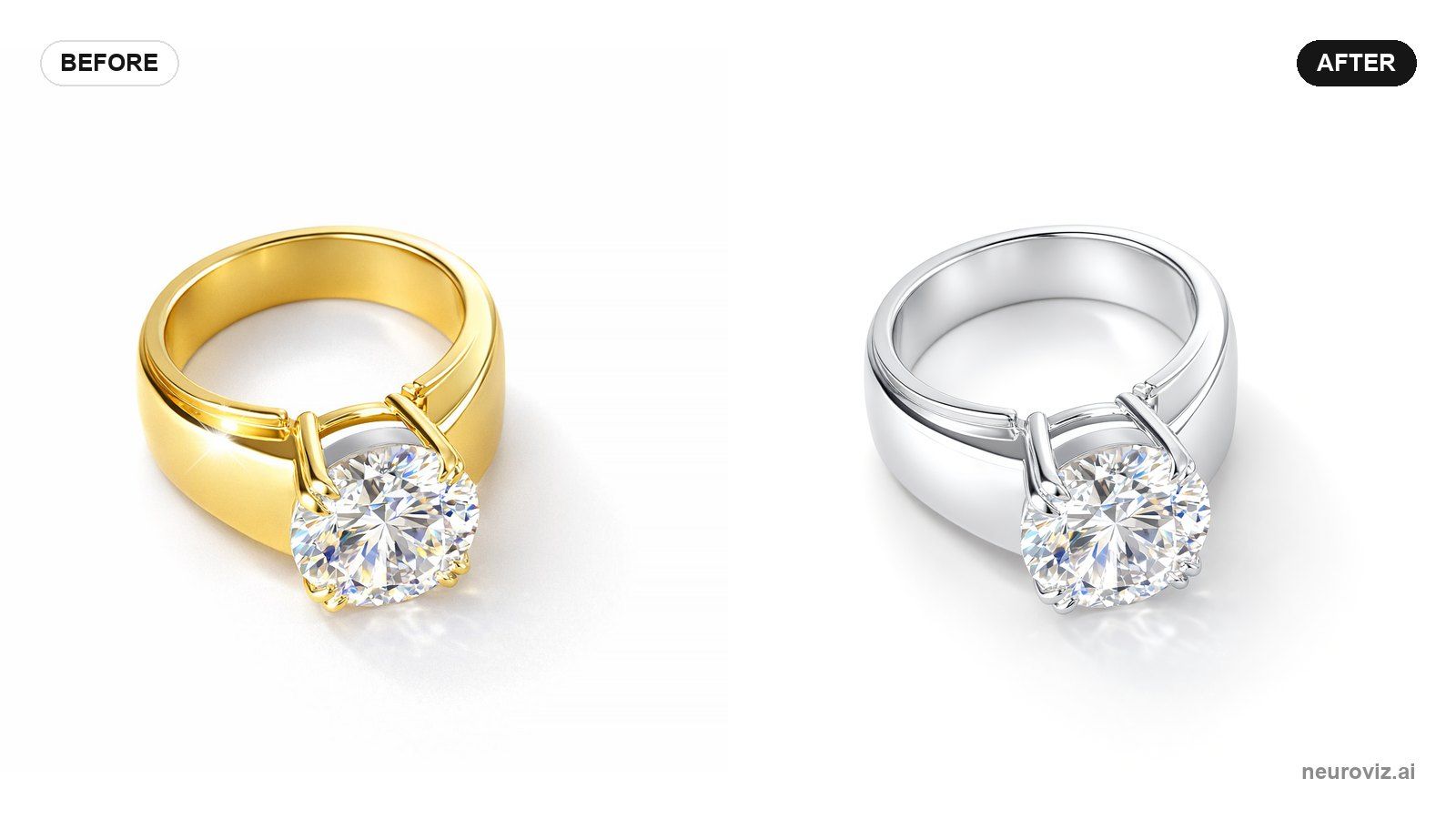
The same ring before and after: yellow gold in the original photo, white gold in the NeuroViz result, with the design unchanged
You can also pick the metal in the Metal & Gemstone Colors block. That’s how we made the example above: Metal Color set to White Gold.
A request like this used to bring up a warning before the run. Now it doesn’t. The result makes the change you asked for and keeps the rest of the piece as it was.
A completely new design, or a different type of jewelry (“turn this ring into a pendant”), still gets a heads-up. That’s a job for Jewelry Modifier Pro.
Smaller fixes
- Precision at Standard: some photos used to stop with an image-filter message, often pieces with well-known cartoon characters or logos. Those photos now finish, at the same price. If a photo still can’t be done, the message says so plainly, and you aren’t charged.
- Auto top-off: if your bank blocks an automatic top-off, Billing and Credits now say so. They also tell you how to fix it: allow the payment in your banking app or with your bank, or add a different card. Nothing is charged.
- Free try page (neuroviz.ai/try): every free try-on is checked before you see it, so the hands, the fingers and the ring on the finger you picked come out right. If a try still doesn’t work out, you get it back. The ring photos that work best now show first.
For developers: API changes
New optional inputs for combining photos:
- Jewelry Retoucher Rescue:
jewelry_photo_2andjewelry_photo_3. The first photo staysjewelry_photo. - Retoucher Pro for Marketplaces and Jewelry Retoucher Vivid:
input_image_2andinput_image_3. The first photo staysinput_image_1. - Send them the same way as the first photo. Leave them out for a one-photo run. Existing integrations keep working unchanged.
Price: each filled photo slot adds 2 credits, on runs and on regenerations.
When a run is refused: extra photos only work on the options listed above. These runs are refused before anything is charged:
- extra photos on any other option;
- more than three photos;
- extra photos together with a painted mask.
The error message says what to change, for example: “Photos #2 and #3 are not available with this option.”
Result: one image, delivered the usual way, by webhook.
Change requests: you can ask for changes in user_instructions over the API too, in Precision, Rescue and Vivid.
Precision at Standard: the fix for photos stopped by the image filter applies to API runs as well, at the same price.
Full parameter lists are in our API documentation.
30% off credits until November 30
Our Black Friday sale runs until Monday, November 30.
- Code BLACKFRIDAY: 30% off pay-as-you-go credits on any purchase of $200 or more. $200 of credits costs $140.
- Under $200? Code BLACKFRIDAY-SMB takes 20% off any amount.
- When it ends: both codes stop working at 23:59 Pacific time on November 30.
- Where they work: in the web app at app.neuroviz.ai. Purchases in the NeuroViz app for Shopify are billed by Shopify, so the codes don’t apply there.
Frequently asked questions
How many jewelry pieces can I put in one retouched photo?
Up to three. Add one piece per photo: the first photo plus two optional ones. A pair of earrings counts as one piece.
Which NeuroViz apps can combine pieces in one photo?
Jewelry Retoucher Rescue (PRO at High quality or above), Retoucher Pro for Marketplaces (SD and PRO) and Jewelry Retoucher Vivid (1K and 2K). Jewelry Retoucher Precision and the other apps take one photo.
How much does it cost to combine pieces?
Each added photo adds 2 credits to the run and 2 credits to a regeneration. For example, Rescue at PRO, High quality, 1K costs 20 credits for one photo, 22 for two and 24 for three.
Does the AI change my pieces when it puts them together?
Each piece keeps its own design and metal, and all of them get one background and the same light. If a photo cuts off part of a piece, it stays cut off: the missing part is not invented.
Can I change the metal or a stone by typing an instruction?
Yes. In Jewelry Retoucher Precision, Rescue and Vivid you can type a change into Instructions in any language, for example “Make it white gold” or “Change the center stone to a blue sapphire”. The rest of the piece stays as it was. A completely new design or a different type of jewelry is a job for Jewelry Modifier Pro.
Can I combine photos through the NeuroViz API?
Yes. Rescue takes jewelry_photo_2 and jewelry_photo_3; Retoucher Pro for Marketplaces and Vivid take input_image_2 and input_image_3. Runs with extra photos on an unsupported option, more than three photos or a painted mask are refused before anything is charged.
Try it on your own pieces
Pick three pieces you sell together, add one photo of each, and get one retouched photo back. Want to see how our retouchers compare with other tools first? Read our guide to jewelry photo editing.