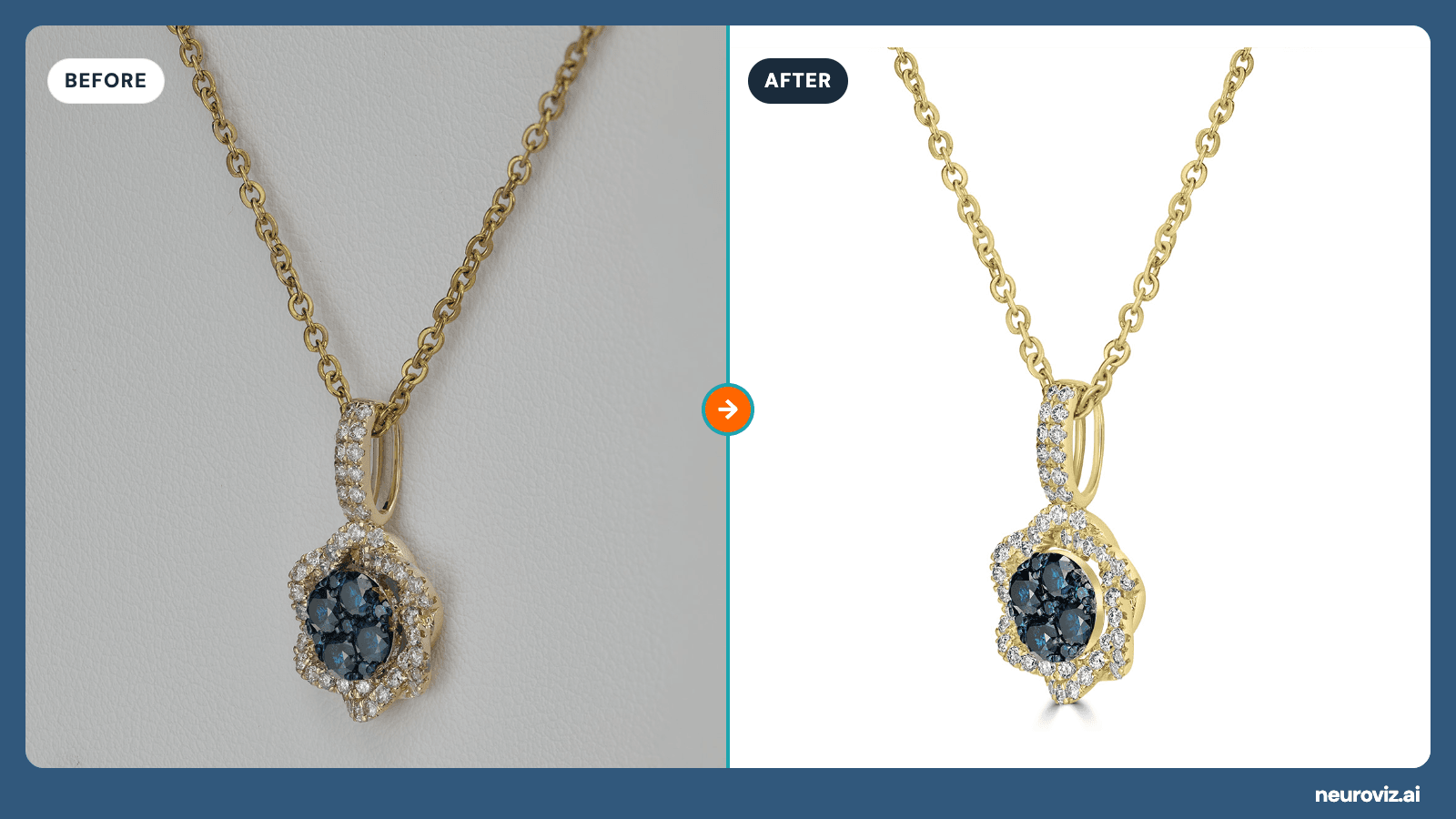
A gold necklace with a blue-stone and diamond pendant, shown before and after retouching — on the left the raw shot on an uneven grey background with dull metal, on the right the same piece cleaned up on plain white, ready for a product listing
Most jewelry stores on Shopify do not have a photography problem. They have a catalog problem.
Each individual photo is fine. The ring shot from last spring is fine. The three necklaces your friend shot on her phone are fine. The two pieces the manufacturer sent images for are fine. Then all of them land on the same collection page, in the same grid, and the page looks like it was assembled from four different stores.
That is the part customers see before they see any single product.
This guide covers what Shopify actually requires, what it recommends, why jewelry specifically breaks the recommendation, and what to do about a catalog you have already shot.
What Shopify actually requires
The hard limits are generous. Almost nothing you shoot will hit them.
| Shopify limit | |
|---|---|
| Maximum file size | 20 MB |
| Maximum resolution | 5000 × 5000 px, or 25 megapixels |
| Supported formats | PNG, JPEG, PSD, TIFF, BMP, GIF, SVG, HEIC, WebP (including animated) |
The recommendations are where the real guidance lives:
- 2048 × 2048 px is what Shopify names as the size that usually displays best for square product images.
- Keep the aspect ratio consistent across your featured images — Shopify calls this out specifically for products shown side by side on collection pages.
That second one is the whole game for jewelry, and it is the one most stores miss.
Why jewelry breaks the consistency rule
Jewelry is small, reflective, and shot in close-up. Those three facts make it drift more than any other product category.
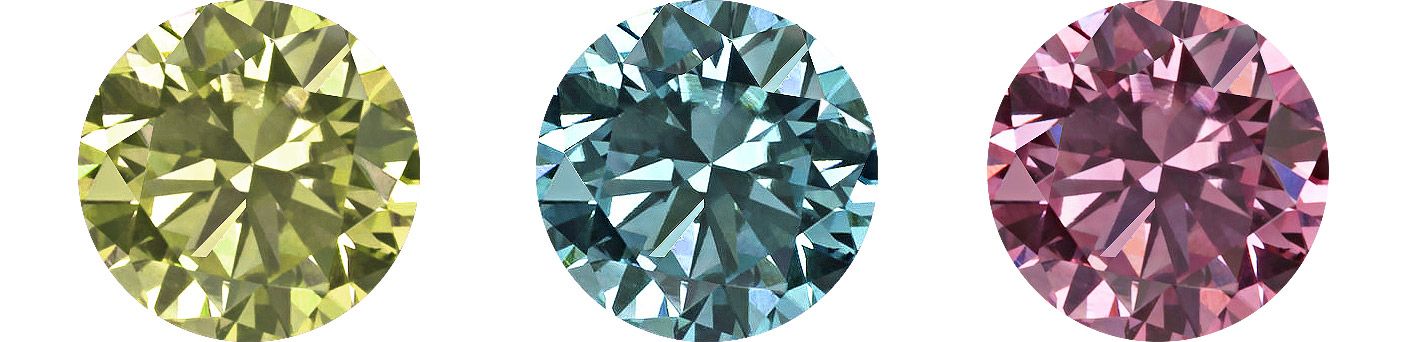
Reflective surfaces record the room. Polished gold picks up the colour of whatever was around it. Shoot the same ring next to a window in the morning and under a lamp at night, and the metal reads warm in one and grey-green in the other. Nothing was edited. The room changed.
Backgrounds drift between sessions. “White” is never the same white twice. One batch comes out at pure #FFFFFF, the next at #FEFBFB, the third at #F9F5F2 — a warm cream, because the paper sat slightly in shadow. Individually they all look clean. In a grid they look careless.
Scale looks arbitrary. A pendant photographed to fill the frame and a wide band photographed with breathing room end up the same size on screen, which makes the pendant look enormous and the band look tiny.
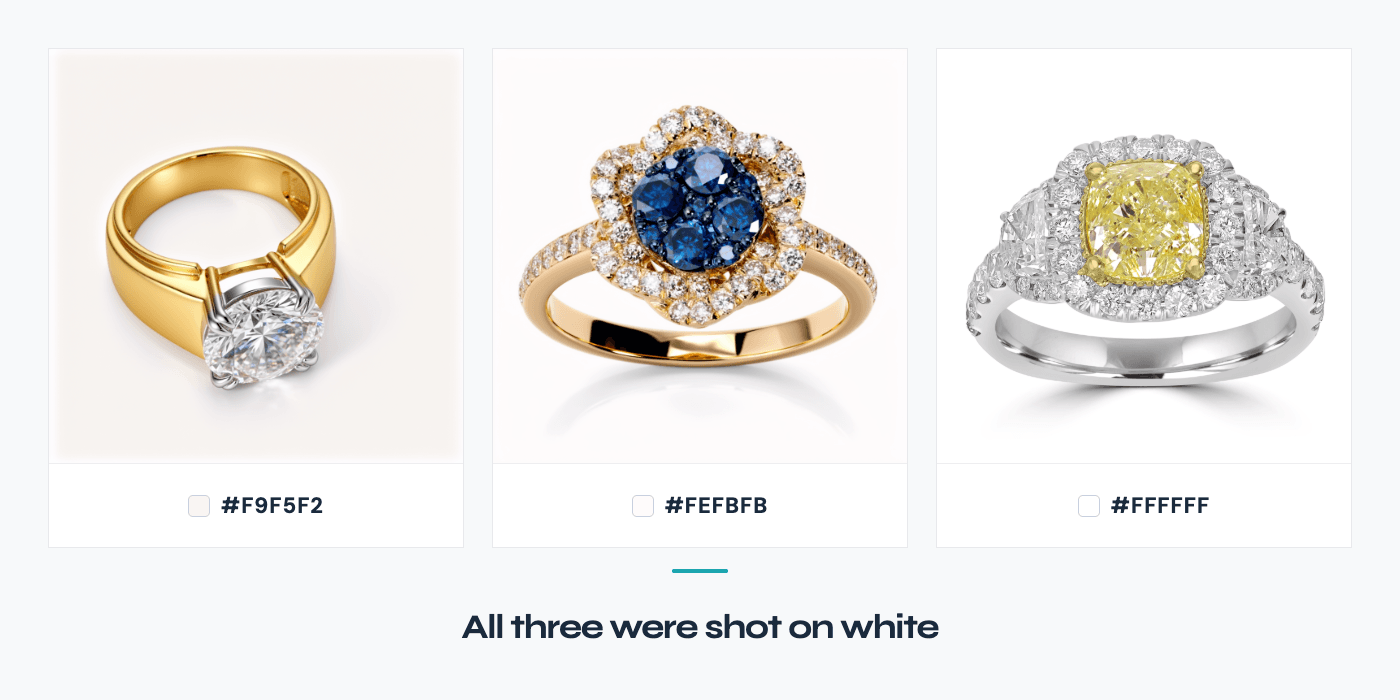
Three rings photographed on three different whites, each labelled with its hex value — #F9F5F2, #FEFBFB and #FFFFFF — under the caption “All three were shot on white”
On a product page, none of this matters much — the customer sees one item. On a collection page, where eight to twelve pieces sit in a grid, the eye reads the set before it reads any product. Inconsistency there registers as “this store is not careful,” which is the last thing a jewelry buyer should be thinking.
Fixing a catalog you already have
You have three routes, and they cost very different amounts.
Reshoot everything. The most reliable and the most expensive. A studio day for a jewelry catalog runs into the hundreds or thousands depending on piece count, and you have to ship the pieces, insure them, and wait. Worth it for a hero collection. Rarely worth it for the back half of a catalog.
Retouch each image by hand. A retoucher who understands jewelry charges roughly $15–$25 per image for real work — matching backgrounds, cleaning dust off facets, correcting metal colour. For thirty products with three images each, that is ninety images, and the arithmetic gets uncomfortable fast.
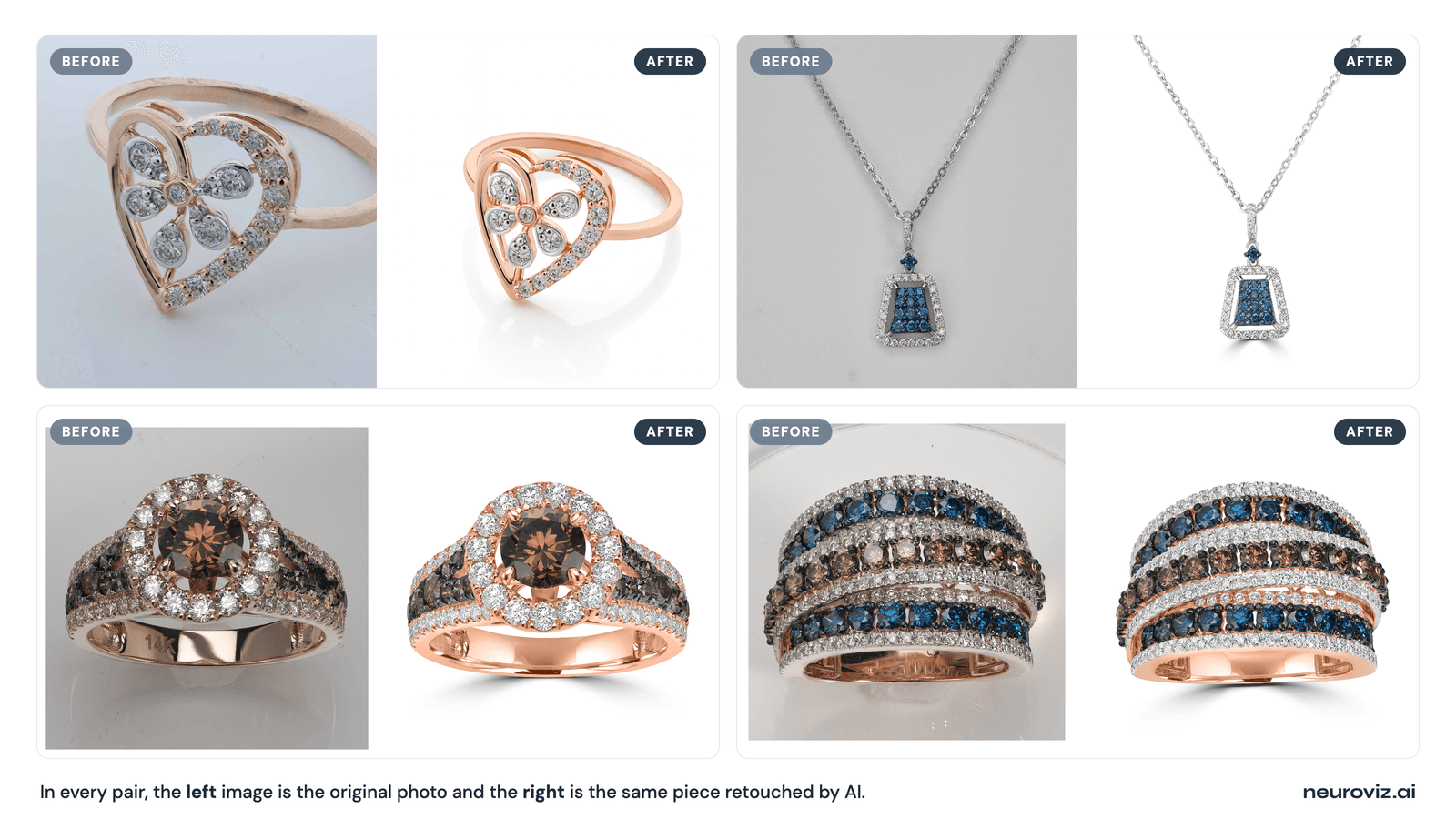
Standardise with AI. Run the images you already have through a tool that normalises the background to one exact value, cleans the piece, and outputs at a consistent size. Minutes instead of days, and cents instead of dollars per image.
The third route is not better than a real photoshoot. It is better than not fixing the catalog, which is what usually happens when the only options are expensive.
What that actually costs
Current payment options: choose pay-as-you-go credits or a subscription with Pro Membership included.
- Pay as you go: $10–$1,000 per purchase. Optional Pro Membership is $29/month with no credits included.
- Monthly subscriptions: Studio $200/month for 10,000 credits, Business $500/month for 30,000, or Scale $1,000/month for 66,000. Pro included.
- Annual subscriptions: $2,000 / $5,000 / $10,000 paid upfront for 120,000 / 360,000 / 792,000 credits per year, respectively. Pro included.
Monthly allowance resets at renewal. Annual credits arrive upfront and stay valid until annual renewal. Separately purchased credits are not part of that expiring allowance. See current pricing.
NeuroViz prices in credits, and the credit price drops with volume. Two numbers multiply together: credits per image × dollars per credit.
At the $200 volume tier, credits cost $0.025 each:
| Operation | Credits | Cost per image |
|---|---|---|
| Retouch (Rescue) | 5 | $0.13 |
| Retouch (Precision) | 20 | $0.50 |
| Virtual try-on, on-model | 20 | $0.50 |
At the $500 tier the same credits cost $0.020, which brings a Rescue retouch to $0.10 and a Precision retouch to $0.40. Current tiers are on the pricing page.
Ninety images at Precision quality is about $45. The same ninety through a retoucher at $20 each is $1,800. That gap is why catalogs get fixed instead of postponed.
Doing it without leaving Shopify
NeuroViz is available on the Shopify App Store as NeuroViz Jewelry AI Retouching. It is free to install; you buy credits when you use it.
Inside the app you can:
- Retouch product shots — clean the piece and set an exact background colour, so every image in a collection matches instead of approximately matching. The background control feature takes a hex value, which is what makes a grid genuinely uniform rather than close enough.
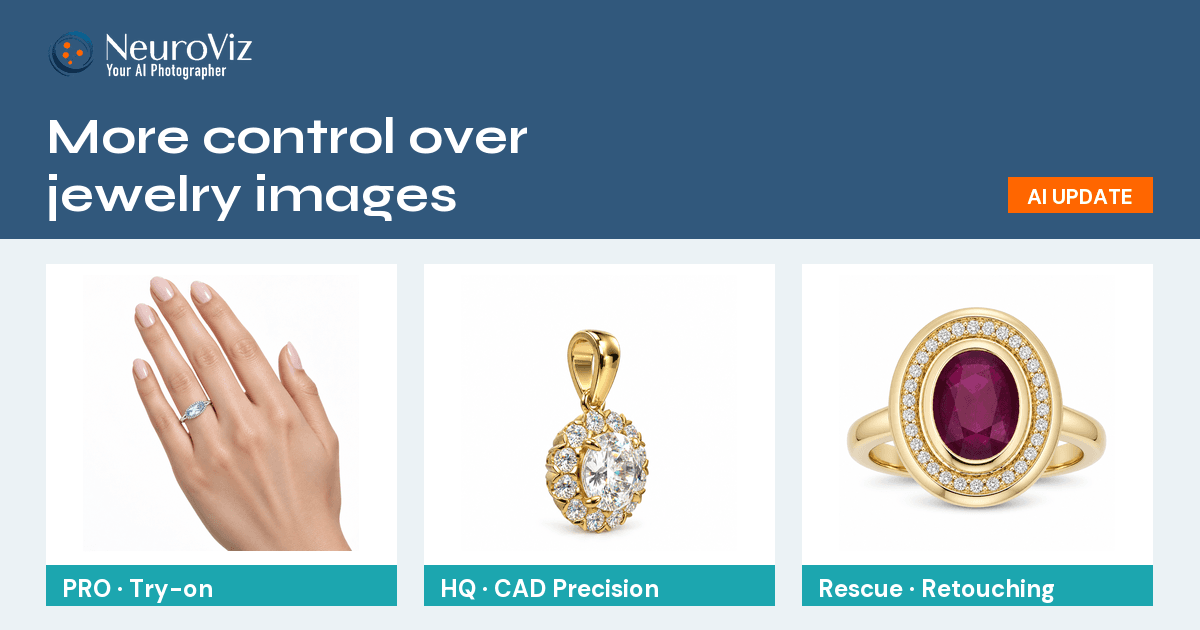
- Put pieces on a model without booking one — useful for the lifestyle slot in a listing, where most jewelry stores have nothing at all.
- Generate lifestyle and scene shots for products that only ever got a white-background photo.
- Make short rotation videos for the pieces worth the extra attention.
The output size list includes 2048 × 2048 — the exact dimension Shopify names as the best fit for square product images, so you can export straight to the recommended size instead of resizing afterwards.
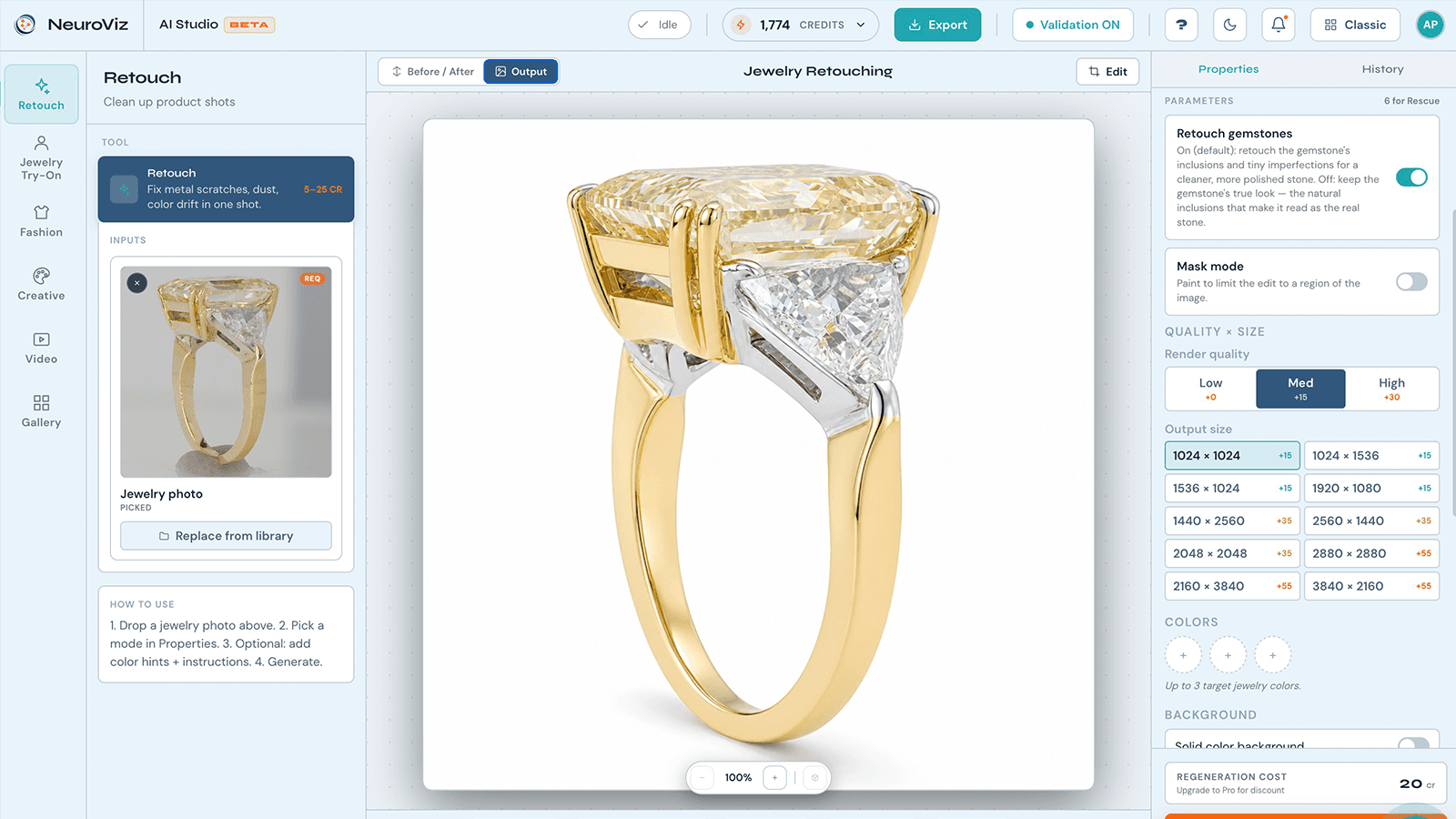
The NeuroViz Retouch screen: a raw ring photo on a grey background in the inputs panel, the retouched result on clean white in the main canvas, and the properties panel showing output sizes including 2048 × 2048 and the solid colour background control
If you would rather work outside Shopify — or you also sell on Etsy and Amazon and want one place for all of it — the same tools run at neuroviz.ai.
The order to do this in
- Start with your collection pages, not your product pages. Fix what the customer sees first.
- Pick one background value and one aspect ratio and write them down. Every image from now on matches those two decisions.
- Re-run your existing images to that standard rather than reshooting. Most catalogs are 80% fixable this way.
- Reshoot only what genuinely cannot be saved — images that are out of focus or that show the wrong piece. AI can fix lighting and background. It cannot fix a photo that missed focus. Our detail test shows exactly where that line sits.
- Then add what is missing — an on-model shot, a lifestyle shot, a scale reference.
For the shooting side of this — lighting, phone settings, the shots each listing needs — the Etsy jewelry photography guide covers the same ground and applies equally to Shopify.
FAQ
What size should jewelry product images be on Shopify? Shopify recommends 2048 × 2048 px for square product images, and accepts up to 5000 × 5000 px or 25 megapixels, with a 20 MB file size limit. For jewelry, the more important rule is using the same aspect ratio across every featured image, because collection pages show products side by side.
Why do my jewelry photos look inconsistent on my Shopify collection page? Usually three causes: reflective metal picking up different room lighting between sessions, background whites that drift between shoots, and inconsistent framing that makes pieces appear at different scales. Each photo can look fine alone while the grid looks assembled from different sources.
Can I fix jewelry photos I already have instead of reshooting? Often yes. Background colour, metal tone, dust on stones, and framing can all be corrected after the fact. What cannot be recovered is focus — a soft image stays soft. Reshoot only the images that missed focus or show the wrong piece.
How much does it cost to standardise a jewelry catalog with AI? NeuroViz charges in credits: a Rescue retouch is 5 credits and a Precision retouch is 20, and credits run from $0.040 down to $0.018 each depending on volume. At the $200 tier that is about $0.13 and $0.50 per image respectively — roughly $45 for ninety images at Precision quality.
Is there a NeuroViz app for Shopify? Yes. NeuroViz Jewelry AI Retouching is on the Shopify App Store, free to install, with credits purchased as you use them. It covers retouching, on-model try-on, lifestyle scenes, and short product videos.
Fix the grid, not just the photo
The catalog you already have is probably closer to good than it looks. What is missing is usually one background value and one aspect ratio applied consistently across everything — not a new studio day.
Start with 80 free credits and run your worst collection page through it first. That is the page doing the most damage, and the one where the difference shows up fastest.