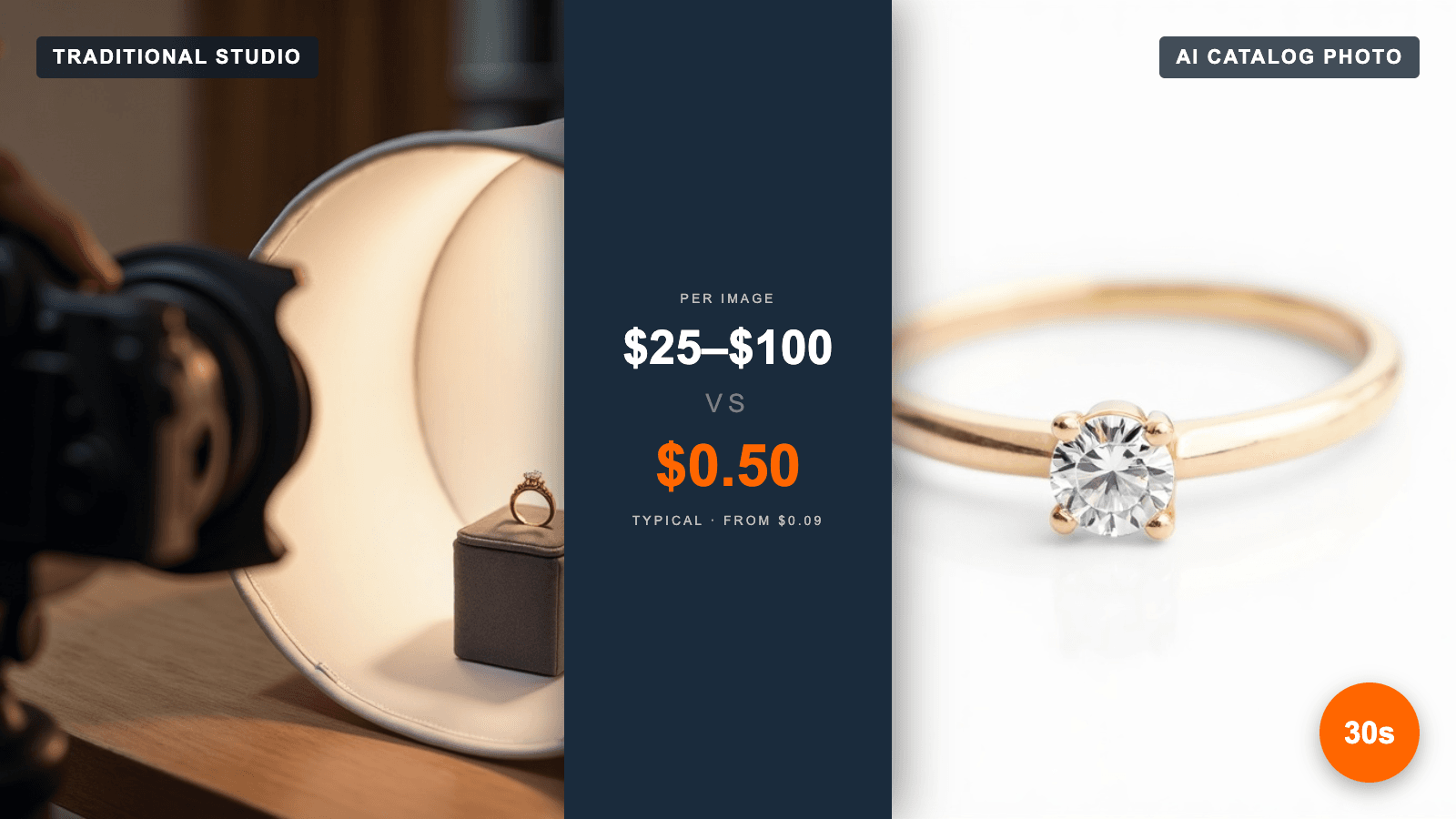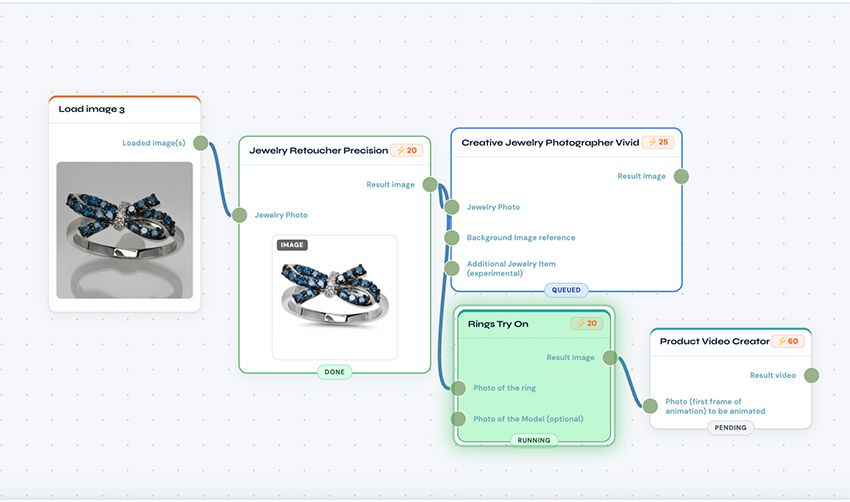
Producing great jewelry imagery has always meant juggling tools — one app to retouch a product shot, another to place a piece on a model, a third for creative scenes. Today that changes. NeuroViz AI Studio brings the company’s entire suite of AI jewelry-imaging tools into a single, fast, browser-based canvas, now available in Beta at app.neuroviz.ai.
Instead of jumping between a dozen separate apps, jewelers and e-commerce teams can now retouch a product shot, place a piece on a real model, and generate a creative lifestyle image — all from one screen, on desktop or mobile. Upload a single product photo and, in a few clicks, turn it into polished, conversion-ready visuals. Every result is full-resolution and ready to publish.
One workspace, the whole workflow
The traditional jewelry imaging pipeline is fragmented: switch apps, re-upload, lose context, repeat. AI Studio collapses that into a single unified canvas with a consistent, guided experience — an all-in-one AI jewelry imaging workspace where retouching, try-on, and creative photography live side by side.
How the AI jewelry photo studio works
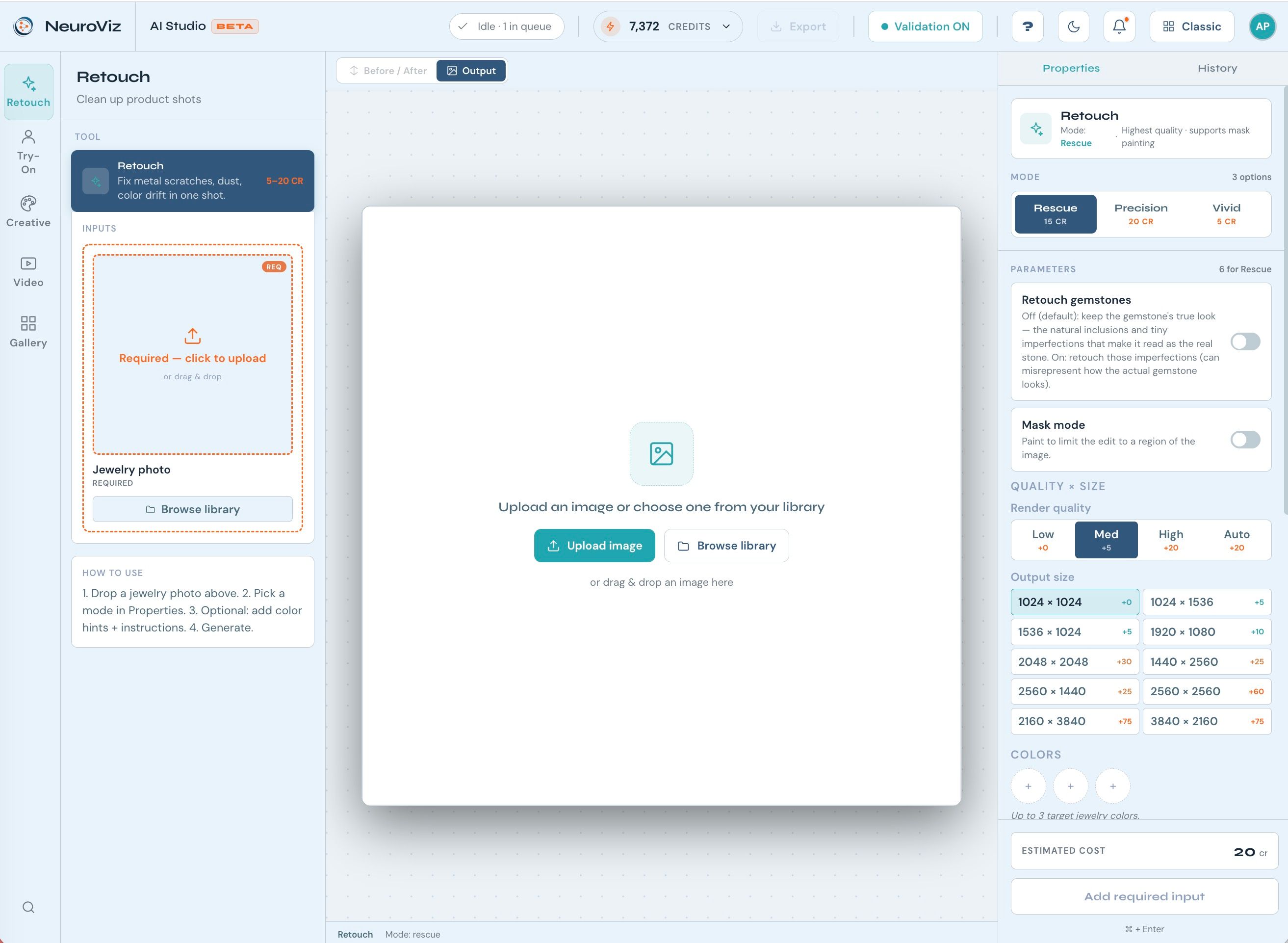
Getting from a raw phone photo to a publish-ready image takes six simple steps:
- Pick what to create. Choose a category or tool from the splash — retouching, a virtual try-on, or a creative shot.
- Add your image. Upload, choose from your library, or drag & drop a photo straight onto the canvas.
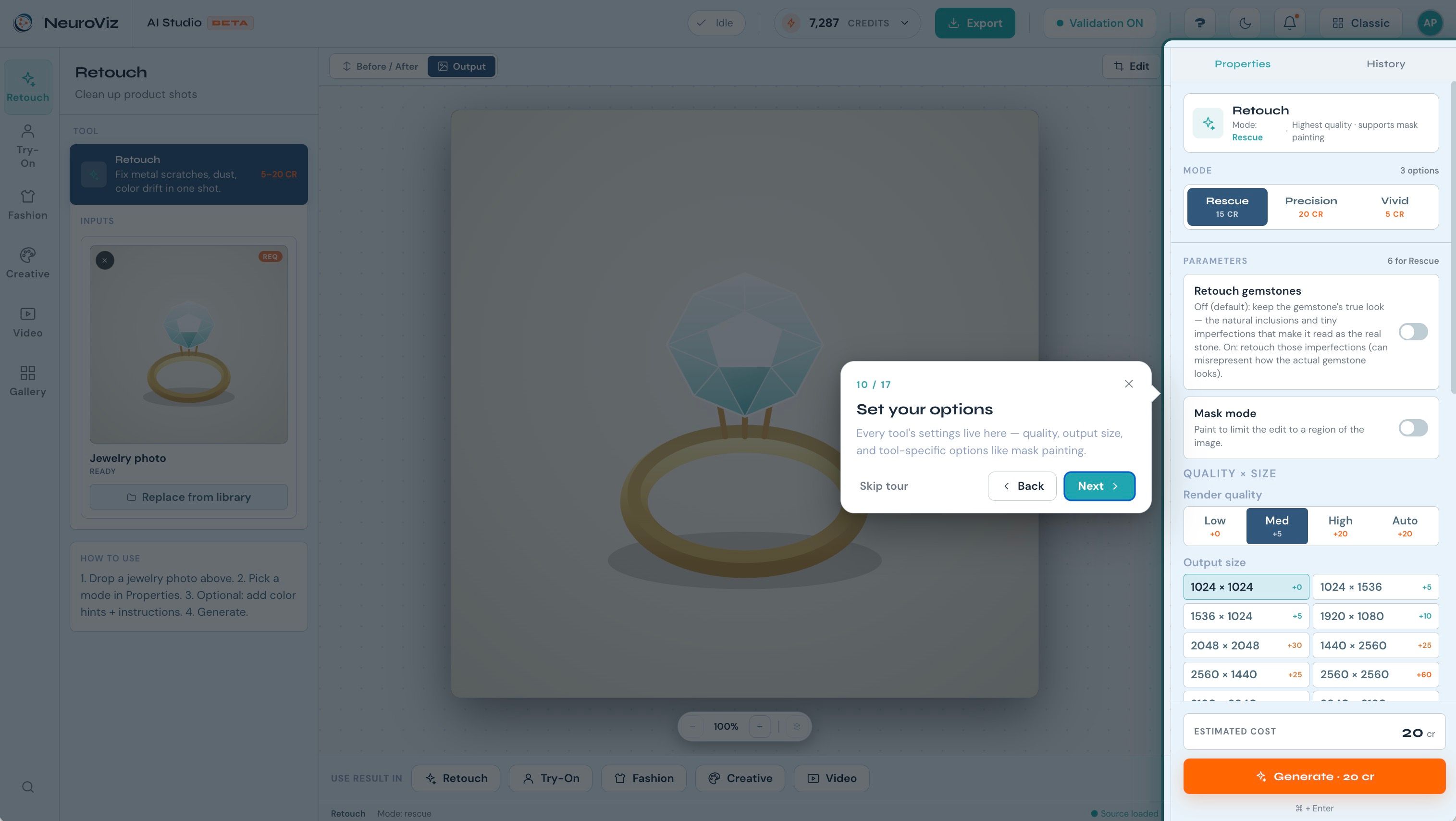
- Set your options. Tune quality, output size, and tool-specific settings — the credit cost is always shown up front.
- Generate. An optional built-in validator checks your inputs first, so you don’t spend credits on a shot that won’t work.
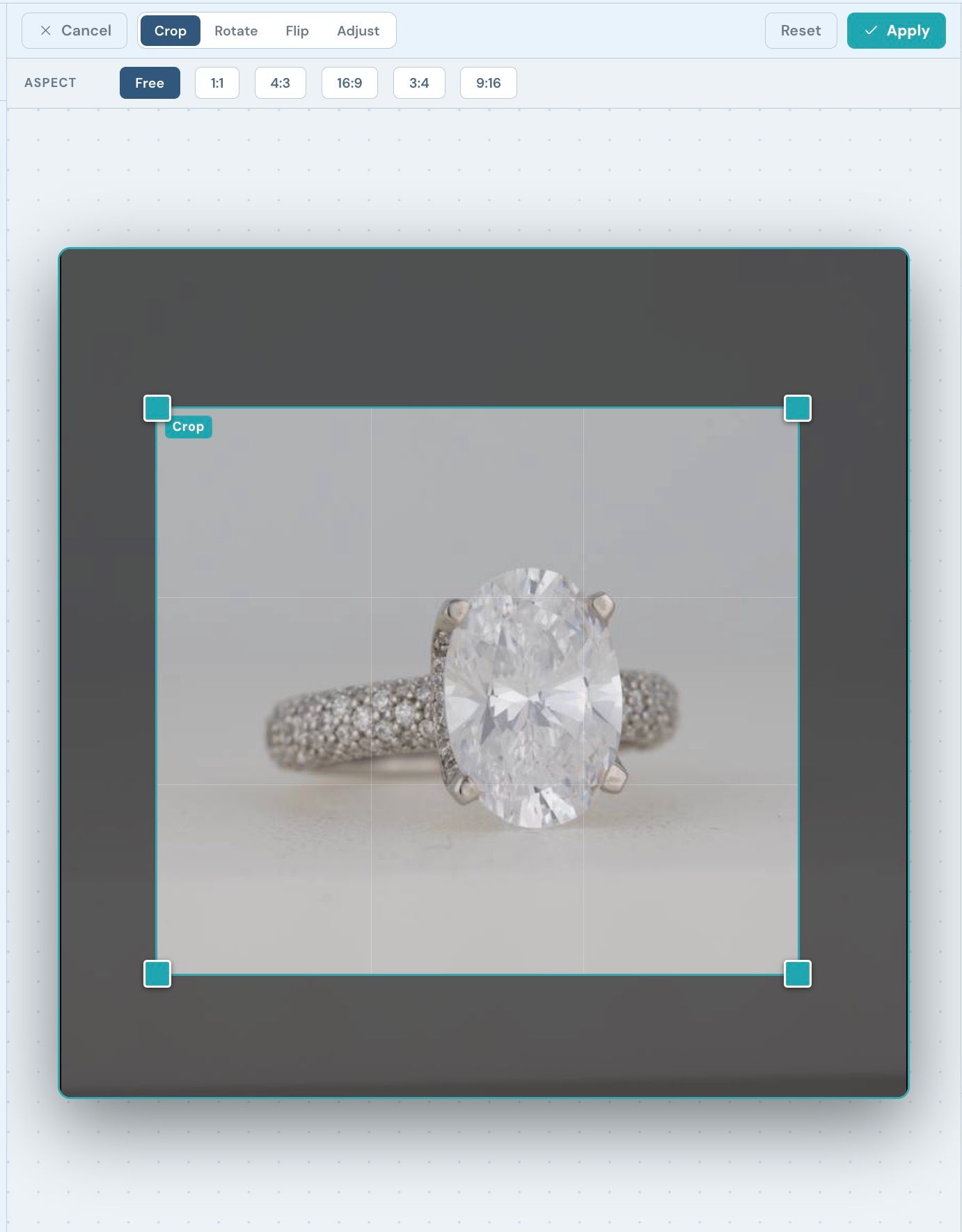
- Refine & compare. Crop, rotate, adjust, paint a mask, view Before/After, zoom in to inspect detail, or generate multiple variations.
Export. Download the finished image in full resolution, ready for your store or campaign.
What’s inside
AI jewelry retouching
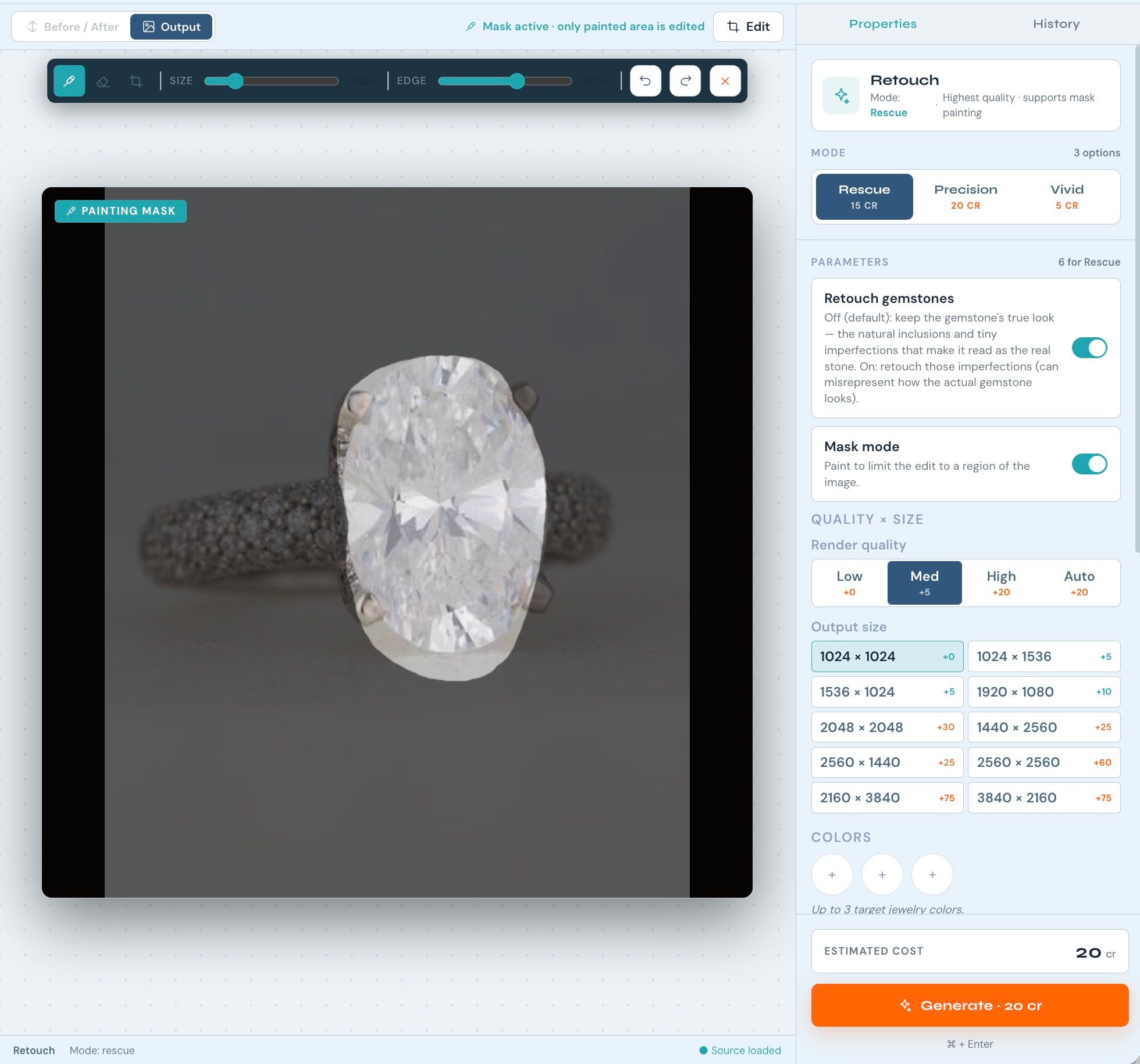
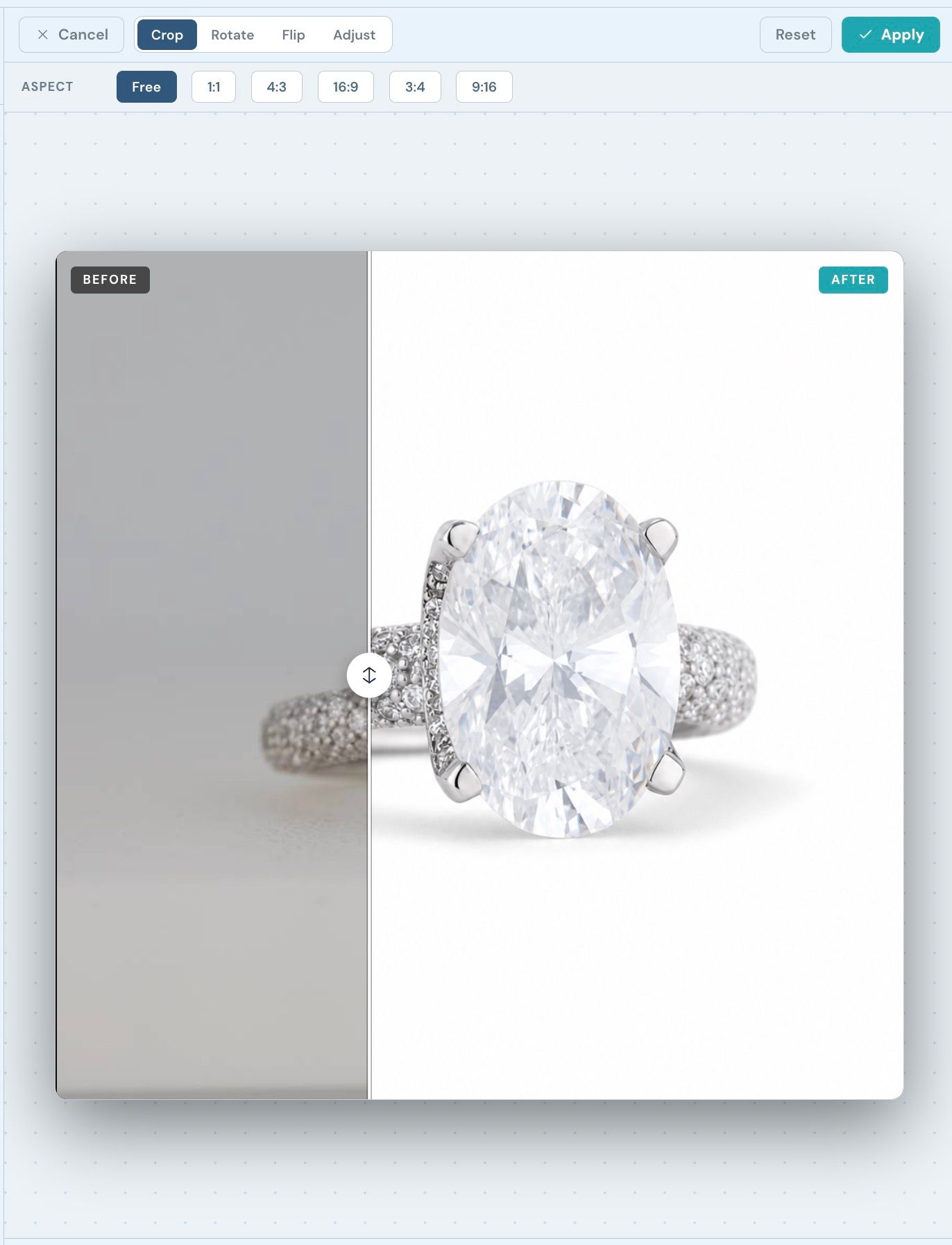
Clean up product shots in seconds — remove scratches, dust, and color drift, and bring out the metal and stones. Three retouching engines let you trade off speed, fidelity, and style, with optional mask painting to limit edits to a specific region and careful handling of gemstones so the stone still reads as the real thing.
Jewelry virtual try-on
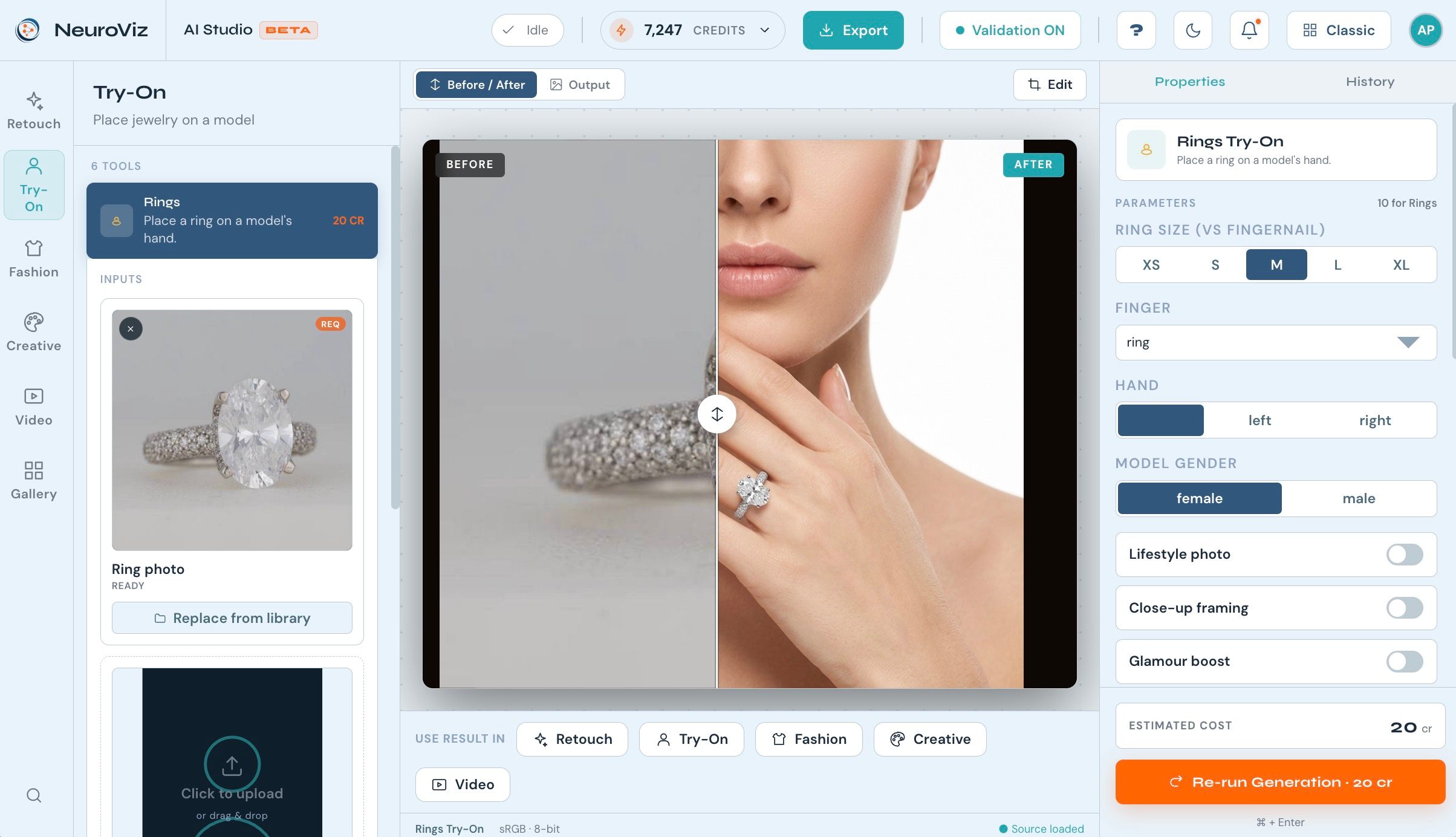
Place any piece on a real model with photorealistic results — no photoshoot required. AI Studio supports rings, earrings, necklaces & pendants, bracelets, watches, and full combinations, with model controls so the look matches your brand.
🖼️ IMAGE 5 — VIRTUAL TRY-ON RESULT What to capture / Hint: A try-on output — e.g. a ring on a model’s hand, or earrings on a model. Pick the most striking try-on result you have; this is a key “wow” image for the announcement. Alt text: Photorealistic NeuroViz virtual try-on result showing a jewelry piece worn by a model — for example a ring on a hand or earrings on a model — generated without a photoshoot.
Creative jewelry photography
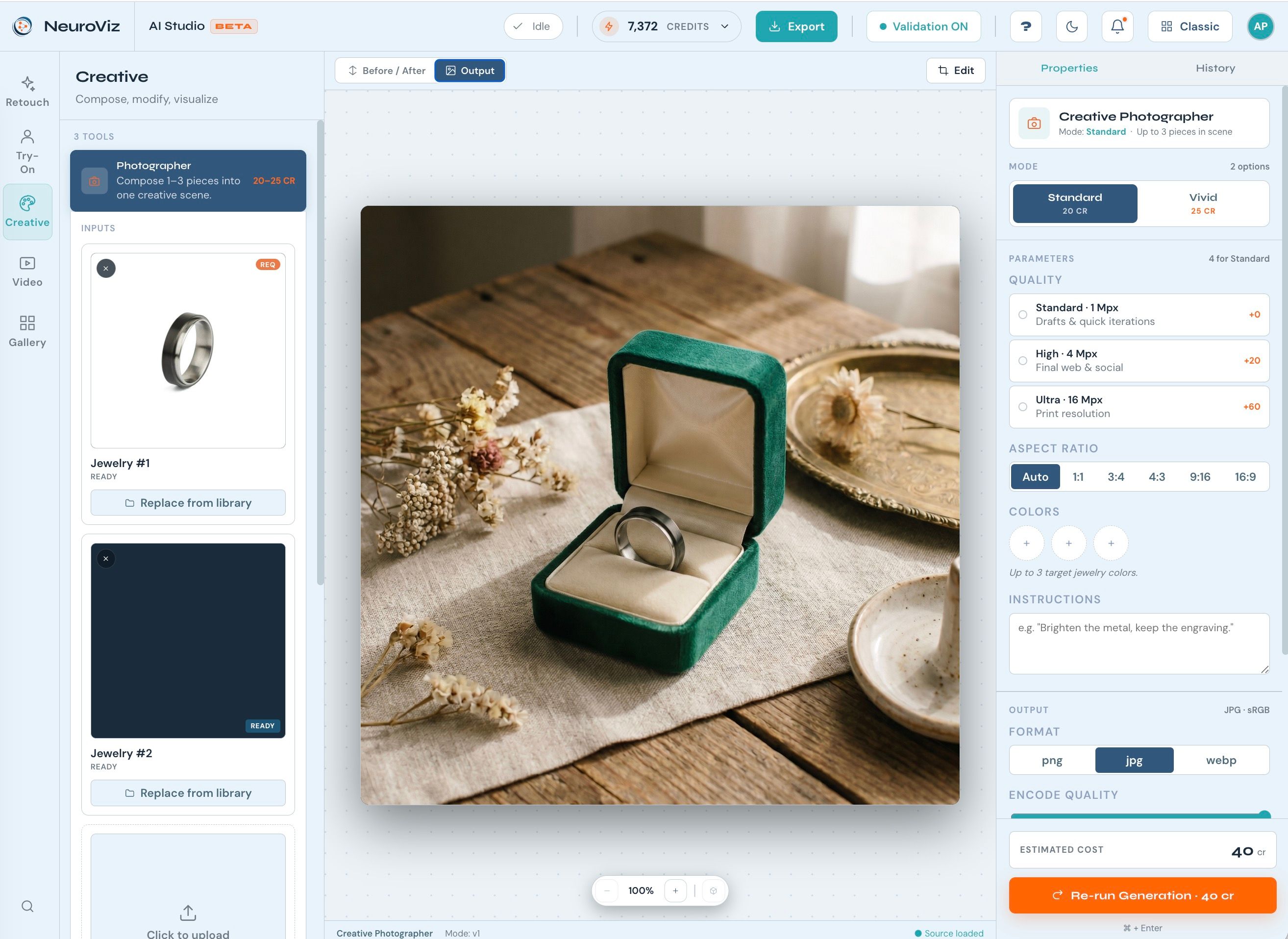
Go beyond the catalogue with styled, campaign-ready imagery — lifestyle scenes, creative compositions, and design visualizations that turn a single product into a full set of marketing visuals.
A canvas built for iteration
AI Studio isn’t just generation — it’s a full editing environment designed for fast, low-risk iteration:
- Before / After — compare the source and the result side-by-side with a draggable slider.
- Zoom & inspect — zoom up to 400% and pan to check fine detail, then fit back to screen.
- Variations — generate several options at once and pick the best.
- Gallery & Recreate — every generation is saved; re-open or recreate any result at a discount.
- Transparent credits — see the exact cost before you generate, with a live balance and usage view.
- Input validation — a pre-flight check flags weak inputs before you spend a credit.
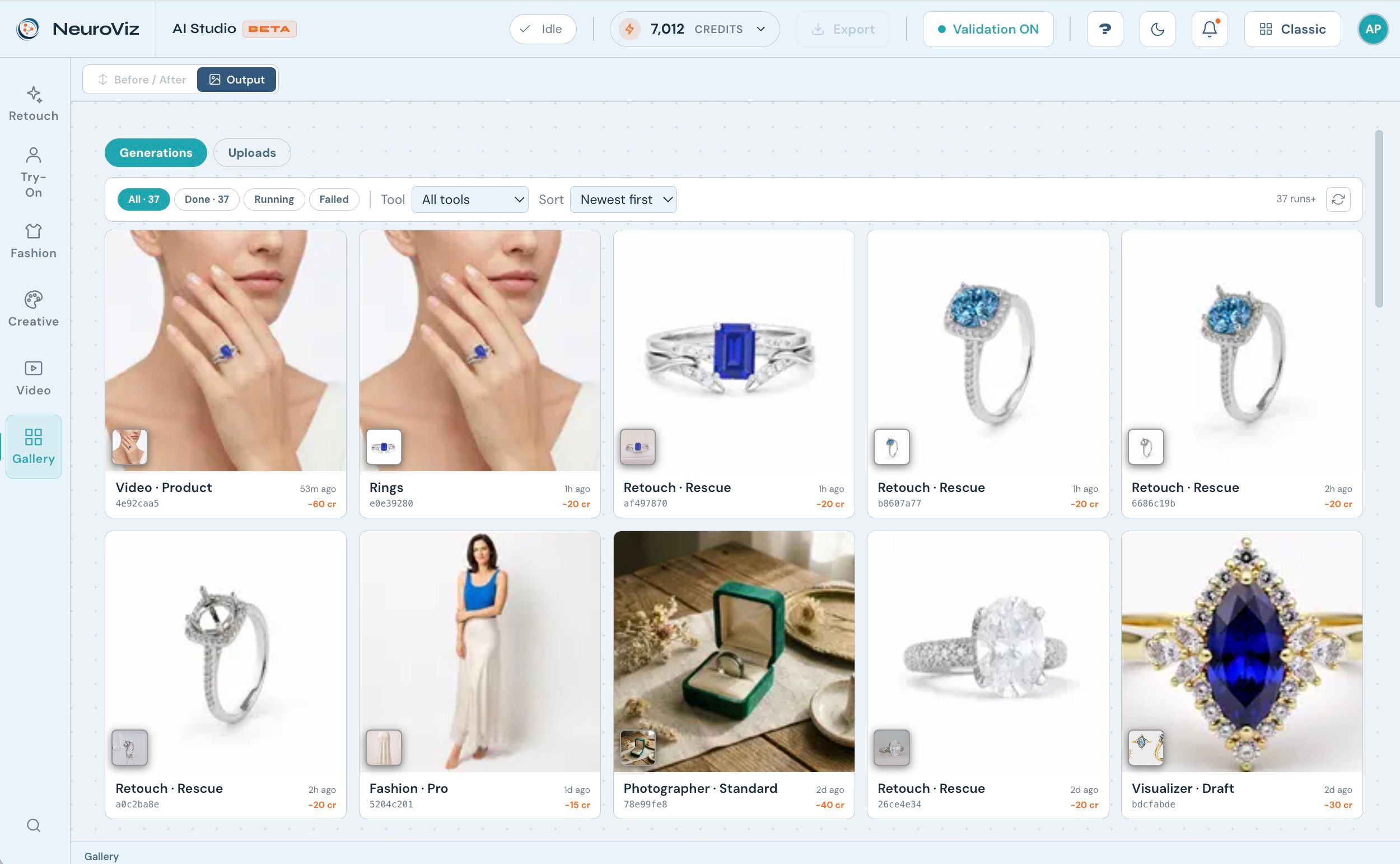
Made for desktop and mobile
AI Studio works anywhere. On mobile, the experience becomes a guided step-by-step flow — Setup → Preview & Edit → Adjust → Result — so you can create and export finished images from your phone with the same power as the desktop canvas.
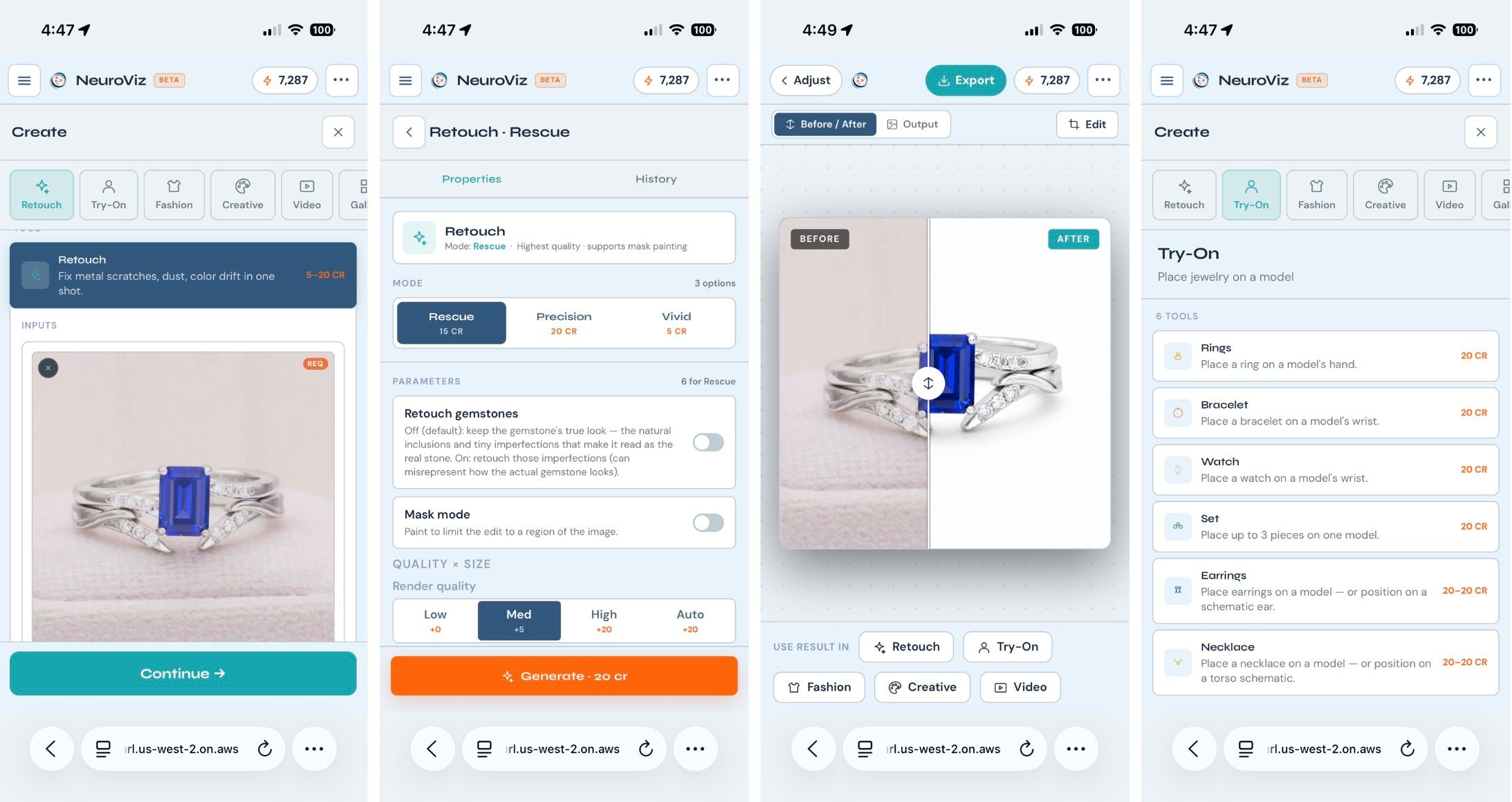
Guided from the first visit
First-time users are welcomed with a short, interactive tour that walks through the workspace with a sample image — so even newcomers reach their first great result quickly.
Availability
NeuroViz AI Studio is available now in Beta at app.neuroviz.ai. Existing customers can open it directly from their dashboard via the new “Try the new AI Studio” entry. It runs on the same transparent, credit-based pricing as the rest of NeuroViz — start with a free trial of 80 credits, no credit card required. See the full breakdown on the NeuroViz pricing page.
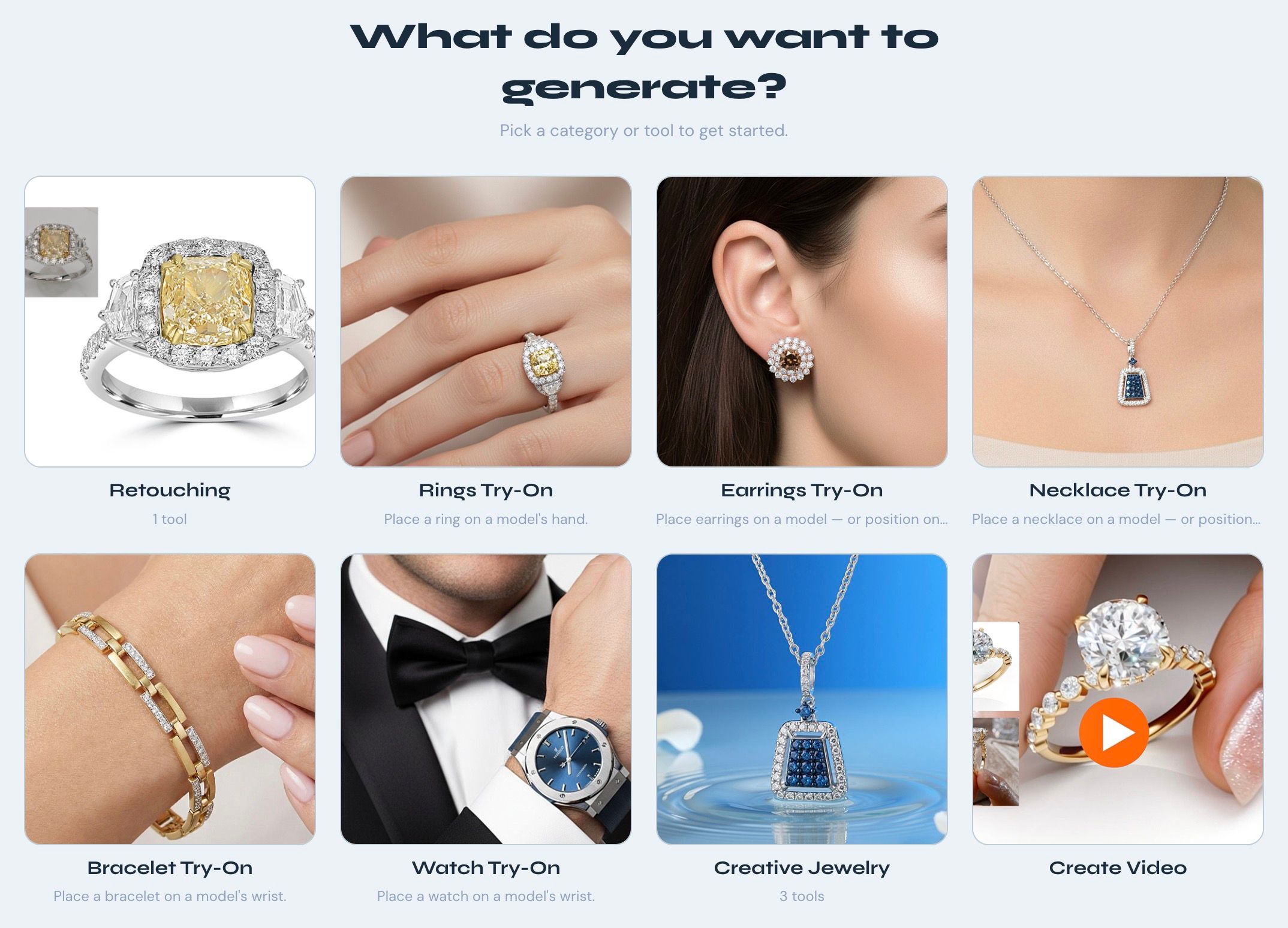
Frequently Asked Questions
What is NeuroViz AI Studio?
NeuroViz AI Studio is an all-in-one, browser-based canvas that brings jewelry retouching, virtual try-on, and creative photography into a single workspace. Instead of switching between separate apps, you upload one product photo and produce clean catalog shots, on-model try-ons, and styled creative imagery from one screen — on desktop or mobile.
How much does AI Studio cost?
AI Studio uses the same credit-based pricing as the rest of NeuroViz. You start with a free trial of 80 credits (no credit card), then buy credit packs as you grow. The exact cost of each generation is shown up front before you spend a credit, so there are no surprises. See the pricing page for full details.
Which jewelry types does the virtual try-on support?
The built-in virtual try-on supports rings, earrings, necklaces and pendants, bracelets, watches, and full combinations — each placed on a photorealistic model with controls so the look matches your brand.
Do I need design or photography skills to use it?
No. A clear phone photo of your piece is enough. AI Studio handles retouching, models, backgrounds, and creative scenes for you, and a first-visit guided tour walks you through the workspace so even newcomers reach a great result quickly.
Can I use AI Studio on my phone?
Yes. On mobile, AI Studio becomes a guided step-by-step flow — Setup → Preview & Edit → Adjust → Result — so you can create and export full-resolution images from your phone with the same power as the desktop canvas.
Try the new AI Studio
The fastest way to see what one unified canvas does for your workflow is to run a few of your own pieces through it. Open NeuroViz AI Studio in Beta at app.neuroviz.ai and start with 80 free credits — no credit card. Retouch, try on, and create your first campaign-ready jewelry image in a single afternoon.