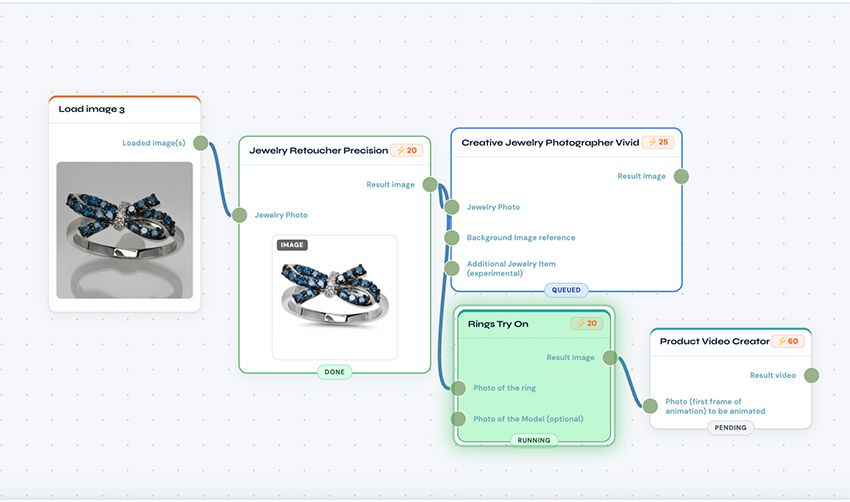
Creative Jewelry Photographer now supports multiple pieces in one scene.
Upload up to three jewelry pieces. AI combines them into one styled photo. Automatic background removal. Matched lighting, shadows, and reflections.
What Changed
Multiple Upload Slots: Jewelry Photo 1 (required). Jewelry Photo 2 (optional). Jewelry Photo 3 (optional).
Automatic Processing: Each piece gets extracted from its background automatically. AI removes backgrounds. No manual masking needed.
Combined Scene: All pieces placed together in one styled scene. Lighting matches across all pieces. Shadows fall naturally. Reflections stay consistent.
Any Combination Works: Rings with earrings. Necklaces with bracelets. Complete jewelry sets. Three-piece collections. Your choice.
Why This Matters
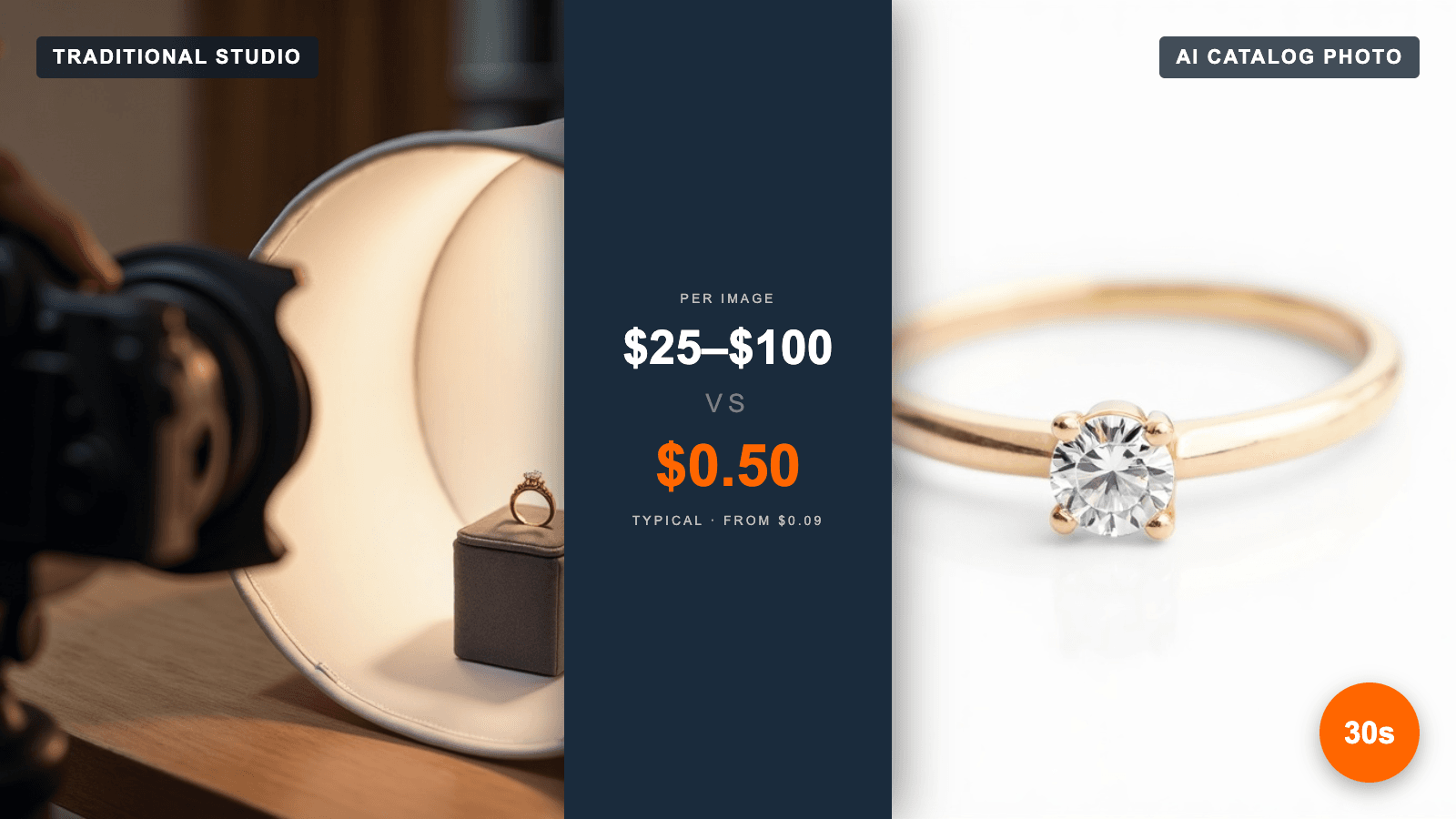
Problem: You have jewelry sets. Each piece photographed separately. Need them together for marketing. Hiring photographer to reshoot everything costs money and time.
Solution: Upload separate photos. AI combines them into one scene. No reshoot needed. No photographer required.
How to Use It
Step 1: Upload Main Piece Choose your primary jewelry piece. Upload to Jewelry Photo 1 slot. This piece is required.
Step 2: Add Second Piece Upload second piece to Jewelry Photo 2 slot. Optional but recommended for sets.
Step 3: Add Third Piece (Optional) Upload third piece to Jewelry Photo 3 slot. Use for complete collections.
Step 4: Add Background Reference (Optional) Upload reference image if you want specific scene style. AI matches the aesthetic. Leave blank for automatic scene selection.
Step 5: Generate Click Generate. AI processes all pieces. Combines into one image. Usually takes 30-60 seconds.
Tip: Each slot needs a different jewelry piece. Want the same piece shown twice? Upload it once and add instructions like "place two copies side by side."
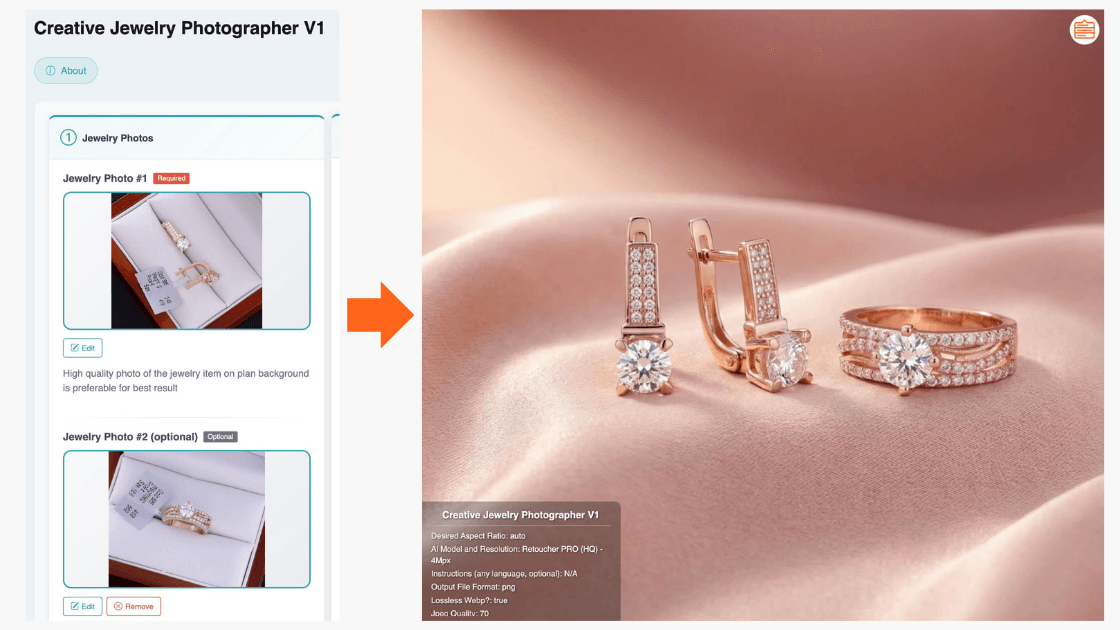
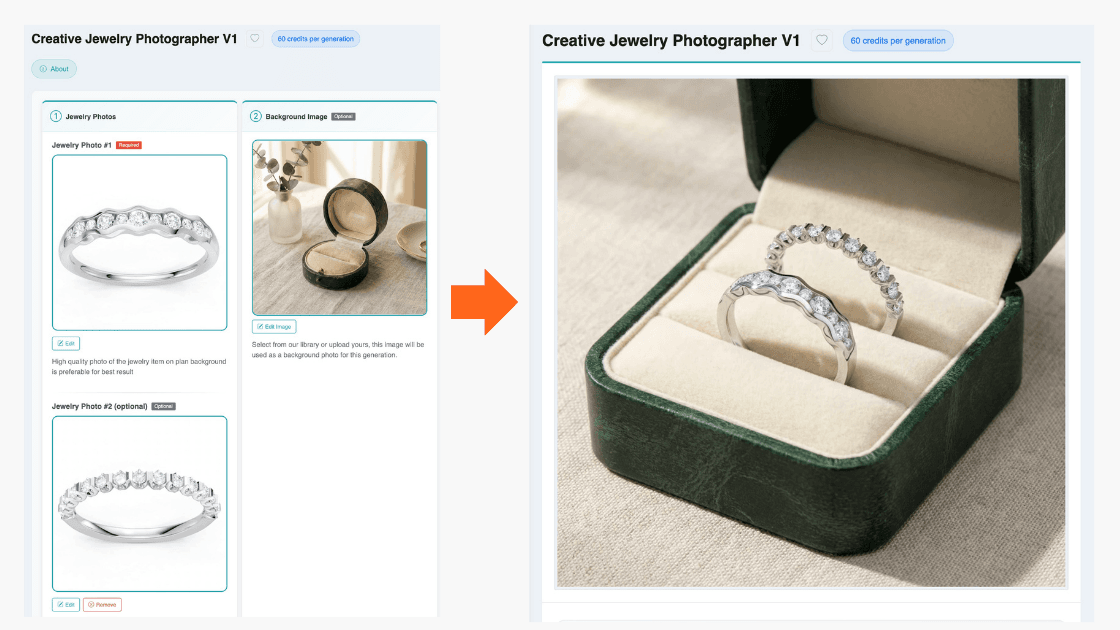
The results speak for themselves — see the attached screenshots showing rings and earrings from separate "in-box" photos combined into one polished scene on silk fabric.
Or, you can do opposite: put these 2 rings into a box, if box was used as "reference background" image:
Use Cases
Jewelry Sets: Show complete sets together. Wedding sets with engagement ring and band. Earring and necklace combinations. Bracelet and ring pairs.
Matching Collections: Display pieces from same collection in one image. Show how items work together. Help customers visualize complete looks.
Shop the Look: Create marketing visuals showing multiple pieces. Encourage customers to buy sets. Increase average order value.
Seasonal Displays: Combine holiday collection pieces. Create themed marketing images. Showcase gift set options.
Before/After Context: Show jewelry in original packaging then styled together. Display product range in single image.
Technical Details
Supported Jewelry Types: Rings, earrings, necklaces, bracelets, pendants, watches, brooches. Any jewelry that photographs well.
Background Removal: Automatic for all pieces. Works on white backgrounds, colored backgrounds, in-box photos, on-hand photos.
Scene Matching: AI analyzes reference background. Matches lighting direction, color temperature, surface material, depth of field.
Output Quality: Same resolution as Creative Jewelry Photographer single-piece mode. Up to 10MP on Pro plans.
Best Practices
Marketing Use: Create "complete the look" images for email campaigns. Show jewelry sets on product pages. Build social media content featuring collections.
Product Photography: Save photographer costs on set shots. Update set photos when adding new pieces. Create seasonal collection images without reshoots.
E-commerce: Display jewelry sets for bundle sales. Show compatible pieces together. Increase cross-sell opportunities with styled combinations.
Getting Started
Available now in Creative Jewelry Photographer V1.
Access: Log in to app.neuroviz.ai. Navigate to Creative Jewelry Photographer. Look for multiple upload slots (Jewelry Photo 1, 2, 3).
Free Trial: New accounts get 80 free credits. Enough to test multiple-piece functionality. No credit card required.
Support: Questions about combining jewelry pieces? Contact support@neuroviz.ai. We respond within 24 hours.
Try It Now
Upload your jewelry set photos. See them combined in one professional scene.
No photographer needed. No complex editing. Just upload and generate.
app.neuroviz.ai